7
ENGLISH
REMOTE CONTROL
(
RC5
)
CONNECTION
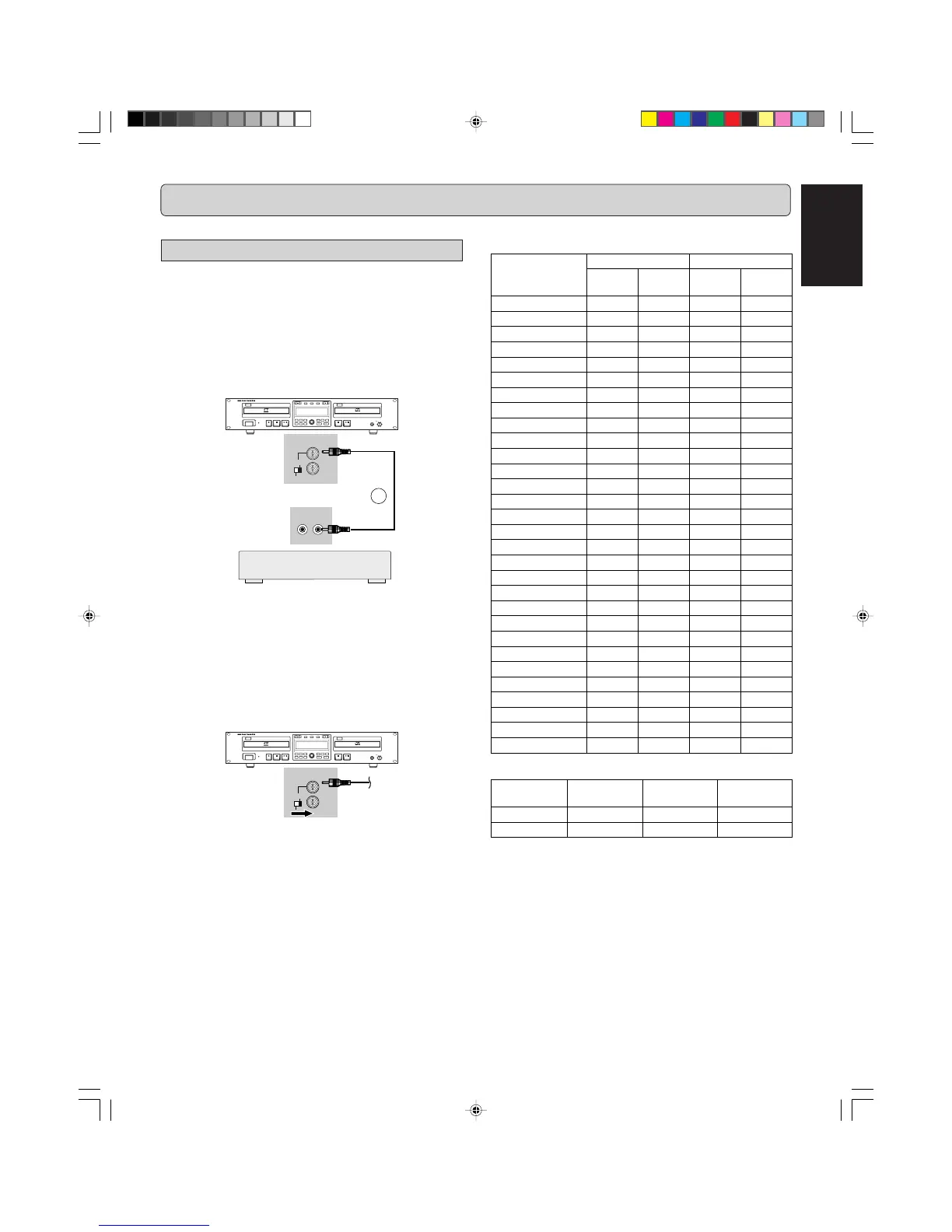
Remote control cable connections
The REMOTE CONTROL (RC5) jacks on the back panel allow
an external remote control system to control the playback func-
tions of the CDR500. The control system is called RC5 and the
chart on the right provides the control code list. For more infor-
mation on the RC5 system and details regarding it's operation,
please contact Marantz Professional.
1. Connect a remote control cable to the CD recorder from
a control system based on the diagram below:
HEADPHONE
CD RECORDER/CD PLAYER CDR500
PROG
FINAL
TEXT
LEVEL
TIME
CDPLAY MODECDR
INPUT
ERASE
MENUREC.M
POWER
IR
STANDBY
010
PUSH ENTER
REC LEVEL/SELECT
DELETE
STORE
CANCL
Recordable
ReWritable
INT.(IR)
EXT.
CONTROL
REMOTE
IN
OUT
REMOTE
CONTROL
OUT
IN
13
Note:
- When the external remote control is not used, it is recom-
mended to leave the REMOTE CONTROL (RC5) switch in
the IR position.
- A heavily shielded single-conductor wire is recommended.
- If it is desiriable, for example in a professional studio, to dis-
able the IR receiver, set the REMOTE CONTROL (RC5)
switch to the EXT. position.
2. Set
REMOTE
(RC5) switch (41) to EXT.
HEADPHONE
CD RECORDER/CD PLAYER CDR500
PROG
FINAL
TEXT
LEVEL
TIME
CDPLAY MODECDR
INPUT
ERASE
MENUREC.M
POWER
IR
STANDBY
010
PUSH ENTER
REC LEVEL/SELECT
DELETE
STORE
CANCL
Recordable
ReWritable
INT.(IR)
EXT.
CONTROL
REMOTE
IN
OUT
Remote Control Generator
The numbers between parentheses refer to the fold-out.



 To Next Page