19
ENGLISH
PROGRAMMING
Programmed play
• You can program up to 99 tracks to play in any desired se-
quence.
• Tracks can be programmed more than once.
Programming for playback
11
11
1
Select Changer mode or Dual mode using the
PLAY
MODE
(26) button.
➔ or appears on the display.
22
22
2
Press
CDR
(27, 78) or
CD
(25, 89) to select the required
deck.
➔ Selected deck lights up in the display.
33
33
3
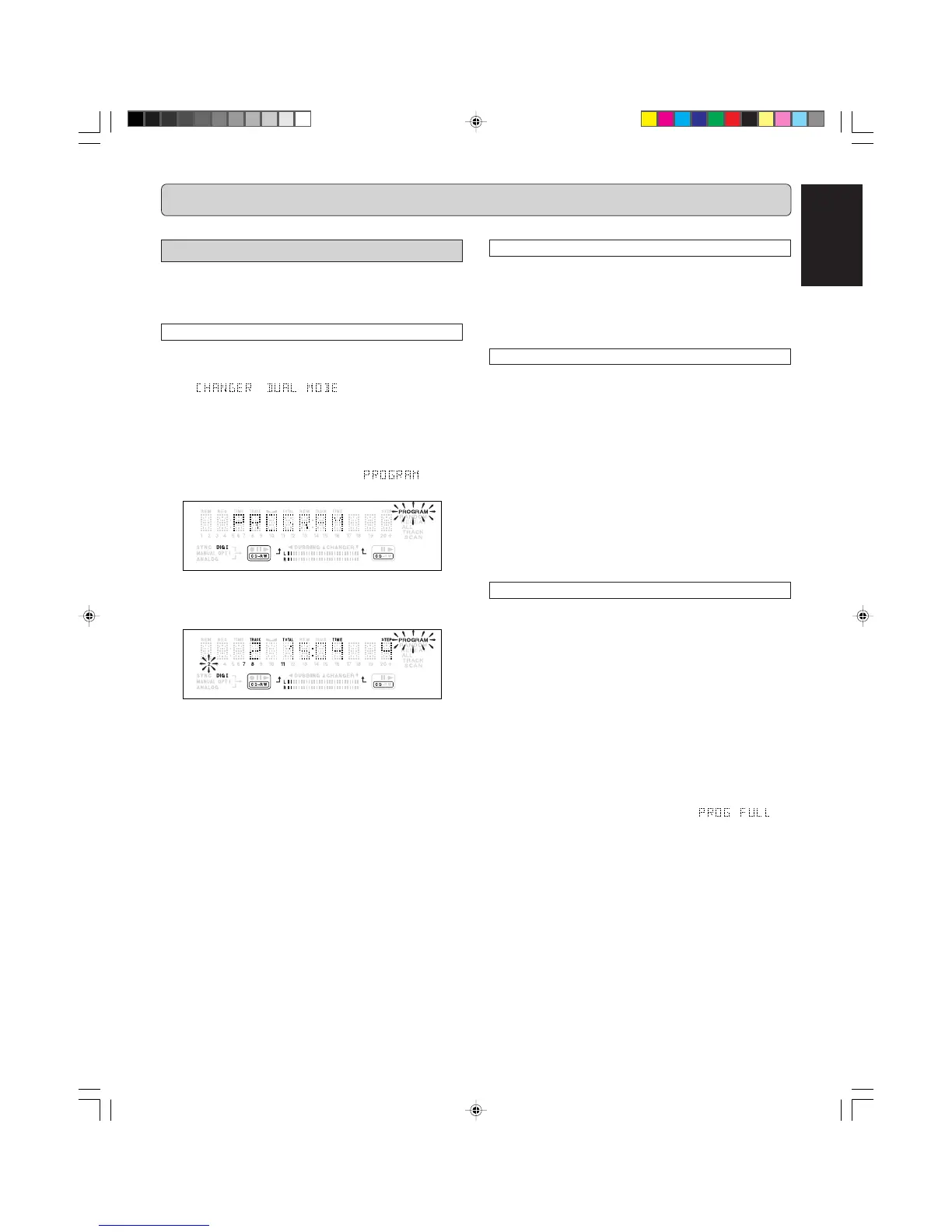
Press
PROG
(18, 91) to enter Program mode.
➔
PROGRAM
indication flashes and appears
on the display.
44
44
4
Select the required track numbers by turning the
REC
LEVEL/SELECT
(13) knob left or right and store by press-
ing the knob.
or:
Key in a track number with the
NUMERICAL
(76) keys.
For 2-digit numbers, press the keys in rapid succession and
store by pressing
REC LEVEL/SELECT
(13) or
ENTER
(84).
➔ The track will be stored in the program.
➔ The track number, total program time and the number of
programmed tracks (steps) are displayed.
55
55
5
Repeat step
2 2
2 2
2 -
44
44
4 for all tracks to be programmed.
66
66
6
Press
99
99
9 (5, 87) or
PROG
(18, 91) to end programming.
➔ PROGRAM lights continuously.
77
77
7
Press
22
22
2/
;;
;;
; (6, 20) or
2 2
2 2
2 (79) to start programmed play.
The numbers between parentheses refer to the fold-out.
Clearing a program
11
11
1
Press
99
99
9 (5, 87) to stop programmed play.
22
22
2
Press
99
99
9 (5, 87) again to clear the program.
➔ PROGRAM indication disappears from the display.
• The program is also cleared if you open the disc tray.
Erasing a track from a program
11
11
1
In Stop mode press
PROG
(18, 91) to enter Program
mode.
22
22
2
Use the
REC LEVEL / SELECT
(13) knob, the
SS
SS
S (80) or
TT
TT
T (88) keys, the
QQ
QQ
Q (15, 81) or
RR
RR
R (17, 86) keys, or
the
NUMERICAL
(76) keys to select the programmed
tracks to be erased.
➔ The track number and program step will be shown on
the display.
33
33
3
Press
DELETE/CANCEL
(11, 85)
to erase the track from
the program.
➔ The remaining program steps and the remaining playing
time of the program will be displayed.
Programming for recording
11
11
1
Press
REC MODE
(10) to select the required recording
mode (see ‘RECORDING’).
22
22
2
Compile your program by repeating steps
33
33
3 to
55
55
5 as
described in “programming for playback”.
• Only tracks from the disc in the CD-Player drive can be
stored.
33
33
3
Press
00
00
0 (4) to start recording.
Note:
- To review the program, press
PROG
(18, 91), followed by
Q (15,81) or R (17, 86) with the CD-Player or CD-Re-
corder in stop mode.
- To add more tracks to the program, repeat steps
1
to
5
.
- If you try to store more than 99 tracks,
ap-
pears on the display.
CDR500U ENG 15-21 10/11/00, 9:33 AM19



 To Next Page