12
ENGLISH
RECORDING (FROM INTERNAL CD-PLAYER)
The numbers between parentheses refer to the fold-out.
Note:
- Once DAO recording is started, you cannot stop recording.
- The DAO function cannot record correctly if the source CD
disc has scratches or dust particles.
Important:
The DAO function will not allow copying in the following
situations:
- The source disc is an un-finalized CD-R or CD-RW.
- The recording disc is not blank.
Because the DAO function will record the lead-in area, the
program area and read-out area continuously, you don't
have to finalized the recorded disc.
If you unfinalize a DAO recorded CD-RW disc, all the disc
information wil be lost.
Disc At Once (DAO) recording
The DAO function makes a complete copy of a source CD with-
out stopping. Therefore, the lead-in (TOC), program (audio
data), and lead-out portions of the disc are all recorded without
linking point errors. Linking point errors occur every time the
laser starts and stops a recording, including when a disc is fi-
nalized.
A disc recorded using DAO should be completely free of any
linking point errors which will allow DAO recorded discs to be
used as a master for duplication. The DAO function can also be
used for discs that are having trouble playing in some CD play-
ers, where the DAO function can act as a “clean up” so that a
clean, error free copy can be made of a bad disc.
11
11
1
Make sure that the recording and source disce are ab-
solutely free of scratches and dust particles.
22
22
2
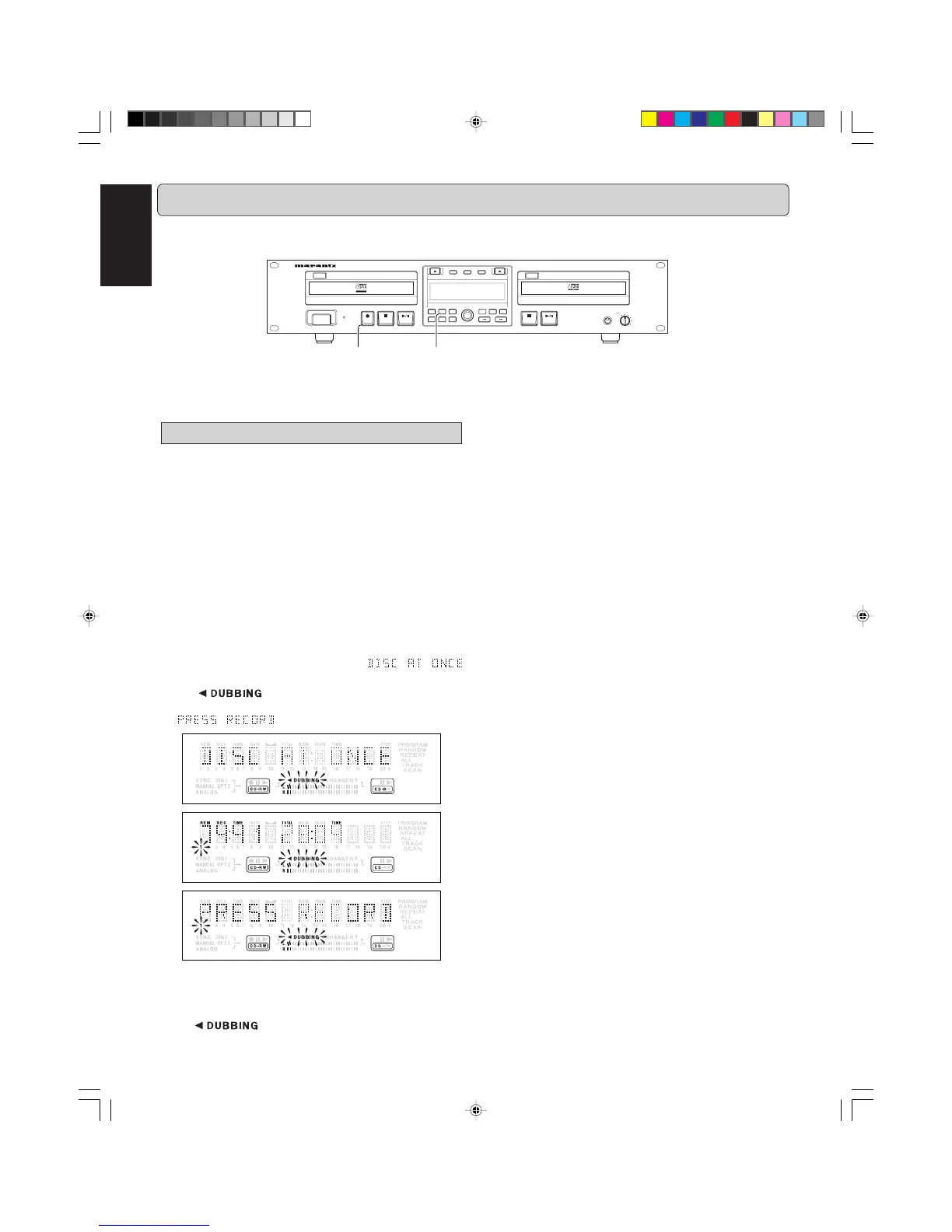
Press
REC MODE
(10) four times so that
appears on the display.
• The
starts blinking. After 3 seconds, the remain-
ing CD-R/RW recording time, total time of CD disc, and
will be shown continuously on the display.
33
33
3
To start recording, press
00
00
0 (4).
➔ The total remain time of recording appears on the dis-
play. It starts recording.
lights continuously.
HEADPHONE
CD RECORDER/CD PLAYER CDR500
PROG
FINAL
TEXT
LEVEL
TIME
CDPLAY MODECDR
INPUT
ERASE
POWER
IR
STANDBY
010
PUSH ENTER
REC LEVEL/SELECT
Recordable
ReWritable
MENU
STORE
REC
MODE
CANCL
DELETE
e w
CDR500U Eng 01-14 10/11/00, 9:31 AM12



 To Next Page