o
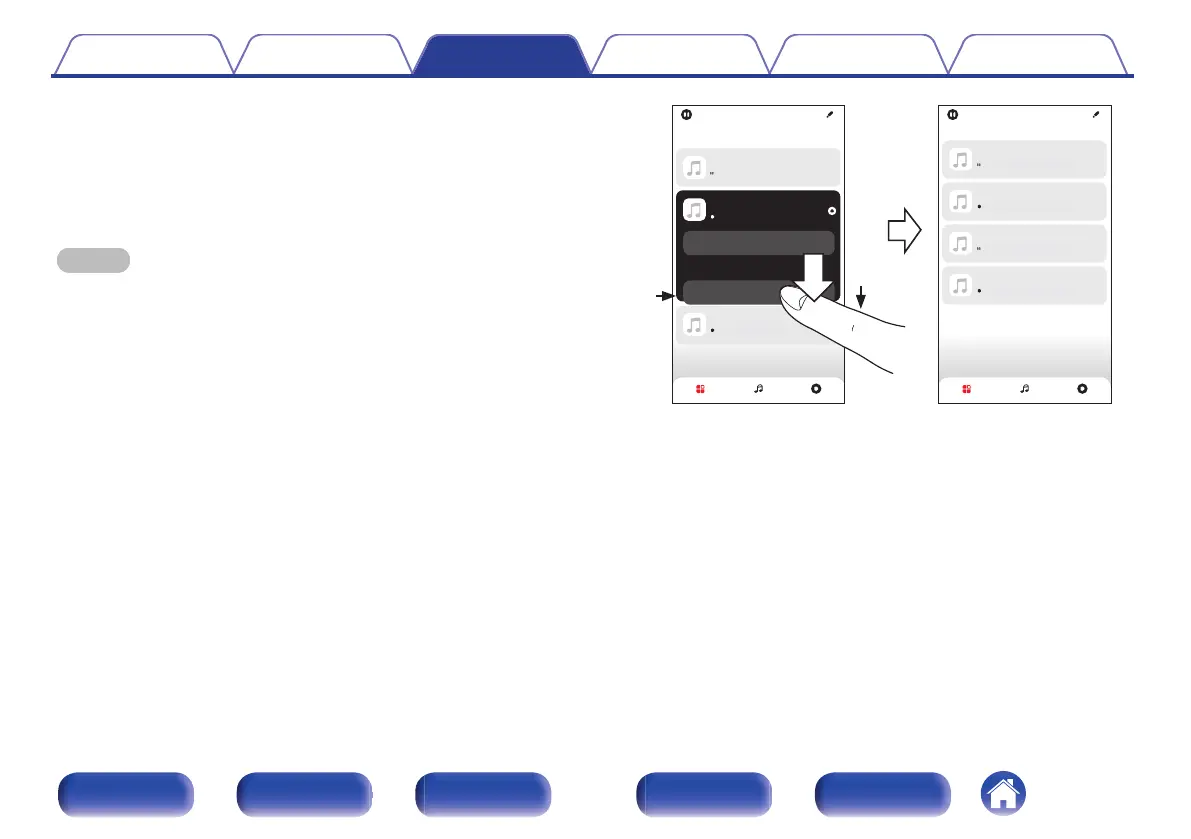
Ungrouping rooms
1
Press and hold your finger on room that you want to
remove from the group.
2
Drag it out of the group and lift your finger.
NOTE
0
You can not remove the first room that started playing the music before grouping.
Song Name 4
Kitchen
Song Name 1
Dining
Song Name 3
Bedroom
Living
Song Name 2
Kitchen
Song Name 3
Bedroom
Song Name 2
Living
Song Name 1
Dining
Living
Rooms
Drag one room into another to group them
Rooms
Drag one room into another to group them
Rooms Now PlayingMusic
Rooms Now PlayingMusic
2
1
Contents Connections Playback Settings Tips Appendix
105
Front panel Display Rear panel Remote Index



 To Next Page