Calling up the settings
1
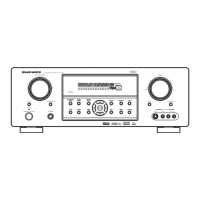
Press MAIN or Z2 to select the operating zone with the
remote control.
The indicator for the selected zone is lit.
2
Press SMART SELECT.
The Smart Select settings registered to the button you pressed are
called up.
0
The default settings for the input source are as shown below.
GMAIN ZONEH
Button Input source
SMART SELECT 1 CBL/SAT
SMART SELECT 2 Blu-ray
SMART SELECT 3 Media Player
SMART SELECT 4 HEOS Music
GZONE2H
Button Input source
SMART SELECT 1 CBL/SAT
SMART SELECT 2 –
SMART SELECT 3 –
SMART SELECT 4 HEOS Music
0
Volume is not registered to Smart Select in the factory default settings.
See “Changing the settings” to register volume to Smart Select.
(v p. 137)
Contents Connections Playback Settings Tips Appendix
136
Front panel Display Rear panel Remote Index



 To Next Page