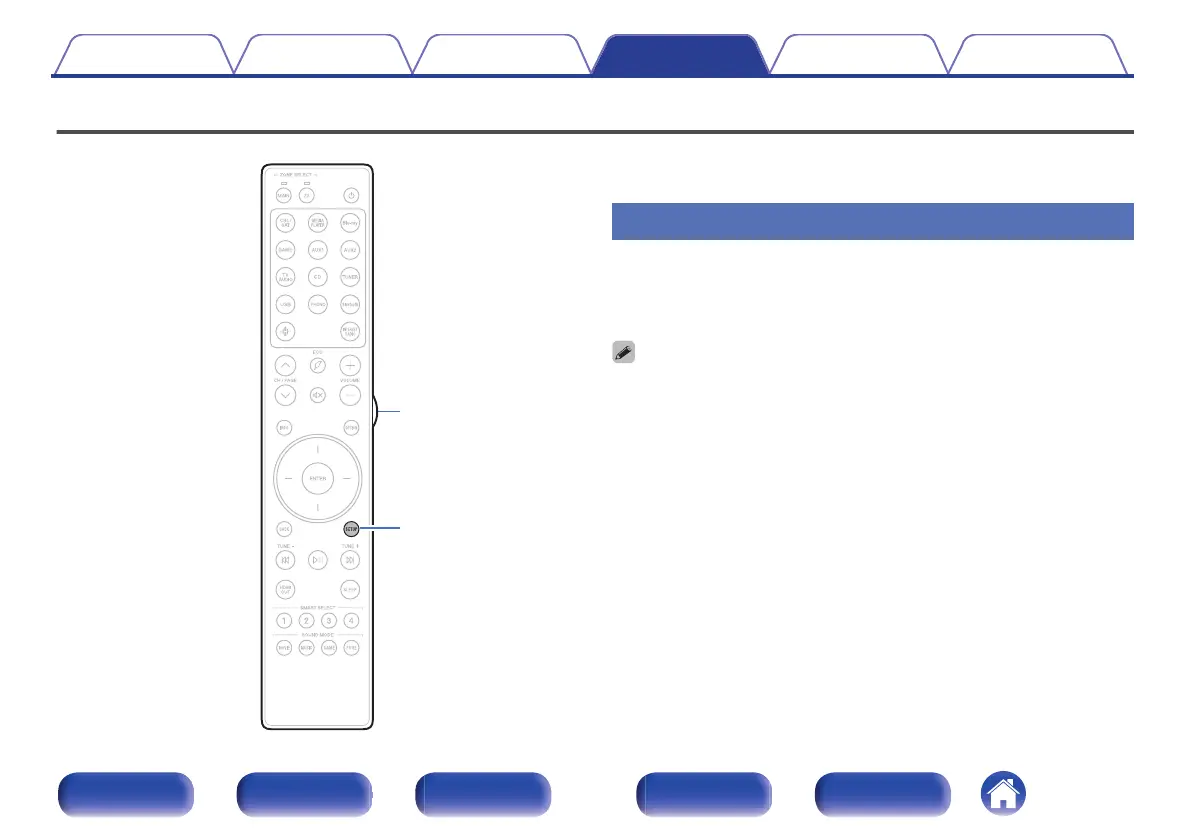
Setting the back light of the remote control unit
You can turn off the backlight of the remote control unit.
0
Backlight is set on in the factory settings.
Disabling the backlight
1
Press and hold both SETUP and Light button until the
MAIN and Z2 indicators on the remote are flashing
green, then release.
0
The backlight function can be turned on by performing step 1 again while the
backlight function is off.
Contents Connections Playback Settings Tips Appendix
227
Front panel Display Rear panel Remote Index



 To Next Page