20
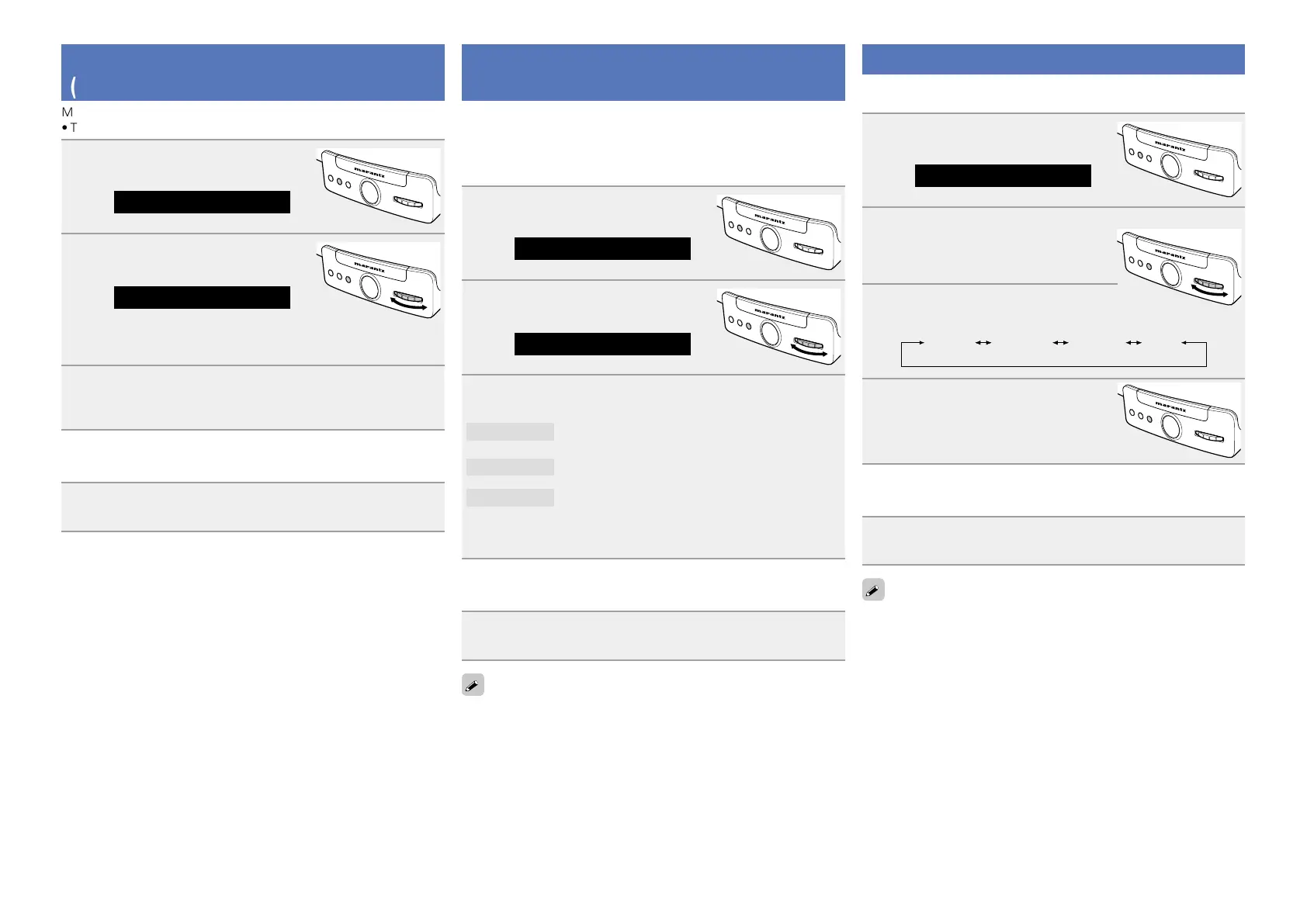
Setting the language (Language)
Sets the language for display the menu.
•The default setting is “English”.
1
Press FUNCTION repeatedly until
“Settings” is displayed.
Settings
ELECTRONIC GYRO TOUCH
ENTER
FUNCTION
PLAY/PAUSE
2
Press ENTER.
The unit enters the setting mode of
the language menu, and shows the
language currently selected.
ELECTRONIC GYRO TOUCH
ENTER
FUNCTION
PLAY/PAUSE
3
Turn GYRO to select the language.
English Français Español Back
4
Press ENTER.
The setting is entered, and the
“Language” menu is displayed again.
ELECTRONIC GYRO TOUCH
ENTER
FUNCTION
PLAY/PAUSE
n Exiting the menu to return to the normal mode
Press FUNCTION repeatedly until “Source” is displayed.
•The unit exits the setting mode and the normal display returns.
To return to the previous item, turn GYRO to select “Back”, then press
ENTER.
Setting the sound tone
(Room Setting)
Depending on the conditions of a listening room, playback sound
may be too resonant or either bass or treble may sound enhanced.
Three sound quality modes are available on this unit. Try the actual
effects and select the mode at your preference for your listening
room conditions.
1
Press FUNCTION repeatedly until
“Settings” is displayed.
Settings
ELECTRONIC GYRO TOUCH
ENTER
FUNCTION
PLAY/PAUSE
2
Turn GYRO to select “Room
Setting”, then press ENTER.
ELECTRONIC GYRO TOUCH
ENTER
FUNCTION
PLAY/PAUSE
Room Setting
3
Turn GYRO to select the mode, then press ENTER.
PureDirect
Playback sound with no quality adjustment.
Low Bass
For weaker treble in a room with less resonance.
High Bass
For stronger treble in a resonant room.
•If you press
ENTER, the setting is entered and “Room Setting”
menu is displayed again.
n Exiting the menu to return to the normal mode
Press FUNCTION repeatedly until “Source” is displayed.
•The unit exits the setting mode and the normal display returns.
To return to the previous item, turn GYRO to select “Back”, then press
ENTER.
Setting the volume limit
(Max Vol Level)
Make a setting for maximum volume.
•The default setting is “99”.
1
Press FUNCTION repeatedly until
“Settings” is displayed.
Settings
ELECTRONIC GYRO TOUCH
ENTER
FUNCTION
PLAY/PAUSE
2
Turn GYRO to select “Max Vol
Level”, then press ENTER.
ELECTRONIC GYRO TOUCH
ENTER
FUNCTION
PLAY/PAUSE
Max Vol Level(99)
•This unit enters the maximum volume setting mode and the
current max volume level is displayed.
3
Turn GYRO to select the volume “0 – 99”, then press
ENTER.
The “Max Vol Level” menu is displayed again.
n Exiting the menu to return to the normal mode
Press FUNCTION repeatedly until “Source” is displayed.
•The unit exits the setting mode and the normal display returns.


 To Next Page