6
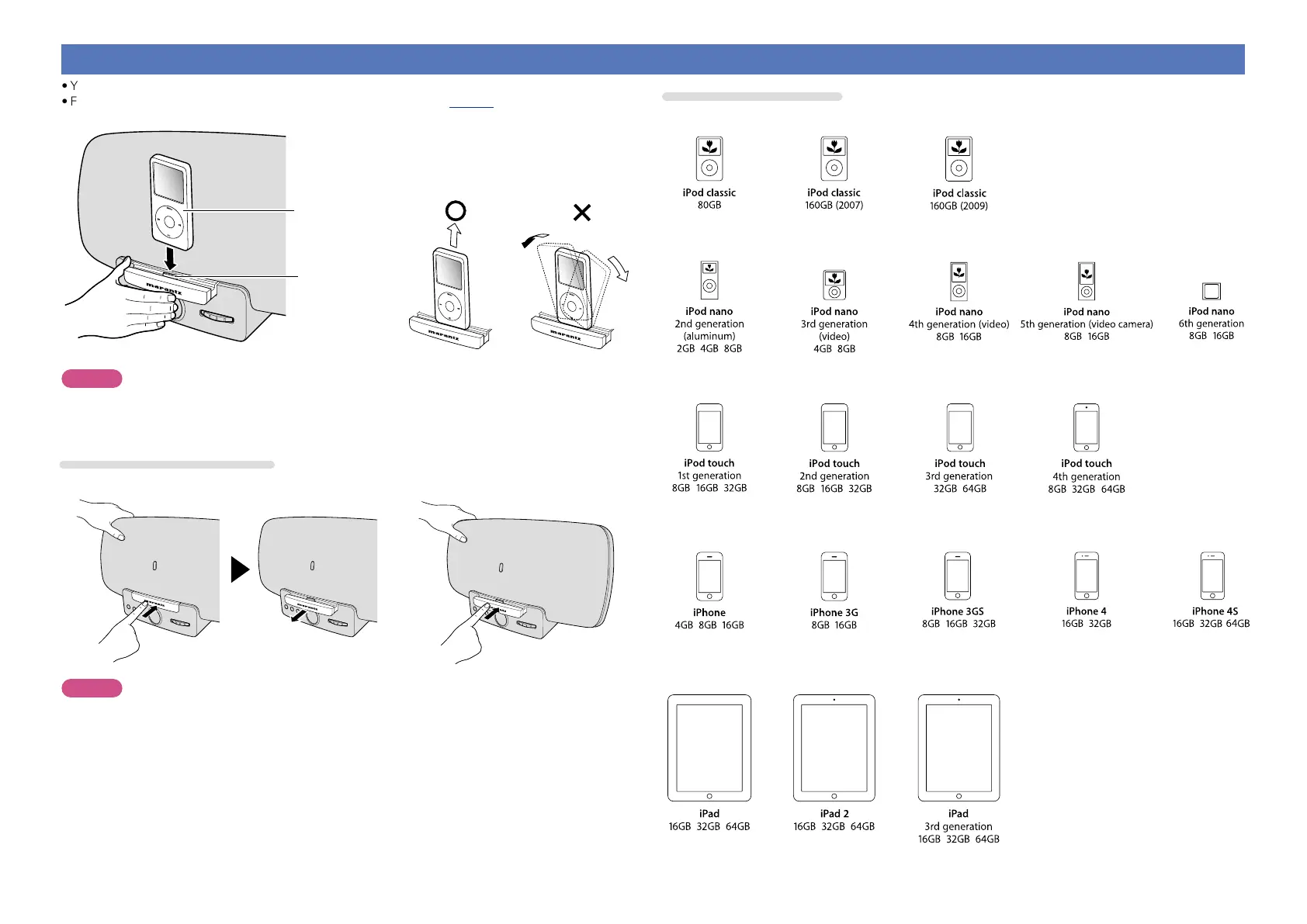
Connecting an iPhone, iPod or iPad
•You can enjoy music stored on an iPhone, iPod or iPad.
•For operating instructions see “Playing an iPhone, iPod or iPad” (vpage10)
ELECTRONIC GYRO TOUCH
ENTER
FUNCTION
PLAY/PAUSE
iPod
Dock connector
Dismantling
NOTE
•Depending on the type of iPhone, iPod or iPad and the software version, some functions may not operate.
•Note that Marantz will accept no responsibility whatsoever for any problems arising with the data on an
iPhone, iPod or iPad when using this unit in conjunction with the iPhone, iPod or iPad.
How to eject/store the Dock
q Push the front of the Dock, and it comes out. w Push it again to store within this unit.
ELECTRONIC GYRO TOUCH
ENTER
FUNCTION
PLAY/PAUSE
ELECTRONIC GYRO TOUCH
ENTER
FUNCTION
PLAY/PAUSE
ELECTRONIC GYRO TOUCH
ENTER
FUNCTION
PLAY/PAUSE
NOTE
•When ejecting/storing the Dock, hold the upper part of this unit with your hand to prevent this unit from
moving or tipping over.
•When iPhone, iPod touch or iPad is not connected to this unit, store the Dock within this unit.
Supported iPod models
•iPod / iPod classic
•iPod nano
•iPod touch
•iPhone
•iPad


 To Next Page