5
NOTE
•When making connections, also refer to the owner’s manual of the
other components.
•Do not bundle power supply cords together with connection cables.
Doing so can result in hum or noise.
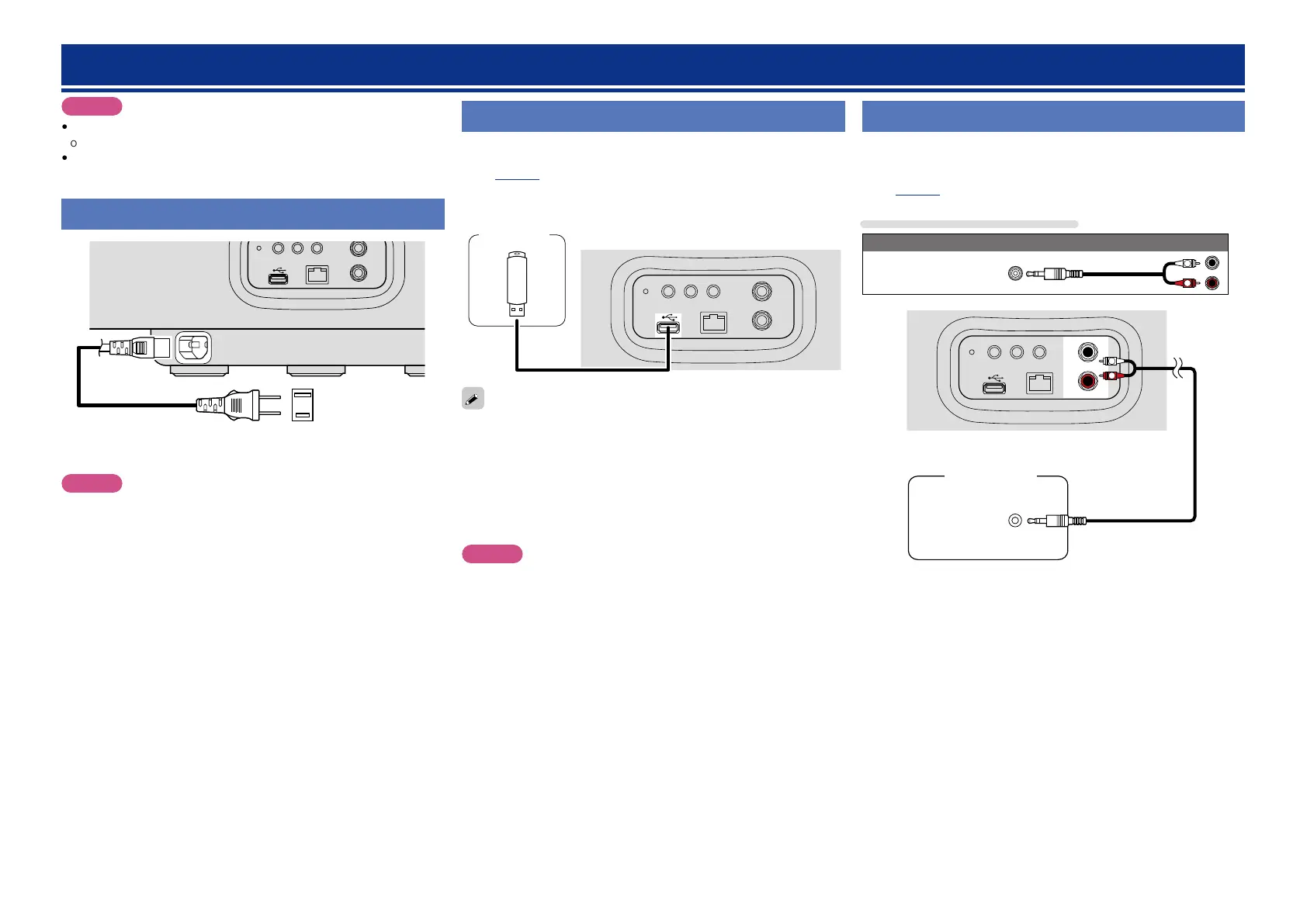
Connecting the power cord
NETLINKWPS
NETWORK
L
R
LINE IN
ON/STANDBY
Power cord
(Supplied)
To household power outlet
(AC 120 V, 60 Hz)
NOTE
•Only use the supplied power cord.
•Be sure the power cord is unplugged from the power outlet before
connecting or disconnecting it to the AC inlet.
Connections
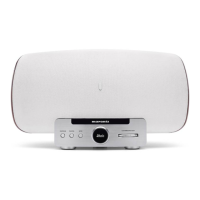
Connecting a USB memory device
•You can enjoy music stored on a USB memory device.
•For operating instructions see “Playing a USB memory device”
(vpage14).
NETLINKWPS
NETWORK
L
R
LINE IN
WIRELESS LAN
ON/STANDBY
USB
memory
device
•If the USB memory device is divided into multiple partitions, only the
top partition can be selected.
•This unit is compatible with MP3 files conforming to “MPEG-1 Audio
Layer-3” standards.
•Marantz does not guarantee that all USB memory devices will
operate or receive power. When using a portable USB hard disk drive
(HDD) which came with an AC adapter, use that device’s supplied
AC adapter.
NOTE
•Note that Marantz will accept no responsibility whatsoever for any
problems arising with the data on a USB memory device when using
this unit in conjunction with the USB memory device.
•USB memory devices will not work via a USB hub.
•It is not possible to use this unit by connecting the unit’s USB port
to a PC via a USB cable.
•Do not use an extension cable when connecting a USB memory
device. This may cause radio interference with other devices.
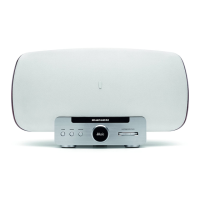
Connecting a portable player
•If a portable player is connected via the LINE IN jack of the unit,
music from the portable player can be played.
•For operating instructions see “Playing a portable player”
(vpage15).
Cables used for connections
Audio cable (sold separately)
Stereo mini-
RCA cable
R
L
NETLINKWPS
NETWORK
L
R
LINE IN
WIRELESS LAN
ON/STANDBY
HEADPHONE
R
L
Portable
Audio


 To Next Page