25
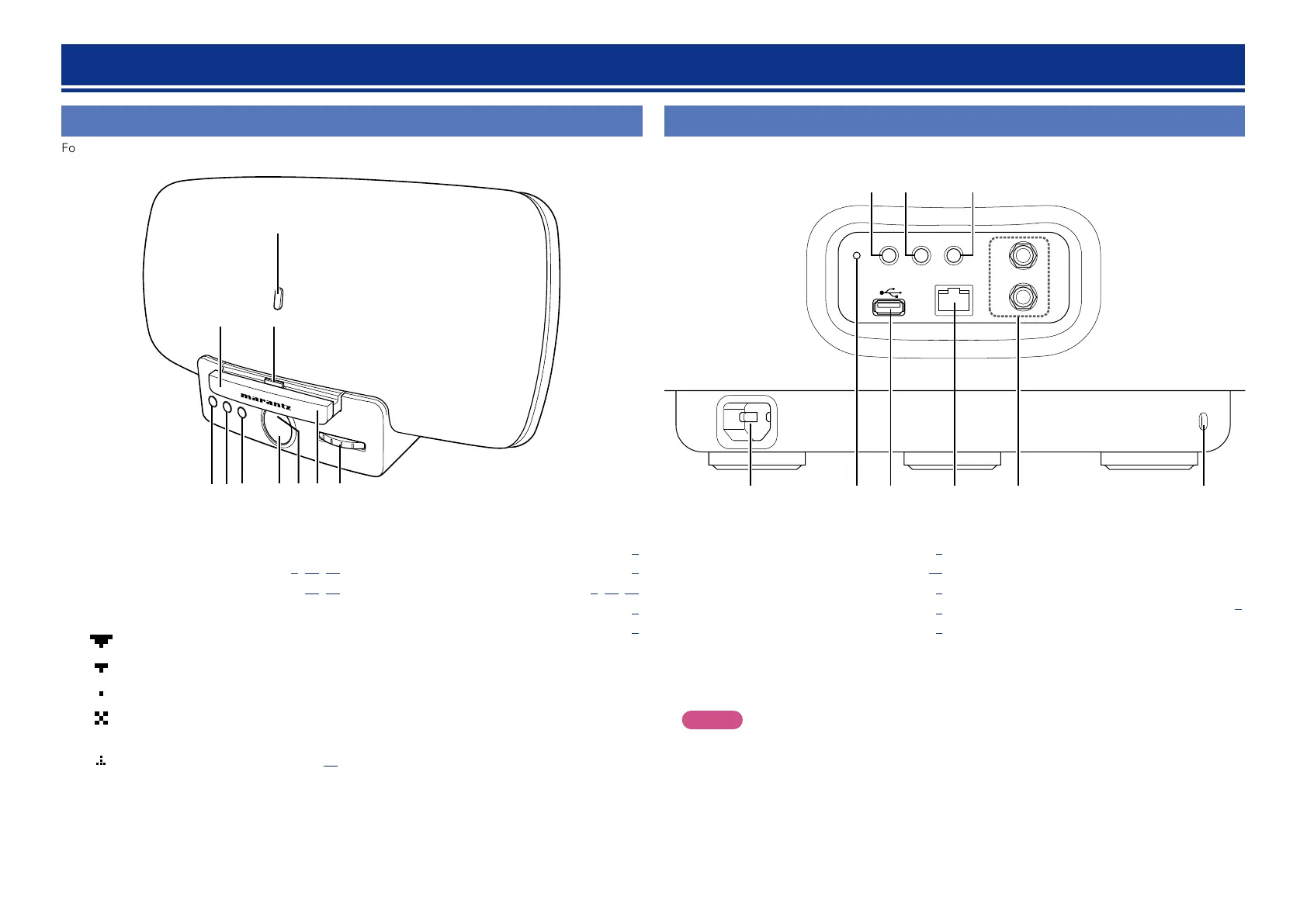
Front panel
For buttons not explained here, see the page indicated in parentheses ( ).
Part names and functions
Rear panel
See the page indicated in parentheses ( ).
NETLINKWPS
NETWORK
L
R
LINE IN
WIRELESS LAN
ON/STANDBY
wq e r t y
uio
q AC inlet ·························································· (5)
w Reset access hole ······································· (32)
e USB port ························································ (5)
r Network connector (NETWORK) ················ (7)
t LINE IN connectors ······································· (5)
y Security slot
You can attach a security cable to deter theft.
Use a security cable that is compatible with this
unit. For details, contact your dealer.
NOTE
Security cables have deterrent effects, but they
do not completely prevent theft or misuse of
this unit.
u NETLINK button ··············· (Quick Setup Guide)
i WPS button ······················· (Quick Setup Guide)
o Power operation button
(ON/STANDBY) ············································ (9)
Turns power to this unit on and off (standby).
ELECTRONIC GYRO TOUCH
ENTER
FUNCTION
PLAY/PAUSE
q
o
Q0
i
e
w
r y ut
q PLAY/PAUSE button
w FUNCTION button ···························· (9, 18, 32)
e ENTER button ······································· (18, 32)
r Display
GWireless LAN signal strengthH
: Strong
: Medium
: Weak
: Not connected
GOther indicationsH
: Update notification ....................... (19)
t Power indicator ············································ (9)
y Dock ······························································· (6)
u GYRO ················································· (9, 18, 32)
i Dock connector ············································· (6)
o Remote control sensor ································ (3)
Q0 CLOTH PROTECTOR
A rest for the back of an iPhone, iPod or iPad.


 To Next Page