16
[B] Update firmware setup procedure
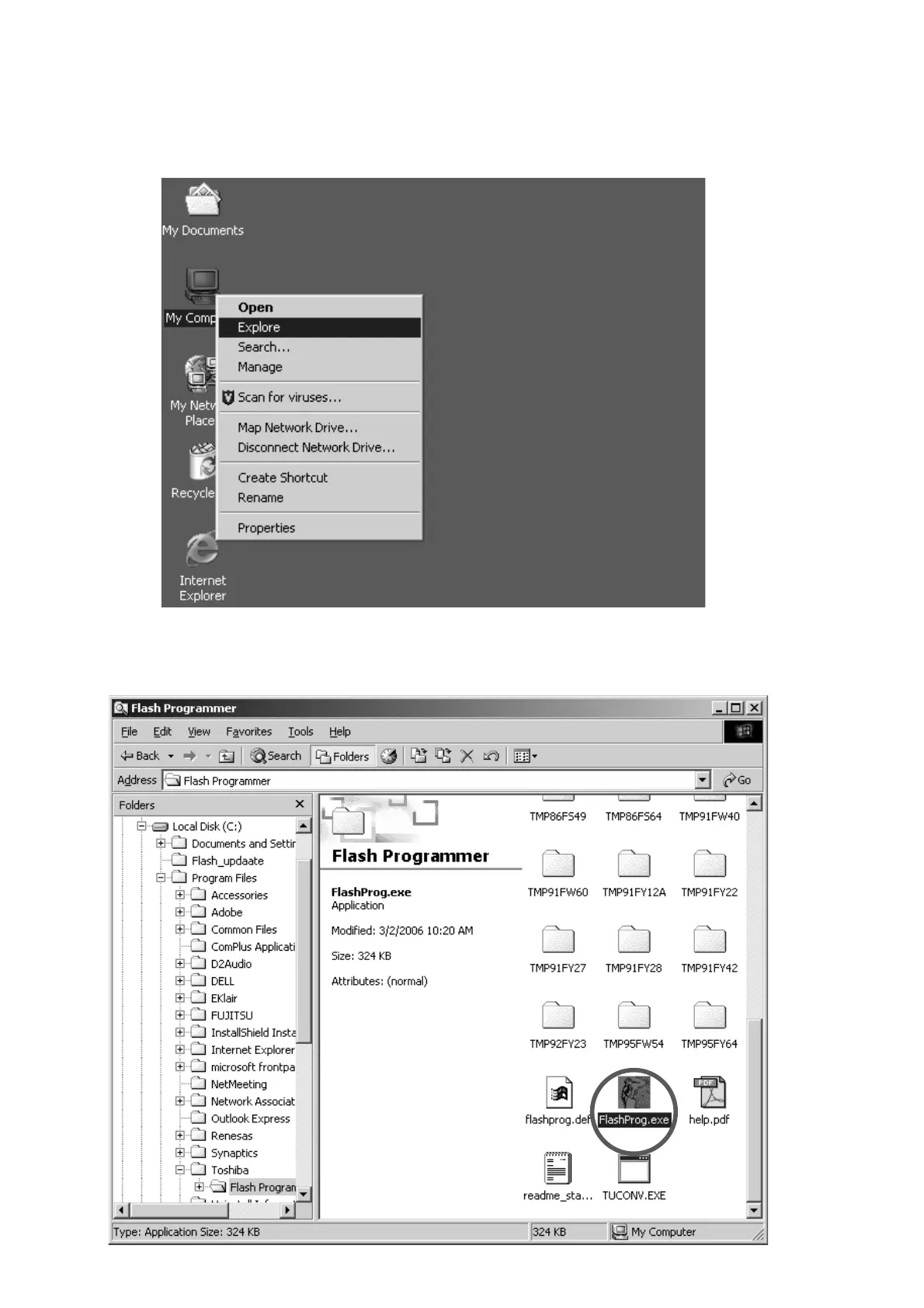
1. デスクトップのマイコンピューター上でマウスの右ボタン
をクリックし、メニューからエクスプローラをクリックし
ます。
2. C:\Program Files\Toshiba\Flash Programmerフォルダ内
の
Flashprog.exeをダブルクリックします。
[B] Update firmware setup procedure
1. The right button of mouse click on the My Computer, and
select the Explore in a menu.
2. Double click the Flashprog.exe in C:\Program Files\
Toshiba\Flash Programmer folder.



 To Next Page