28
8. RS232Cマイコンのバージョン確認方法
必要機器
• Windows PC(OS:Windows2000またはWindowsXP)で
Serial ポートのあるもの
• RS-232C ストレートケーブル(9Pin メス-9Pin メス)
バージョン確認
1. 本機のリアパネルにあるRS-232CコネクタとWindows
PC
のSerialポートをRS-232Cケーブルで接続します。
(RS-232Cケーブルは9ヒンメス‐9ピンメス ストレート
です。ソフトウェアアップデート用と同等品です。
)
2.
本機に電源ケーブルを差し、POWER ON/OFFボタンを押
して電源を入れます。
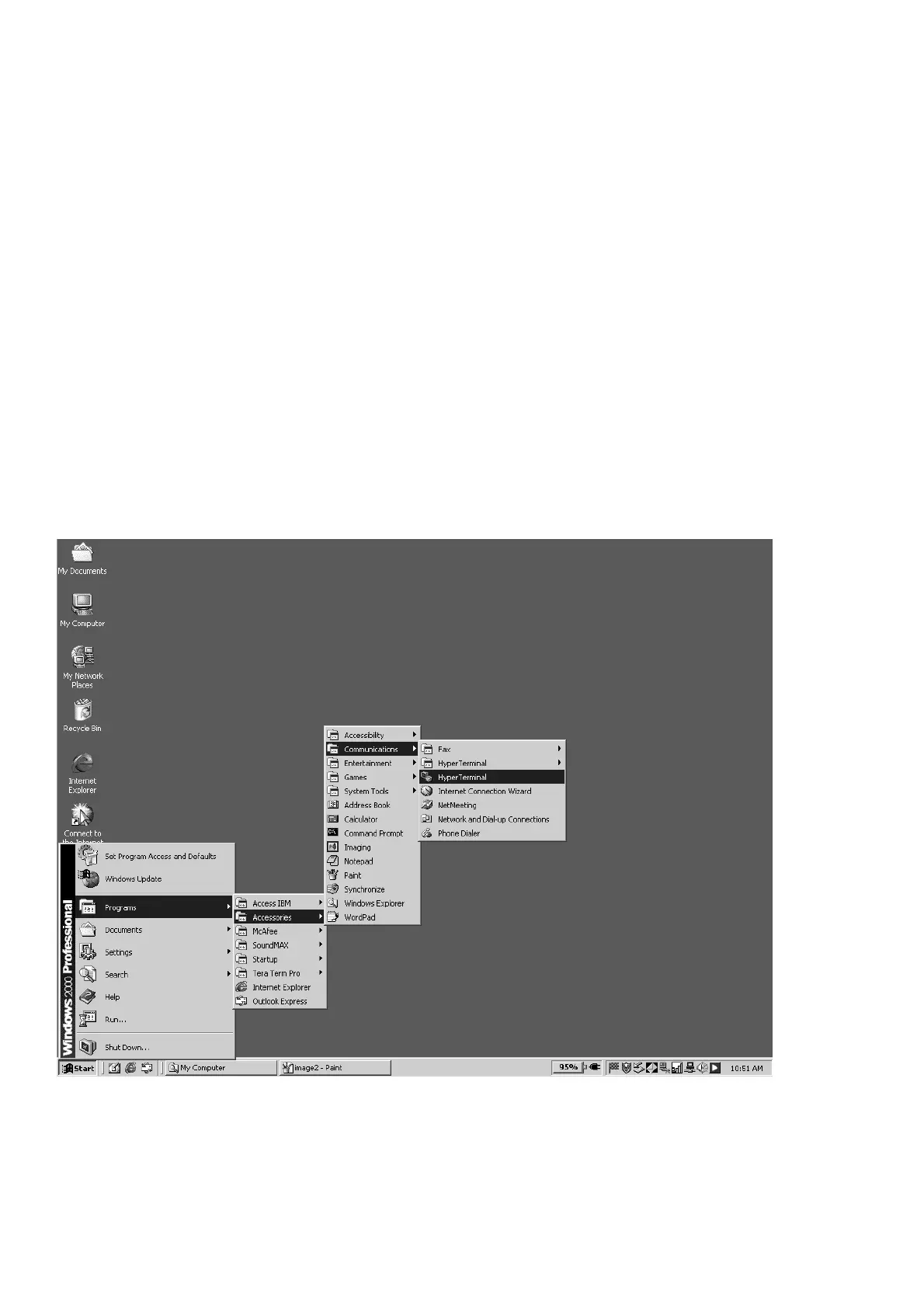
3. PC側でハイパーターミナルを起動します。
(ハイパーターミナルの起動についてはウィンドウズヘルプ
を参照してください。
)
スタート, プログラム, アクセサリ, 通信, ハイパーターミナ
ルをクリックします。
8. HOW TO CHECK THE VERSION NUMBER
OF RC232C MICROPROCESSOR
Necessary Equipment
• Windows PC (OS: Windows2000 or WindowsXP) with
Serial port.
• RS-232C Dsub-9 pin cable (female to female/straight
type).
Version Check
1. Connect the RS-232C on rear panel of the unit and the
Serial Port of Windows PC with RS-232C cable.
RS232C Dsub-9pin cable: Straight type/female to female.
Please use the same cable as what was used for
software update.
2. Connect the mains cord into the unit, press the POWER
ON/OFF button for turn on the unit.
3. Click Start, Programs, Accessories, Communications
and HyperTerminal.



 To Next Page