DAB
Making the DAB settings.
Making the DAB settings
o
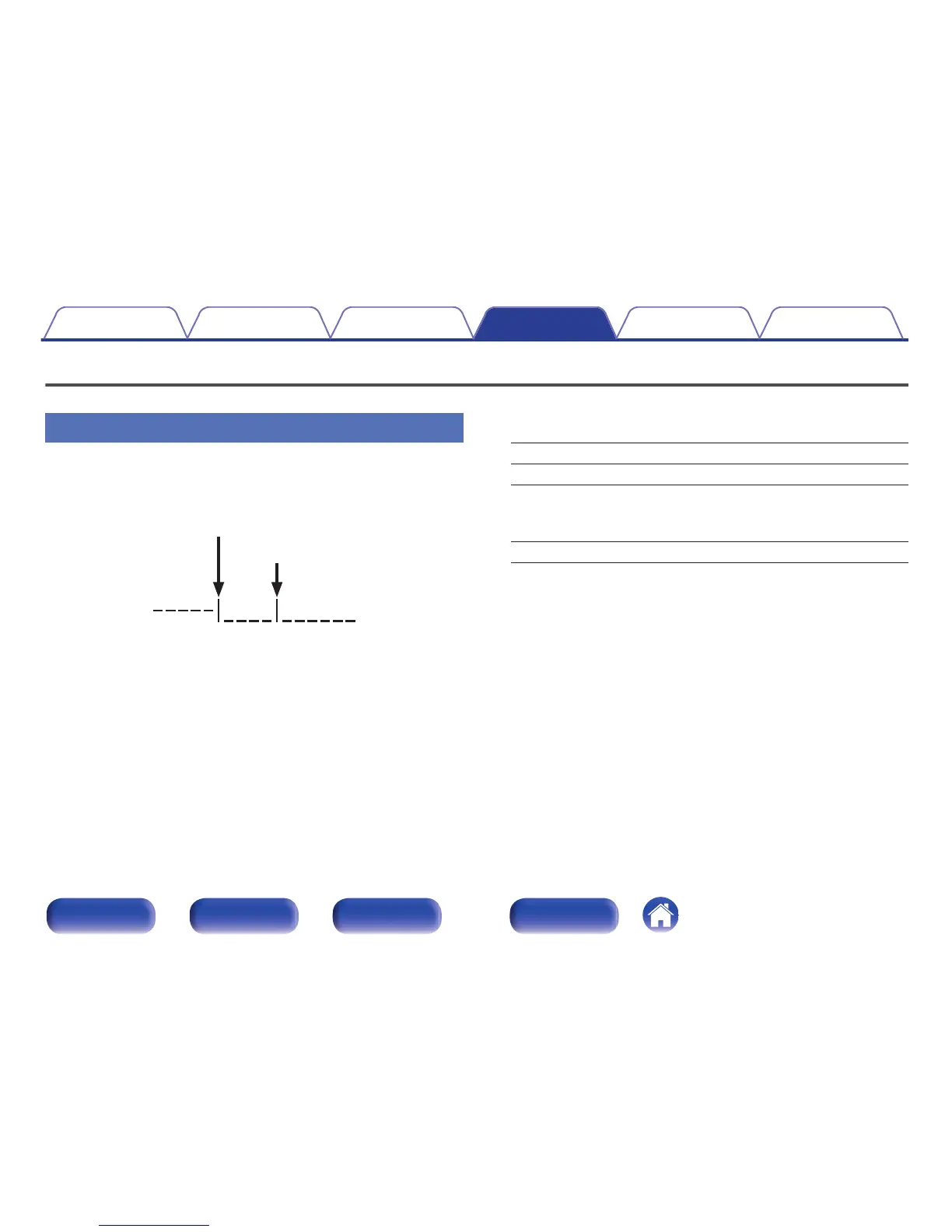
Tuning Aid
The reception intensity of the currently tuned in frequency is displayed.
Use this if your preferred station cannot be received.
.
1
Use o and p to select a frequency to tune into. It takes
around 4-5 seconds to correctly display the reception
intensity (C) after selecting a frequency.
2
If necessary, adjust the position of the antenna so that
the reception intensity (C) passes to the right of the
limit line (D). The station can now be received.
3
Press ENTER to select the station and exit Tuning Aid.
o
Station Order
The service list is created with the auto scan function.
Multiplex: In order of frequency.
Alphanumeric: In alphabetical order.
o
DRC (Dynamic Range Control)
Compress dynamic range (difference between loud and soft sounds).
Off / 1/2 / 1
o
DAB Initialize
When the “DAB Initialize” procedure is performed, all the preset
memory settings for the stations and DABs are reset.
o
DAB Version
The DAB module’s version is displayed.
Contents
Connections Playback Settings Tips Appendix
110
Front/Top
panel
Rear panel
Remote control
unit
Index






 To Next Page