10
Connecting a wireless receiver (RX101)
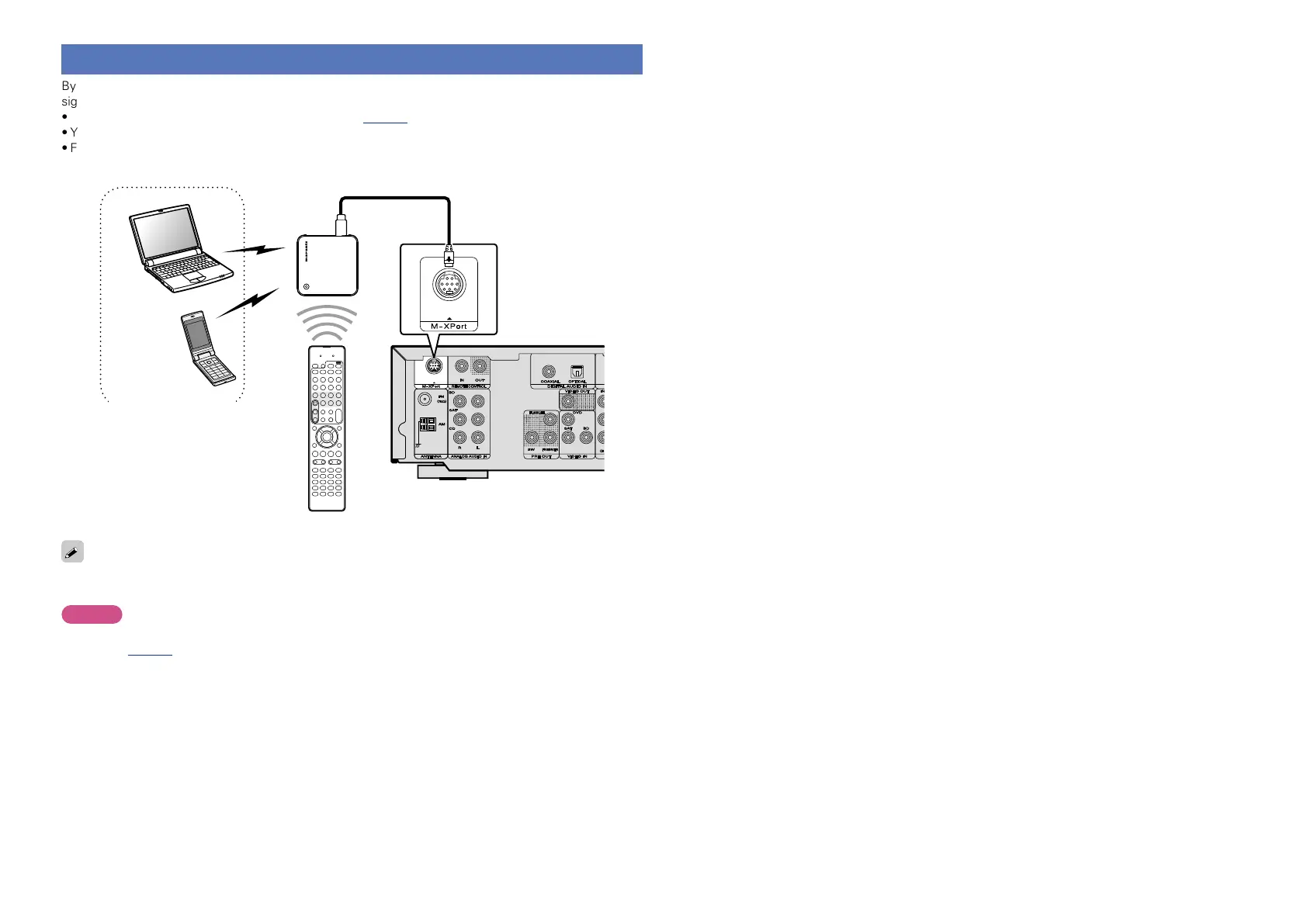
By connecting a wireless receiver RX101 (sold separately) to this unit, you can receive and playback audio
signals from other devices using the Bluetooth Communication Function.
•Use a Bluetooth device that is A2DP compatible (vpage85 “A2DP”).
•You can also use wireless receiver RX101 as an external IR receiver.
•For instructions on the wireless receiver settings, refer to the RX101’s operating instructions.
Wireless receiver RX101
Bluetooth device
(A2DP Compatibility)
Remote control unit
You can enjoy listening to music by connecting a wireless receiver via the M-XPort input connector. In this
case, set the input source to “M-XPort”.
NOTE
To use wireless receiver RX101 as external IR receiver, set the remote sensor function of this unit to
disable (vpage67 “Remote control settings”).















 To Next Page