71
Operating devices
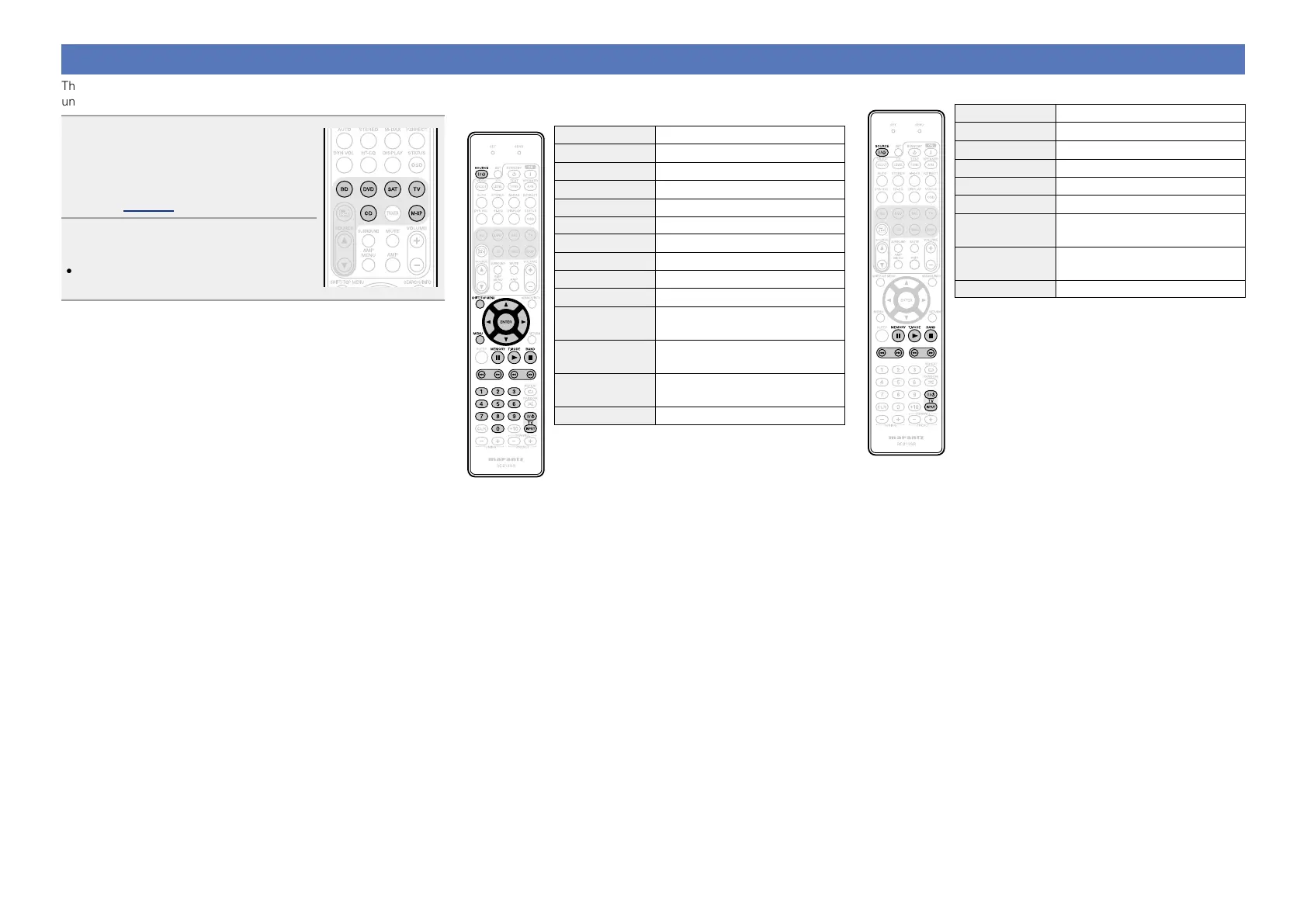
The supplied remote control unit can control a device other than this
unit.
1
Press the input source select
button to which the preset
code for the device you want
to operate has been registered
(vpage 68).
2
Operate the device.
•For details, refer to the device’s operating
instructions.
n Blu-ray Disc player / HD-DVD player /
DVD player / DVD recorder operation
Operation buttons Function
SOURCE
Z / X
Power on/standby
SHIFT/TOP MENU Top menu
uio p
Cursor operation
ENTER Enter
MENU (Popup) Menu
3
Pause
1
Playback
2
Stop
8 9
Auto search (cue)
6 7
Manual search
(fast-reverse/fast-forward)
0 – 9
Select title, chapter or channel
selection
TV Z / X
TV power on/standby
(Default : marantz)
TV INPUT Switch TV input (Default : marantz)
n CD player operation
Operation buttons Function
SOURCE
Z / X
Power on/off
3
Pause
1
Playback
2
Stop
8 9
Auto search (cue)
6 7
Manual search
(fast-reverse/fast-forward)
TV Z / X
TV power on/standby
(Default : marantz)
TV INPUT Switch TV input (Default : marantz)















 To Next Page