EasyManua.ls Logo

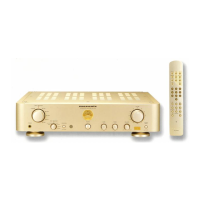
Marantz PM-17mk II - User Manual

Marantz PM-17mk II
15 pages
Print Icon
To Next Page IconTo Next Page
Loading...
Model PM-17mk
22
22
2
UserGuideUserGuide
UserGuide
Integrated Amplifier
Question and Answer IconNeed help?

Do you have a question about the Marantz PM-17mk II and is the answer not in the manual?

Summary

CE Marking

Foreword and Precautions

Warnings

Safety instructions regarding exposure to rain, moisture, covers, ventilation holes, and mains leads.

Equipment Mains Working Setting

Information on the product's compliance with household power and safety requirements, and voltage.

How to Connect a Plug

Guidance on connecting the mains lead wires (blue to neutral, brown to live) and fuse replacement.

About This User Guide

Instructions on how to use the guide, including referencing figures and bold type.

General Precautions

Precautions for operating the equipment, including ventilation, surface, and environmental factors.

Audio Connections

Tuner Connection

Connect output jacks of stereo tuner to LINE 1-LINE 3 jacks.

VCR or DVD Player Connection

Connect audio output jacks of VCR/DVD player to LINE 1-LINE 3 jacks.

Compact Disc Player Connection

Connect output jacks of CD player to CD jacks.

Analog Turntable Connection

Connect turntable L/R output to PHONO jacks and grounding wire to GND jack.

CD Recorder;Tape Deck Connection

Connect recorder/deck IN/OUT jacks to the unit's OUT/IN jacks.

Speaker Systems Connection

Connect speakers to terminals, observing impedance and polarity.

Advanced Usage Examples

SEPARATE;COUPLED Switch Operation

Setting the switch for pre-main amp, pre-amp, or main amp functionality.

Bi-amp Connection with SM-17

Example of connecting Marantz SM-17 for bi-amp operation and higher sound quality.

Graphic Equalizer Connection

Example of connecting a graphic equalizer using the SEPARATE switch setting.

Controls and Indicators Overview

GND Terminal

Connect the grounding wire from the analog turntable.

MM;MC Selector Switch

Selects turntable cartridge type (MM or MC).

PHONO Input Jacks

Connect output jacks of the analog turntable.

CD Player Input Jacks

Connect output jacks of a Compact Disc player.

LINE 1-LINE 3 Input Jacks

Connect audio outputs from AV components like TV, VCRs.

CD-R In;Out Jack

Connect CD recorder line output/input jacks.

TAPE In;Out Jacks

Connect tape deck play (output) and record (input) jacks.

PRE Output Terminal

Output for connecting extension power-amp, mixer, or similar.

Additional Controls and Indicators

MAIN IN Jacks

Connect pre-amp output jacks at SEPARATE position.

SEPARATE;COUPLED Selection Switch

Selects integrated-amp or pre-amp/power-amp mode.

Speaker Terminals

Connect your speaker system to these terminals.

BALANCE Control

Corrects left-right imbalance or adjusts channel output levels.

SOURCE DIRECT Switch

Bypasses controls for higher quality reproduction.

Warm-up Meter

Indicates the unit's warm-up condition for optimal performance.

Playing Program Sources

Playing an Analog Disk

Steps to play an analog disk using the PHONO input.

Caution for Analog Disk Play

Important safety and handling tips for analog disk playback.

Playing a CD Player

Steps to play a CD using the CD input.

Playing a Source Connected to LINE 1-3

How to play sources connected to LINE 1, 2, or 3 inputs.

Playing a CD-R

Steps to play a pre-recorded disk on the CD recorder.

Playing a Tape

Steps to play a pre-recorded tape on the tape deck.

Recording and Copying

Recording a CD-R and a Tape

Recording sources like turntable, tuner, or CD player onto CD-R or tape.

Copying Tape Using REC Selector

How to copy from CD-R to TAPE using the REC SELECTOR switch.

Remote Control Operation

RC-17 mk II PM Remote Layout

Illustration of the remote control unit and its button groups.

CD-R Button Functions

Functions of buttons when the CD-R button is pressed.

TAPE Button Functions

Functions of buttons when the TAPE button is pressed.

CD Button Functions

Functions of buttons when the CD button is pressed.

Remote Control Usage

LINE1;TUNER Button Functions

Functions of buttons when the LINE1 (TUNER) button is pressed.

LINE2 Button Functions

Functions of buttons when the LINE2 button is pressed.

Remote Control Unit Operation

Guidance on remote control distance, pointing, and battery loading.

Troubleshooting Guide

Amplifier Not Working

Checks for power cord connection when the amplifier and meter lamp are off.

Amplifier Not Functioning

Checks for INPUT SELECTOR, VOLUME, and SPEAKERS switch settings.

Sound From One Speaker

Troubleshooting sound output from only one speaker system.

No Sound Produced

Checks for input selector, speaker switch, cord connections, and SEPARATE/COUPLED switch.

No Sound or Noisy Analog Turntable

Troubleshooting PHONO jacks, ground wire, cartridge, and plug orientation.

Technical Specifications

Summary

CE Marking

Foreword and Precautions

Warnings

Safety instructions regarding exposure to rain, moisture, covers, ventilation holes, and mains leads.

Equipment Mains Working Setting

Information on the product's compliance with household power and safety requirements, and voltage.

How to Connect a Plug

Guidance on connecting the mains lead wires (blue to neutral, brown to live) and fuse replacement.

About This User Guide

Instructions on how to use the guide, including referencing figures and bold type.

General Precautions

Precautions for operating the equipment, including ventilation, surface, and environmental factors.

Audio Connections

Tuner Connection

Connect output jacks of stereo tuner to LINE 1-LINE 3 jacks.

VCR or DVD Player Connection

Connect audio output jacks of VCR/DVD player to LINE 1-LINE 3 jacks.

Compact Disc Player Connection

Connect output jacks of CD player to CD jacks.

Analog Turntable Connection

Connect turntable L/R output to PHONO jacks and grounding wire to GND jack.

CD Recorder;Tape Deck Connection

Connect recorder/deck IN/OUT jacks to the unit's OUT/IN jacks.

Speaker Systems Connection

Connect speakers to terminals, observing impedance and polarity.

Advanced Usage Examples

SEPARATE;COUPLED Switch Operation

Setting the switch for pre-main amp, pre-amp, or main amp functionality.

Bi-amp Connection with SM-17

Example of connecting Marantz SM-17 for bi-amp operation and higher sound quality.

Graphic Equalizer Connection

Example of connecting a graphic equalizer using the SEPARATE switch setting.

Controls and Indicators Overview

GND Terminal

Connect the grounding wire from the analog turntable.

MM;MC Selector Switch

Selects turntable cartridge type (MM or MC).

PHONO Input Jacks

Connect output jacks of the analog turntable.

CD Player Input Jacks

Connect output jacks of a Compact Disc player.

LINE 1-LINE 3 Input Jacks

Connect audio outputs from AV components like TV, VCRs.

CD-R In;Out Jack

Connect CD recorder line output/input jacks.

TAPE In;Out Jacks

Connect tape deck play (output) and record (input) jacks.

PRE Output Terminal

Output for connecting extension power-amp, mixer, or similar.

Additional Controls and Indicators

MAIN IN Jacks

Connect pre-amp output jacks at SEPARATE position.

SEPARATE;COUPLED Selection Switch

Selects integrated-amp or pre-amp/power-amp mode.

Speaker Terminals

Connect your speaker system to these terminals.

BALANCE Control

Corrects left-right imbalance or adjusts channel output levels.

SOURCE DIRECT Switch

Bypasses controls for higher quality reproduction.

Warm-up Meter

Indicates the unit's warm-up condition for optimal performance.

Playing Program Sources

Playing an Analog Disk

Steps to play an analog disk using the PHONO input.

Caution for Analog Disk Play

Important safety and handling tips for analog disk playback.

Playing a CD Player

Steps to play a CD using the CD input.

Playing a Source Connected to LINE 1-3

How to play sources connected to LINE 1, 2, or 3 inputs.

Playing a CD-R

Steps to play a pre-recorded disk on the CD recorder.

Playing a Tape

Steps to play a pre-recorded tape on the tape deck.

Recording and Copying

Recording a CD-R and a Tape

Recording sources like turntable, tuner, or CD player onto CD-R or tape.

Copying Tape Using REC Selector

How to copy from CD-R to TAPE using the REC SELECTOR switch.

Remote Control Operation

RC-17 mk II PM Remote Layout

Illustration of the remote control unit and its button groups.

CD-R Button Functions

Functions of buttons when the CD-R button is pressed.

TAPE Button Functions

Functions of buttons when the TAPE button is pressed.

CD Button Functions

Functions of buttons when the CD button is pressed.

Remote Control Usage

LINE1;TUNER Button Functions

Functions of buttons when the LINE1 (TUNER) button is pressed.

LINE2 Button Functions

Functions of buttons when the LINE2 button is pressed.

Remote Control Unit Operation

Guidance on remote control distance, pointing, and battery loading.

Troubleshooting Guide

Amplifier Not Working

Checks for power cord connection when the amplifier and meter lamp are off.

Amplifier Not Functioning

Checks for INPUT SELECTOR, VOLUME, and SPEAKERS switch settings.

Sound From One Speaker

Troubleshooting sound output from only one speaker system.

No Sound Produced

Checks for input selector, speaker switch, cord connections, and SEPARATE/COUPLED switch.

No Sound or Noisy Analog Turntable

Troubleshooting PHONO jacks, ground wire, cartridge, and plug orientation.

Technical Specifications

Marantz PM-17mk II Specifications

General IconGeneral
Damping Factor100
Frequency Response5Hz to 100kHz
Total Harmonic Distortion (THD)0.01%
Input Sensitivity200mV (line)
Channel Separation70dB (1kHz)

Related product manuals