EasyManua.ls Logo

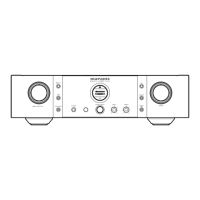
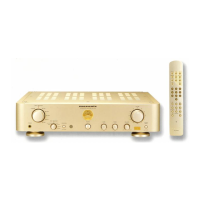
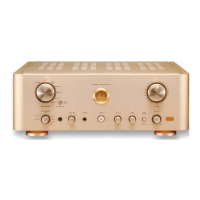
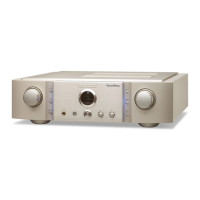
Marantz PM-15S2 - User Manual

Marantz PM-15S2
33 pages
Print Icon
To Next Page IconTo Next Page
Loading...
Model PM-15S2 User Guide
Integrated Amplifi er

Questions and Answers

  • R
    Rebekah MurphyAug 19, 2025
    What to do if my Marantz PM-15S2 Amplifier remote is not working?
    • C
      Curtis OconnorAug 19, 2025
      If your Marantz Amplifier isn't responding to the remote controller, the issue might be due to several reasons. Start by replacing the batteries in the remote controller with new ones. Ensure that you are within the remote controller's operable range. Remove any objects that might be blocking the path between the remote controller and the unit. Also, avoid exposing the remote sensor on the unit to strong light.
  • K
    Kyle HernandezAug 22, 2025
    How to troubleshoot power issues with my Marantz Amplifier?
    • S
      Sylvia ClarkAug 22, 2025
      If your Marantz Amplifier isn't receiving power, make sure the AC power cord is firmly plugged into the unit and the AC power plug is firmly plugged into a wall outlet.
  • H
    hparkerAug 25, 2025
    Why is there noise or no sound when playing records on my Marantz Amplifier?
    • L
      Laura CrawfordAug 26, 2025
      If you're experiencing noise or no sound when playing records on your Marantz Amplifier, check the grounding connection from the record player to ensure it's properly connected to the PHONO GND terminal of the unit. Also, verify that the output jacks of the record player are correctly connected to the PHONO IN jacks. Ensure that devices like a TV aren't placed too close to the record player, as they may interfere with the sound. Finally, check that the PHONO MC button is correctly set for the type of cartridge you are using (set to MC if using an MC cartridge).
  • K
    Kelly SaundersAug 28, 2025
    How to fix uneven volume in left and right speakers on Marantz PM-15S2 Amplifier?
    • M
      Matthew GrayAug 28, 2025
      If the volume levels from the left and right speakers are different on your Marantz Amplifier, the left- and right-channel volume levels (LEVEL TRIM) might be set unevenly. To fix this, set the trim levels for both the left and right channels to zero. Check that sound is output from both channels. Then, readjust the left- and right-channel volume as needed.
  • A
    amysmithAug 31, 2025
    What happens when the protection circuit activates due to overheating on my Marantz PM-15S2?
    • M
      Matthew ValdezAug 31, 2025
      If the protection circuit activates due to the main amplifier overheating on your Marantz Amplifier, 'PROTECT' will flash on the display, and the volume will decrease automatically. After about 8 seconds, the protection circuit will deactivate. You can then adjust the volume again.
  • R
    Raymond WhiteSep 2, 2025
    Why does howling occur when I turn up the volume while playing records on my Marantz Amplifier?
    • T
      Toni RowlandSep 2, 2025
      If you experience howling when increasing the sound volume during record playing with your Marantz Amplifier, it could be due to the record player and speakers being too close together. Place the speakers as far away from the record player as possible. Also, the record player might be placed on a surface prone to vibration. If your record player didn't come with an insulating pad, consider using one available on the market.
  • C
    christinehawkinsSep 5, 2025
    Why is the sound from my Marantz PM-15S2 Amplifier monaural?
    • B
      Brittany CampbellSep 6, 2025
      If the sound output from your Marantz Amplifier is monaural, check the MODE switch on the rear panel. If it's set to “BI-AMP”, turn the unit off, set the MODE switch to “STEREO”, and then turn the unit back on.
  • J
    Jennifer KelleySep 9, 2025
    Why are the left and right channels reversed on my Marantz PM-15S2 Amplifier?
    • J
      Jennifer WhiteSep 9, 2025
      If the left and right channels are reversed on your Marantz Amplifier, the speaker cables or input cables might be connected incorrectly. Check the cable connections between the speakers and the unit, as well as the connections between the source equipment (CD player, etc.) and the unit, to ensure they are correct.
  • S
    Scott Carter MDSep 12, 2025
    What should I do if the protection circuit activates on my Marantz PM-15S2 Amplifier due to high current?
    • W
      William FletcherSep 12, 2025
      If the protection circuit is activated on your Marantz Amplifier due to excessive current, turn the unit off and then turn it back on after several minutes.
  • H
    hlambertNov 15, 2025
    Why is there no sound coming from my Marantz PM-15S2 speakers?
    • E
      Erika SpencerNov 15, 2025
      If you're not hearing sound from the speakers connected to your Marantz Amplifier, there are several possible causes. First, check the speaker and input cable connections to ensure they are complete and correct. Make sure the INPUT SELECTOR knob is set to the correct position for your connected source equipment (like a CD player). Also, verify that the speaker volume isn't set to the minimum and the SPEAKERS button is set to ON. If 'ATT' is displayed, muting might be activated; press the ATT button or increase the volume. If using P.DIRECT IN jacks, ensure the unit is in power amplifier direct mode by holding the P.DIRECT IN button for at least 3 seconds. Finally, if none of these work, the protection circuit may have been activated; turn the unit off, wait a minute, then turn it back on a...

Summary

IMPORTANT SAFETY INSTRUCTIONS

WARRANTY

Retain Your Purchase Receipt

Emphasizes keeping the purchase receipt for warranty service and insurance.

Information for Users on Collection and Disposal of Old Equipment and Used Batteries

FEATURES

HDAM-SA3 Module

Key amplifier module for current feedback and high-speed processing.

Constant Current Feedback Phono Equalizer

Maintains constant current feedback for smooth sound with low noise.

V;I Servo Current Feedback Power Amplifier

Improves power amplifier stability by converting voltage fluctuations to current.

BEFORE USE

Inappropriate Places for Installation

Lists locations to avoid for optimal performance and longevity.

Usage of Remote Controller

Instructions for loading batteries, handling, and operating the remote controller.

NAMES AND FUNCTIONS

Front Panel

Identifies and describes the controls and indicators on the front panel.

Display

Explains the display panel indicators for input source, volume, and status.

BASIC CONNECTIONS

Connecting Speaker Systems

Guide on connecting speaker systems, including impedance and wiring precautions.

Connecting of AC Power Cable

Instructions for connecting the unit to the AC power outlet.

BASIC OPERATIONS

AMP OPERATION

Steps for turning the unit ON and selecting the input source.

Volume Adjustment

How to adjust the volume using the unit's knob or remote controller.

Tone Adjustment

Instructions for adjusting bass and treble tones for desired sound.

ADVANCED CONNECTIONS

Stereo Complete Bi-Amp Connection

Details setting up a complete bi-amp connection using two PM-15S2 units.

F.C.B.S.

Explains the Floating Control Bus System for synchronized multi-unit operation.

ADVANCED OPERATIONS

How to Set ID Numbers

Procedure for assigning unique ID numbers for multi-unit synchronization.

Trimming

Adjusting volume levels for left and right channels in 0.5dB steps.

ATT (Attenuation)

One-touch feature to reduce the volume level to preset values.

TROUBLESHOOTING

General

Common issues, causes, and solutions for general operation problems.

About the Protection Circuit

Details the protection circuit's function and troubleshooting activation.

OTHERS

Repairs

Information regarding servicing, warranty, and repair procedures.

Using Headphones

Advice on using headphones and setting appropriate volume levels.

Marantz PM-15S2 Specifications

General IconGeneral
Damping factor100
Amplifier class-
Frequency range5 - 100000 Hz
Input sensitivity2.7 mV
Audio output channels2.0 channels
Peak power per channel140 W
Signal-to-Noise Ratio (SNR)89 dB
Total Harmonic Distortion (THD)0.05 %
Dynamic power per channel (4 Ohm)95 W
Dynamic power per channel (8 Ohm)155 W
RMS power output per channel (8 Ohm)90 W
Pre out portYes
Audio (L/R) in6
Audio (L/R) out2
Headphone outputs1
Speakers connectivity typeRCA
PurposeHome
Product colorGold
Volume controlRotary
Cables includedAC
Connectivity technologyWired
Power consumption (typical)220 W
Weight and Dimensions IconWeight and Dimensions
Depth444 mm
Width440 mm
Height123 mm
Weight18500 g

Related product manuals