11
ENGLISH DEUTSCH FRANÇAIS ITALIANO ESPAÑOL NEDERLANDS SVENSKA
[Mac OS]
q Move the cursor to “Go” on the computer screen,
and then click “Utilities”.
• The utility list is displayed.
w Double-click “Audio MIDI Setup”.
• The “Audio Devices” window is displayed.
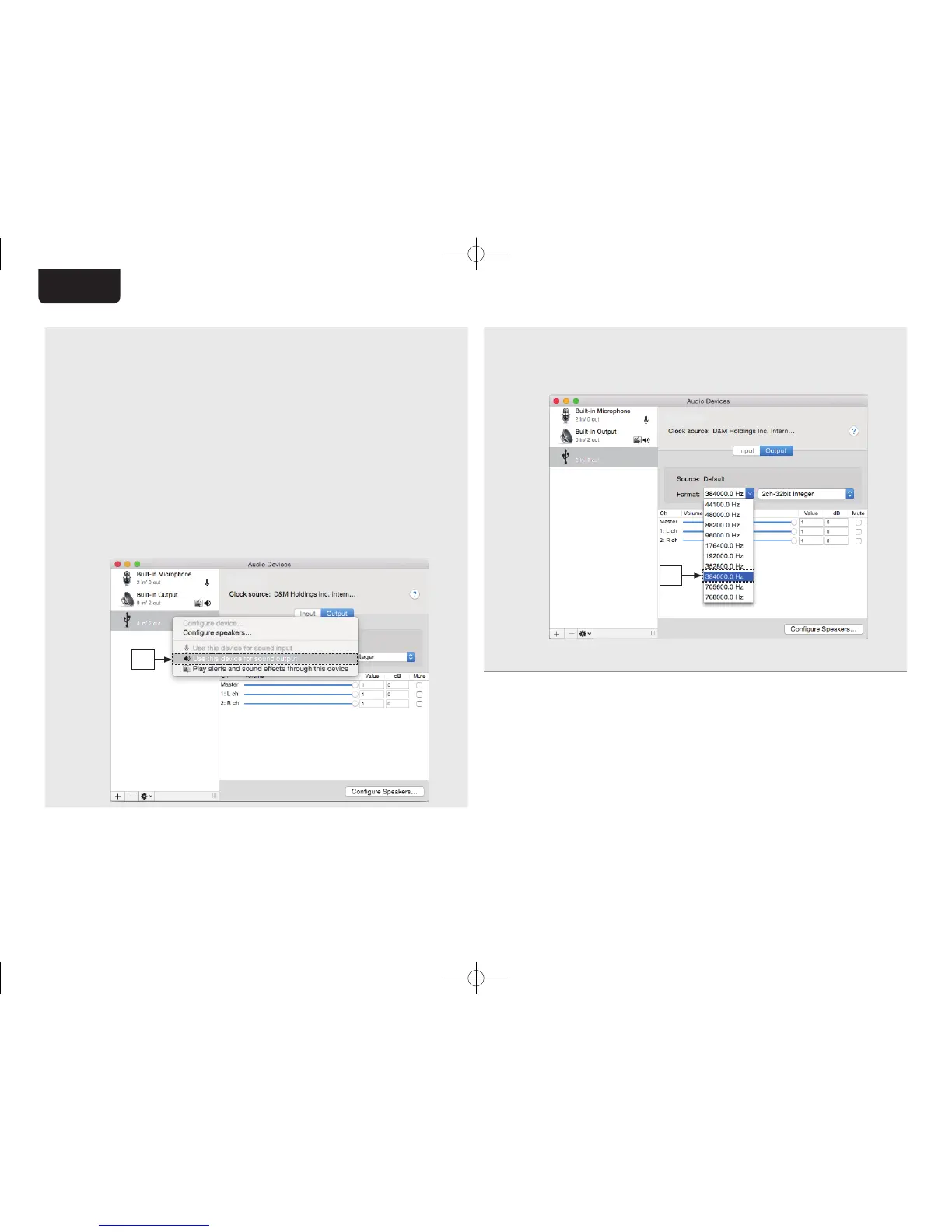
e Check that “Use this device for sound output” is
checked in “SA-KI RUBY”.
• If a diff erent device is checked, select and
“Secondary click” on “SA-KI RUBY”, and then
select “Use this device for sound output”.
SA-KI RUBY
SA-KI RUBY
e
r Select the “SA-KI RUBY” format.
• It is normally recommended to set the format to
“384000.0 Hz” and “2ch-32 bit Interger”.
SA-KI RUBY
SA-KI RUBY
r
t Quit Audio MIDI Setup.
1.SA-KI RUBY N_QSG_ENG_00A_180521.indd 11 2018/05/22 16:09:40



 To Next Page