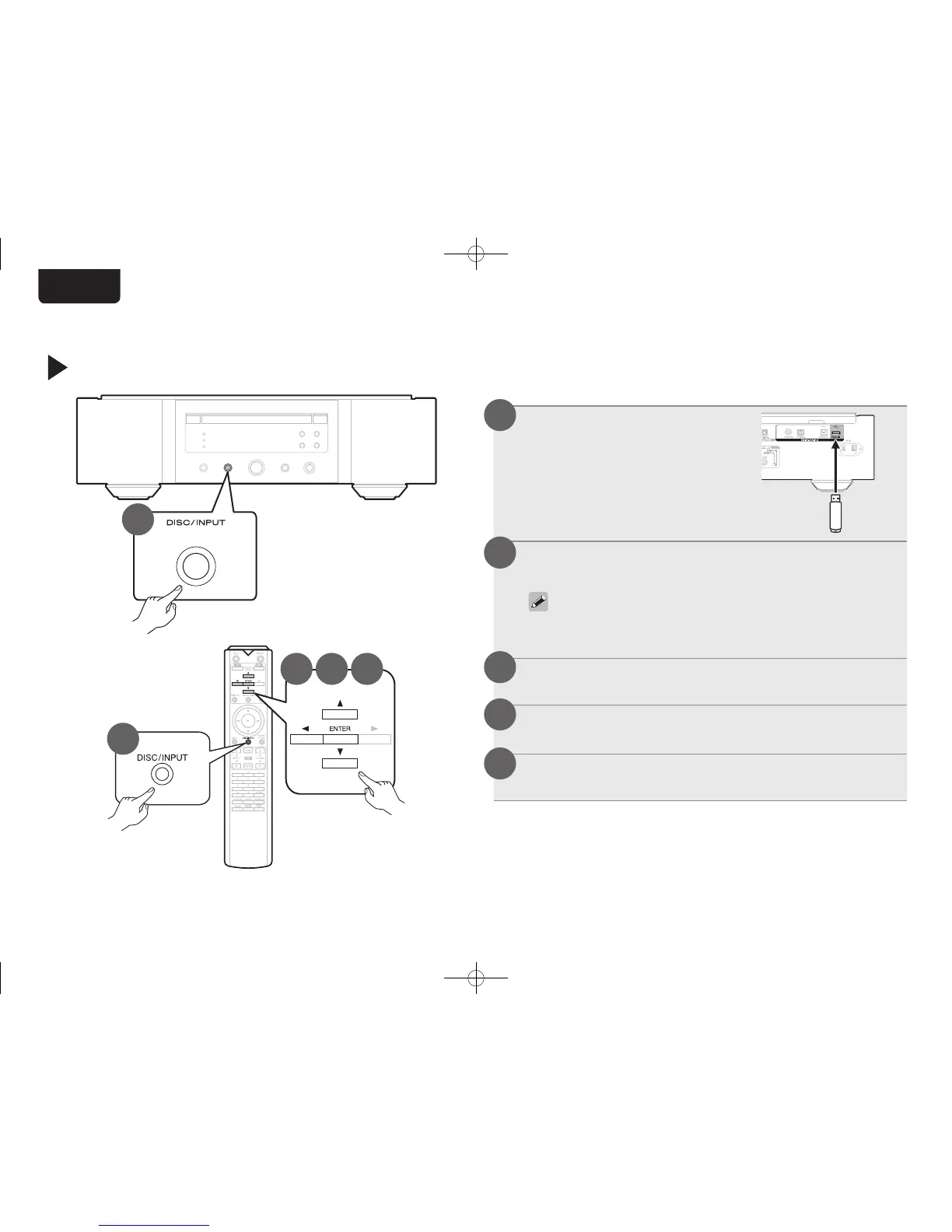
Play from a USB memory device
2
2
Connect the USB memory
device to the USB port.
Press DISC/INPUT to select the playback media
mode to “USB”.
• You can also select the playback media mode by
pressing DISC/INPUT on the unit.
Press o.
The file/folder list appears in the display of this unit.
Use ui to select the folder, then press ENTER.
Use ui to select the le, then press ENTER.
Playback starts.
1
2
3
4
5
3 4 5
1.SA-KI RUBY N_QSG_ENG_00A_180521.indd 7 2018/05/22 16:09:39



 To Next Page