8
ENGLISHDEUTSCHFRANÇAISITALIANOESPAÑOLNEDERLANDSSVENSKA
Download the dedicated driver from the
“Download” section of the SA-KI RUBY page of
the Marantz website (http://www.marantz.com/
pages/home.aspx) onto your PC.
Unzip the downloaded le, and double-click the
exe le.
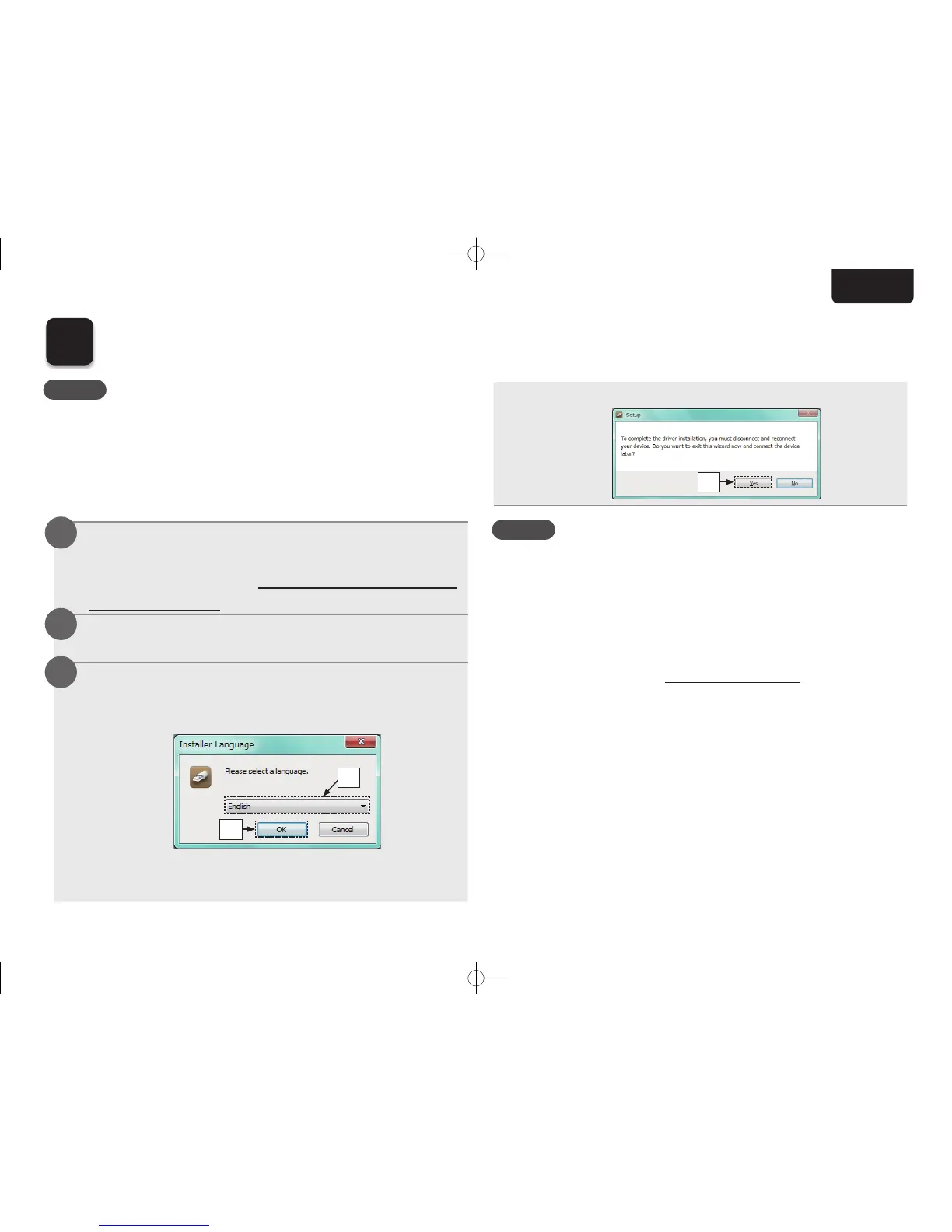
Install the driver.
q Select the language to use for the installation.
w Click “OK”.
q
w
e The wizard menu is displayed. Follow the
instructions on the screen.
r When the wizard is completed, click “Yes”.
r
NOTE
• The driver software cannot be installed correctly if your
PC is connected to the unit by a USB cable.
• If the unit and your computer are connected by a
USB cable and the computer is switched on before
installation, disconnect the USB and restart the
computer.
• Please see the FAQ at www.marantz.com if you
experience any issues getting audio to play from your
computer through the SA-KI RUBY. You may also
want to check the support pages for your audio player
application.
6
Installing the Windows driver software
1
2
3
NOTE
The installation of the driver software is not necessary in the
following cases.
• When you do not play back the music from a PC using
USB-DAC of this unit.
• When using a Mac OS.
1.SA-KI RUBY N_QSG_ENG_00A_180521.indd 8 2018/05/22 16:09:39



 To Next Page