9
ENGLISH DEUTSCH FRANÇAIS ITALIANO ESPAÑOL NEDERLANDS SVENSKA
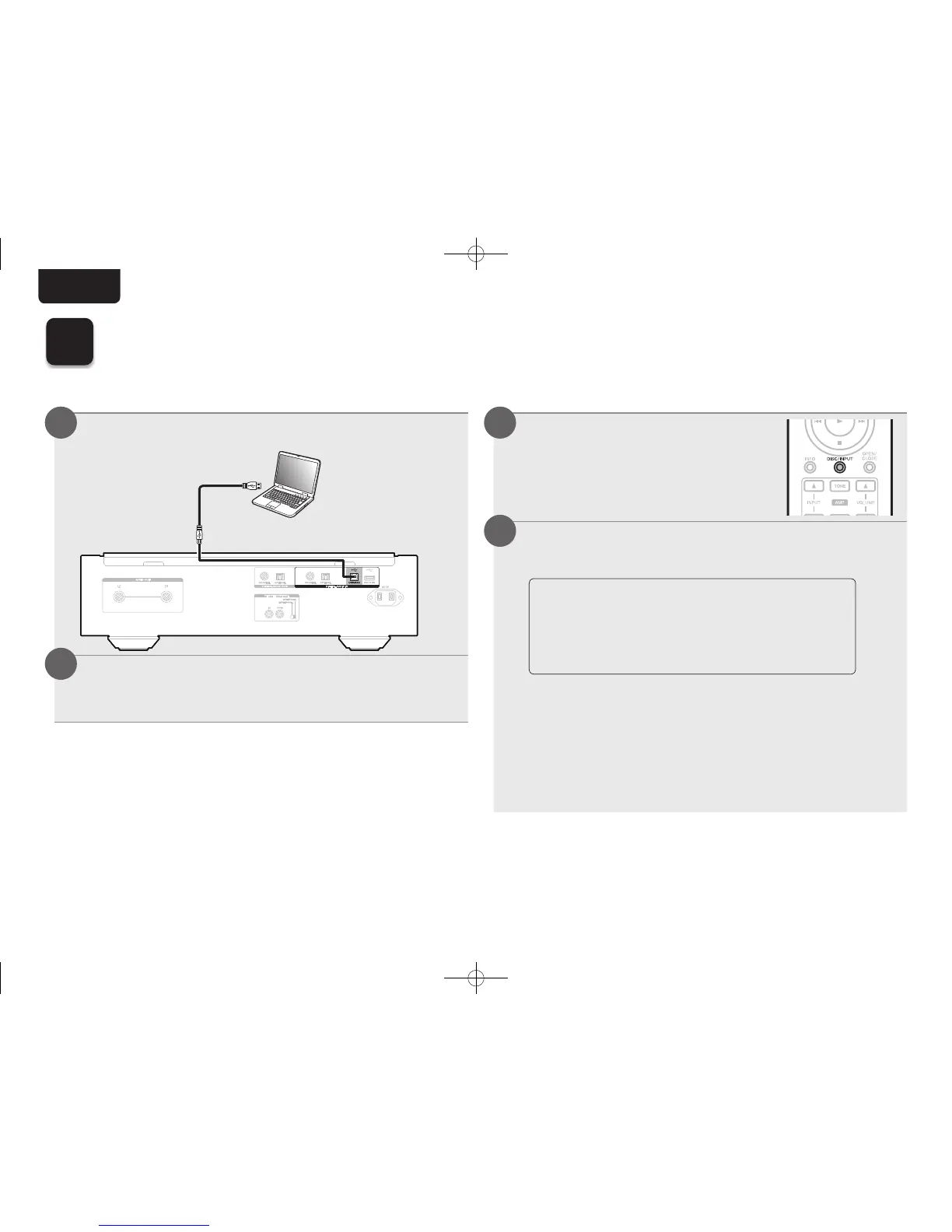
n Connect to PC or Mac
Connect to PC or Mac.
Computer on
which the driver
software and audio
player software
are installed
USB 2.0 cable
(Sold separately)
Type B
Type A
Press X on this unit.
• When the unit power is turned on, the computer
automatically fi nds and connects to the unit.
1
2
n Listen to PC or Mac Audio
Press DISC/INPUT to change
the playback media mode to
“USB-DAC”.
Set the audio signal destination to this unit on the
computer.
• Windows 7, Windows 8, Windows 8.1 or
Windows 10
• Mac OS X 10.10, 10.11 or macOS 10.12
System Requirements
[Windows OS]
q Click the “Start” button and click “Control Panel”
on the PC.
• The control panel setting list is displayed.
w Click the “Sound” icon.
• The sound menu window is displayed.
1
2
7
Enjoying music using PC or Mac
1.SA-KI RUBY N_QSG_ENG_00A_180521.indd 9 2018/05/22 16:09:39



 To Next Page