1-2
1.2. TEST MODE
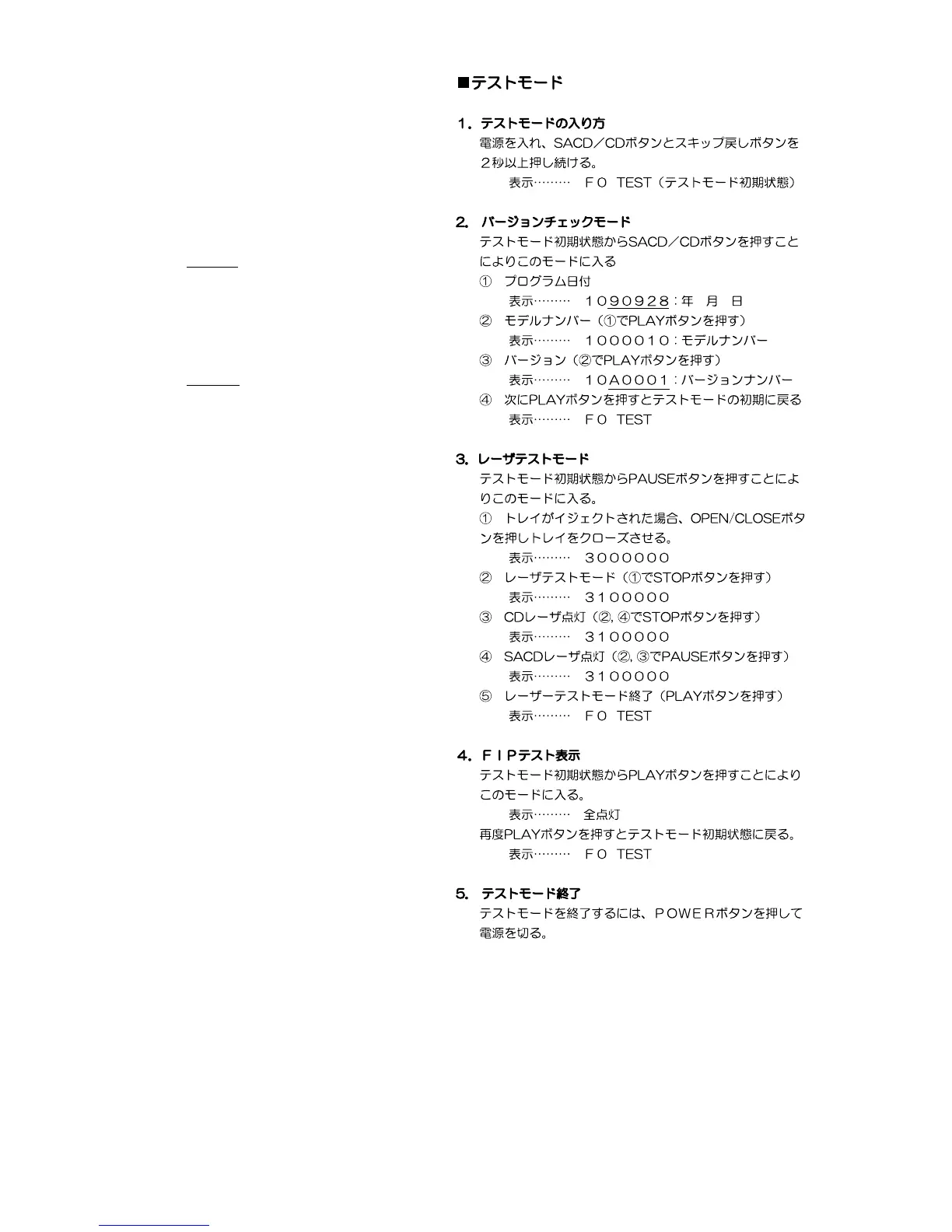
1. How to enter the initial test mode
Turn the power on, press the SACD/CD button and the
track down button more than two seconds.
Display: F 0 TEST
2. Version check mode
1 Press the SACD/CD button to enter this mode.
Display: 1 0
9 0 9 2 8
Year/Month/Day
2 Model number (Press the PLAY button in the step 1 .)
Display: 1 0 0 0 0 1 0
Model number
3 Version (Press the PLAY button in the step 2 .)
Display: 1 0 A 0 0 0 1
Version number
4 Then press the PLAY button to return to the initial test
mode.
Display: F 0 TEST
3. Laser test mode
1 Press the PAUSE button to enter this mode.
(In case of the no disc mode, eject the tray.)
Display: 3 0 0 0 0 0 0
2 Enter the laser test mode.
Display: 3 1 0 0 0 0 0
3 CD laser lit up (Press the STOP button in the step 2 or
4.)
Display: 3 1 0 0 0 0 0
4 SACD laser lit up (Press the PAUSE button in the step 2
or 3.)
Display: 3 1 0 0 0 0 0
5 Laser test mode completed (Press the PLAY button in
the step 2, 3 or 4.)
Display: F 0 TEST
4. FIP test
1 Press the PLAY button to enter this mode
Display: All lamps lit up.
2 Press the PLAY button again to return to the initial test
mode
Display: F 0 TEST
5. How to exit the test mode
In case of finish the test mode, press the mains switch
(POWER button)



 To Next Page