EasyManua.ls Logo

Marantz SR1041 - PLAYING A PROGRAMME SOURCE; Normal Playback; Recording and Dubbing

Marantz SR1041
15 pages
Print Icon
To Next Page IconTo Next Page
To Previous Page IconTo Previous Page
Loading...
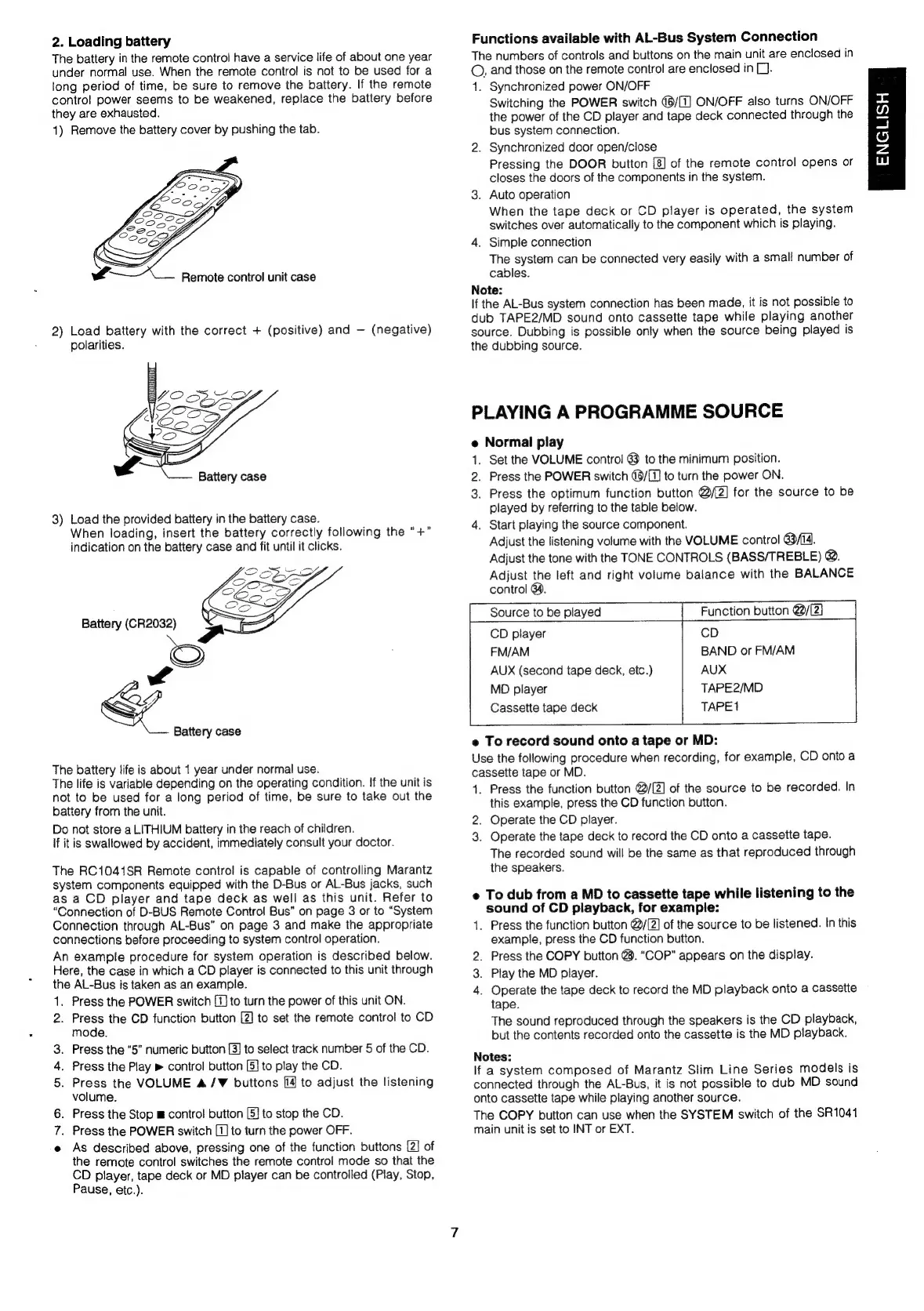
2.
Loading
battery
The
battery
in
the
remote
control
have
a
service
life
of
about
one
year
under
normal
use.
When
the
remote
control
is
not
to
be
used
for
a
long
period
of
time,
be
sure
to
remove
the
battery.
If
the
remote
contro!
power
seems
to
be
weakened,
replace
the
battery
before
they
are
exhausted.
1)
Remove
the
battery
cover
by
pushing
the
tab.
Ys
Remote
control
unit
case
2)
Load
battery
with
the
correct
+
(positive)
and
(negative)
polarities.
Battery
case
3)
Load
the
provided
battery
in
the
battery
case.
When
loading,
insert
the
battery
correctly
following
the
“+”
indication
on
the
battery
case
and
fit
until
it
clicks.
Battery
case
The
battery
life
is
about
1
year
under
normal
use.
The
life
is
variable
depending
on
the
operating
condition.
If
the
unit
is
not
to
be
used
for
a
long
period
of
time,
be
sure
to
take
out
the
battery
from
the
unit.
Do
not
store
a
LITHIUM
battery
in
the
reach
of
children.
If
it
is
swallowed
by
accident,
immediately
consult
your
doctor.
The
RC1041SR
Remote
control
is
capable
of
controlling
Marantz
system
components
equipped
with
the
D-Bus
or
Al-Bus
jacks,
such
as
a
CD
player
and
tape
deck
as
well
as
this
unit.
Refer
to
“Connection
of
D-BUS
Remote
Control
Bus”
on
page
3
or
to
“System
Connection
through
AL-Bus”
on
page
3
and
make
the
appropriate
connections
before
proceeding
to
system
control
operation.
An
example
procedure
for
system
operation
is
described
below.
Here,
the
case
in
which
a
CD
player
is
connected
to
this
unit
through
the
AL-Bus
is
taken
as
an
example.
1.
Press
the
POWER
switch
[1]
to
turn
the
power
of
this
unit
ON.
2.
Press
the
CD
function
button
[2]
to
set
the
remote
contro!
to
CD
mode.
3.
Press
the
“5”
numeric
button
[3]
to
select
track
number
5
of
the
CD.
Press
the
Play
»
control
button
[5]
to
play
the
CD.
5.
Press
the
VOLUME
A/¥
buttons
[14
to
adjust
the
listening
volume.
6.
Press
the
Stop
m
control
button
[5]
to
stop
the
CD.
Press
the
POWER
switch
[1]
to
turn
the
power
OFF.
e
As
described
above,
pressing
one
of
the
function
buttons
[2]
of
the
remote
control
switches
the
remote
control
mode
so
that
the
CD
player,
tape
deck
or
MD
player
can
be
controlled
(Play,
Stop,
Pause,
etc.).
>
Functions
available
with
AL-Bus
System
Connection
The
numbers
of
controls
and
buttons
on
the
main
unit
are
enclosed
in
©,
and
those
on
the
remote
control
are
enclosed
in
L).
1.
Synchronized
power
ON/OFF
Switching
the
POWER
switch
(6/[1]
ON/OFF
also
turns
ON/OFF
the
power
of
the
CD
player
and
tape
deck
connected
through
the
bus
system
connection.
2.
Synchronized
door
open/close
Pressing
the
DOOR
button
[8]
of
the
remote
control
opens
or
closes
the
doors
of
the
components
in
the
system.
3.
Auto
operation
When
the
tape
deck
or
CD
player
is
operated,
the
system
switches
over
automatically
to
the
component
which
is
playing.
4.
Simple
connection
The
system
can
be
connected
very
easily
with
a
smal!
number
of
cables.
Note:
If
the
AL-Bus
system
connection
has
been
made,
it
is
not
possible
to
dub
TAPE2/MD
sound
onto
cassette
tape
while
playing
another
source.
Dubbing
is
possible
only
when
the
source
being
played
is
the
dubbing
source.
PLAYING
A
PROGRAMME
SOURCE
Normal
play
.
Set
the
VOLUME
control
63
to
the
minimum
position.
Press
the
POWER
switch
@6/{7]
to
turn
the
power
ON.
Press
the
optimum
function
button
@/[2]
for
the
source
to
be
played
by
referring
to
the
table
below.
.
Start
playing
the
source
component.
Adjust
the
listening
volume
with
the
VOLUME
control
3/14.
Adjust
the
tone
with
the
TONE
CONTROLS
(BASS/TREBLE)
@.
Adjust
the
left
and
right
volume
balance
with
the
BALANCE
oOn>
®
-
control
64.
CD
player
CD
FM/AM
BAND
or
FM/AM
AUX
(second
tape
deck,
etc.)
AUX
MD
player
TAPE2/MD
Cassette
tape
deck
TAPE1
e
To
record
sound
onto
a
tape
or
MD:
Use
the
following
procedure
when
recording,
for
example,
CD
onto
a
cassette
tape
or
MD.
4.
Press
the
function
button
@/[2]
of
the
source
to
be
recorded.
In
this
example,
press
the
CD
function
button.
2.
Operate
the
CD
player.
3.
Operate
the
tape
deck
to
record
the
CD
onto
a
cassette
tape.
The
recorded
sound
will
be
the
same
as
that
reproduced
through
the
speakers.
e
To
dub
from
a
MD
to
cassette
tape
while
listening
to
the
sound
of
CD
playback,
for
example:
1.
Press
the
function
button
@/[2]
of
the
source
to
be
listened.
In
this
example,
press
the
CD
function
button.
2.
Press
the
COPY
button
@.
“COP”
appears
on
the
display.
3.
Play
the
MD
player.
4.
Operate
the
tape
deck
to
record
the
MD
playback
onto
a
cassette
tape.
The
sound
reproduced
through
the
speakers
is
the
CD
playback,
but
the
contents
recorded
onto
the
cassette
is
the
MD
playback.
Notes:
If
a
system
composed
of
Marantz
Slim
Line
Series
models
is
connected
through
the
AL-Bus,
it
is
not
possible
to
dub
MD
sound
onto
cassette
tape
while
playing
another
source.
The
COPY
button
can
use
when
the
SYSTEM
switch
of
the
SR1041
main
unit
is
set
to
INT
or
EXT.
ENGLISH

Related product manuals