EasyManua.ls Logo

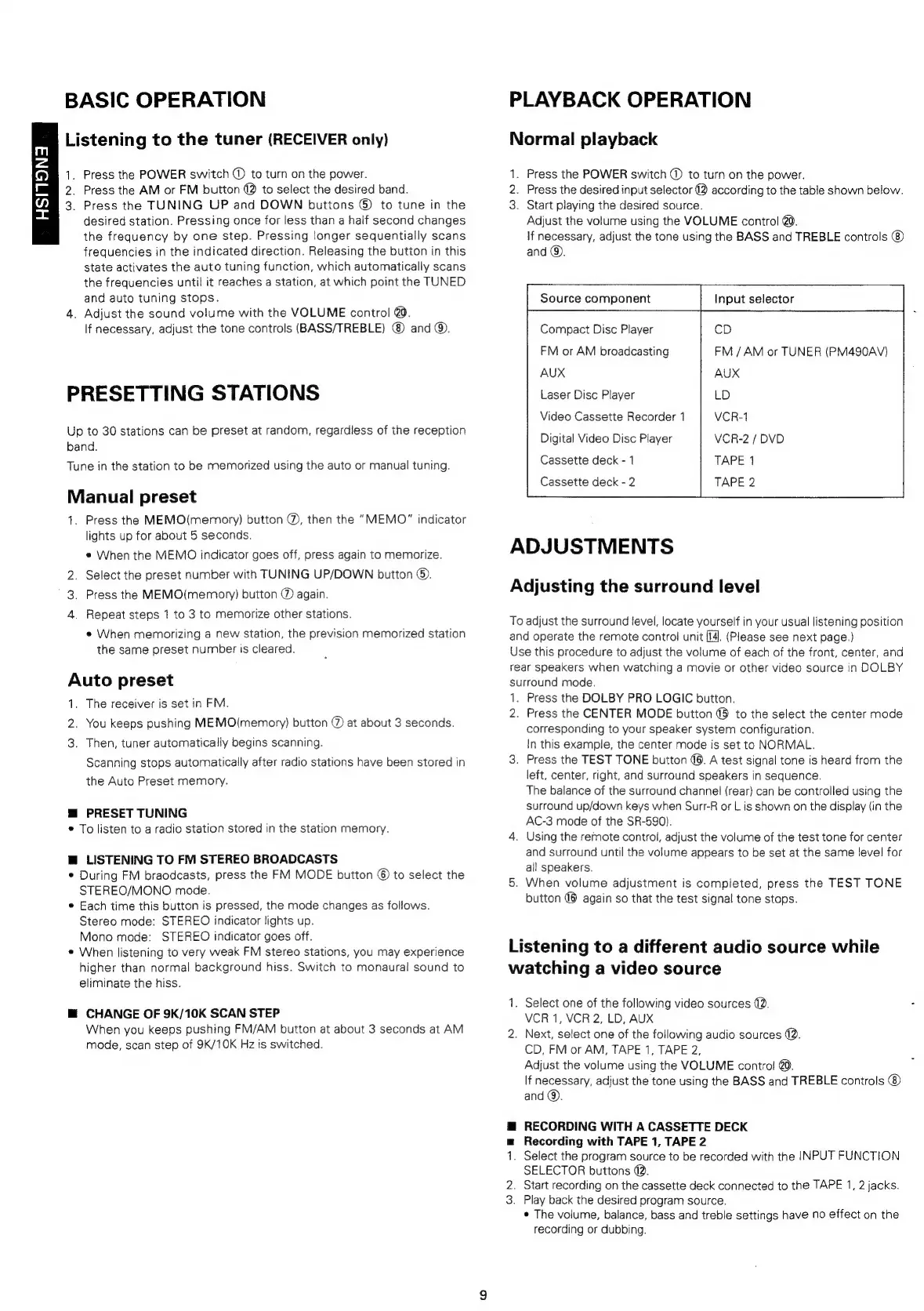
Marantz SR490 - Basic Operation; Playback Operation; Presetting Stations

Marantz SR490
41 pages
Print Icon
To Next Page IconTo Next Page
To Previous Page IconTo Previous Page
Loading...
m
4
)
i
77)
=
BASIC
OPERATION
Listening
to
the
tuner
(RECEIVER
only)
1,
Press
the
POWER
switch
@
to
turn
on
the
power.
2.
Press
the
AM
or
FM
button
2
to
select
the
desired
band.
3.
Press
the
TUNING
UP
and
DOWN
buttons
©)
to
tune
in
the
desired
station.
Pressing
once
for
less
than
a
half
second
changes
the
frequency
by
one
step.
Pressing
longer
sequentially
scans
frequencies
in
the
indicated
direction.
Releasing
the
bution
in
this
state
activates
the
auto
tuning
function,
which
automatically
scans
the
frequencies
until
it
reaches
a
station,
at
which
point
the
TUNED
and
auto
tuning
stops.
4.
Adjust
the
sound
volume
with
the
VOLUME
control
@0.
If
necessary,
adjust
the
tone
controls
(BASS/TREBLE)
and
@).
PRESETTING
STATIONS
Up
to
30
stations
can
be
preset
at
random,
regardless
of
the
reception
band.
Tune
in
the
station
to
be
memorized
using
the
auto
or
manual
tuning.
Manual
preset
1.
Press
the
MEMO(memory)
button
@,
then
the
“MEMO”
indicator
lights
up
for
about
5
seconds.
e
When
the
MEMO
indicator
goes
off,
press
again
to
memorize.
2.
Select
the
preset
number
with
TUNING
UP/DOWN
button
®.
3.
Press
the
MEMO(memory)
button
@
again.
4.
Repeat
steps
1
to
3
to
memorize
other
stations.
«
When
memorizing
a
new
station,
the
prevision
memorized
station
the
same
preset
number
is
cleared.
PLAYBACK
OPERATION
Normal
playback
1.
Press
the
POWER
switch
@
to
turn
on
the
power.
2.
Press
the
desired
input
selector
(2
according
to
the
table
shown
below.
3.
Start
playing
the
desired
source.
Adjust
the
volume
using
the
VOLUME
control
@.
If
necessary,
adjust
the
tone
using
the
BASS
and
TREBLE
controls
and
@.
Source
component
Input
selector
Compact
Disc
Player
FM
or
AM
broadcasting
AUX
Laser
Disc
Player
Video
Cassette
Recorder
1
Digital
Video
Disc
Player
Cassette
deck
-
1
Cassette
deck
-
2
ADJUSTMENTS
cD
FM
/
AM
or
TUNER
(PM490AV)
AUX
LD
VCR-1
VCR-2
/
DVD
TAPE
1
TAPE
2
Adjusting
the
surround
level
To
adjust
the
surround
level,
locate
yourself
in
your
usual
listening
position
and
operate
the
remote
control
unit
[4].
(Please
see
next
page.)
Auto
preset
1.
2,
3.
The
receiver
is
set
in
FM.
You
keeps
pushing
MEMO(memory)
button
@
at
about
3
seconds.
Then,
tuner
automatically
begins
scanning.
Scanning
stops
automatically
after
radio
stations
have
been
stored
in
the
Auto
Preset
memory.
@
PRESET
TUNING
*
To
listen
to
a
radio
station
stored
in
the
station
memory.
@
LISTENING
TO
FM
STEREO
BROADCASTS
*
During
FM
braodcasts,
press
the
FM
MODE
button
©
to
select
the
STEREO/MONO
mode.
*
Each
time
this
button
is
pressed,
the
mode
changes
as
follows.
Stereo
mode:
STEREO
indicator
tights
up.
Mono
mode:
STEREO
indicator
goes
off.
«
When
listening
to
very
weak
FM
stereo
stations,
you
may
experience
higher
than
normal
background
hiss.
Switch
to
monaural
sound
to
eliminate
the
hiss.
M@
CHANGE
OF
9K/10K
SCAN
STEP
When
you
keeps
pushing
FM/AM
button
at
about
3
seconds
at
AM
mode,
scan
step
of
9K/10K
Hz
is
switched.
Use
this
procedure
to
adjust
the
volume
of
each
of
the
front,
center,
and
rear
speakers
when
watching
a
movie
or
other
video
source
in
DOLBY
surround
mode.
1.
Press
the
DOLBY
PRO
LOGIC
button.
2.
Press
the
CENTER
MODE
button
@8
to
the
select
the
center
mode
corresponding
to
your
speaker
system
configuration.
In
this
example,
the
center
mode
is
set
to
NORMAL.
3.
Press
the
TEST
TONE
button
6.
A
test
signal
tone
is
heard
from
the
left,
center,
right,
and
surround
speakers
in
sequence.
The
balance
of
the
surround
channel
(rear)
can
be
controlled
using
the
surround
up/down
keys
when
Surr-R
or
L
is
shown
on
the
display
(in
the
AC-3
mode
of
the
SR-590).
4.
Using
the
remote
control,
adjust
the
volume
of
the
test
tone
for
center
and
surround
until
the
volume
appears
to
be
set
at
the
same
level
for
ail
speakers.
5.
When
volume
adjustment
is
completed,
press
the
TEST
TONE
button
(6
again
so
that
the
test
signal
tone
stops.
Listening
to
a
different
audio
source
while
watching
a
video
source
1.
Select
one
of
the
following
video
sources
@.
VCR
1,
VCR
2,
LD,
AUX
2.
Next,
select
one
of
the
following
audio
sources
@.
CD,
FM
or
AM,
TAPE
1,
TAPE
2,
Adjust
the
volume
using
the
VOLUME
contro!
@.
If
necessary,
adjust
the
tone
using
the
BASS
and
TREBLE
controls
and
@.
@
RECORDING
WITH
A
CASSETTE
DECK
Recording
with
TAPE
1,
TAPE
2
.
Select
the
program
source
to
be
recorded
with
the
INPUT
FUNCTION
SELECTOR
buttons
@.
2.
Start
recording
on
the
cassette
deck
connected
to
the
TAPE
1,
2
jacks.
3.
Play
back
the
desired
program
source.
¢
The
volume,
balance,
bass
and
treble
settings
have
no
effect
on
the
recording
or
dubbing.
—-—

Related product manuals