Remote lock function
When connecting an IR receiver, enable the Remote lock function. When
the function is enabled, you can not perform operations with the remote
control unit.
By default, this function is disabled.
.
Disabling the sensor function of the
remote control unit
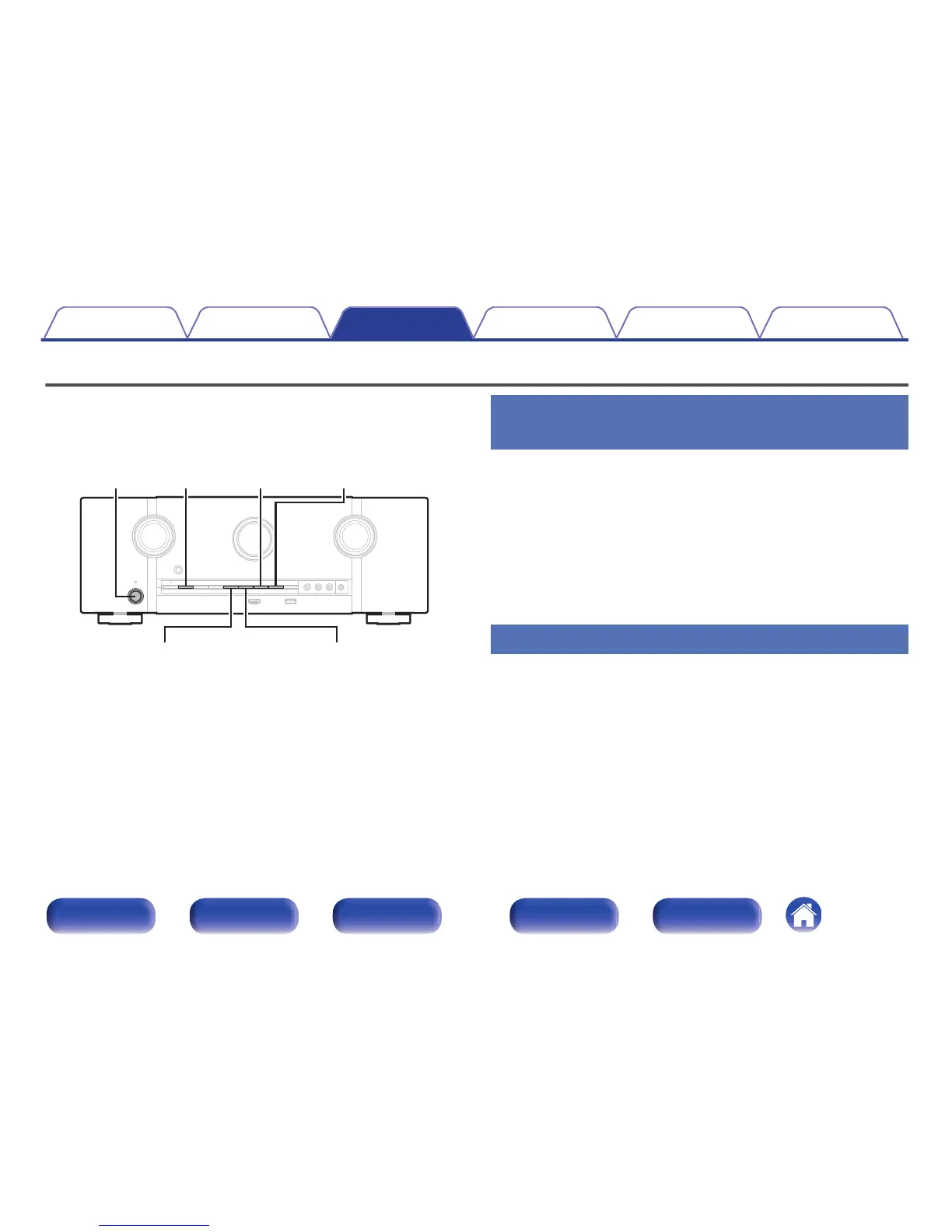
1
Press X while you press and hold M-DAX and DIMMER
with the unit in standby mode.
2
Use TUNER PRESET CH + or TUNER PRESET CH - to
select “RC LOCK On”.
3
Press STATUS to enter the setting.
The infrared light receiving function is disabled.
Enabling the remote sensor function
1
Press X while you press and hold M-DAX and DIMMER
with the unit in standby mode.
2
Press TUNER PRESET CH + or TUNER PRESET CH - to
select “RC LOCK zOff”.
(z The currently set mode.)
3
Press STATUS to enter the setting.
Infrared light receiving function on the main unit is enabled.
Contents Connections Playback Settings Tips Appendix
142
Front panel Display Rear panel Remote Index



 To Next Page