13
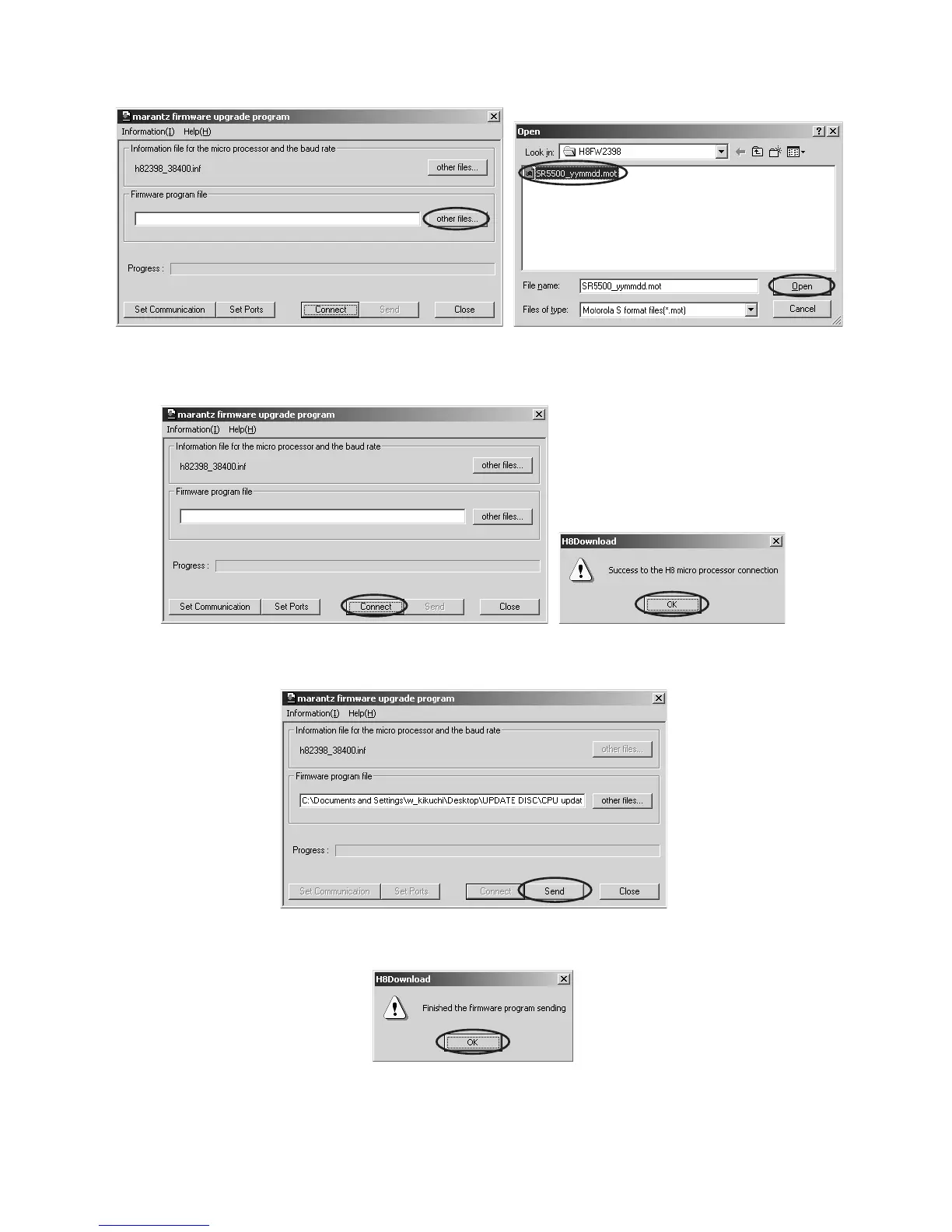
7. Click other files... button in the dialog box to specify the file (SR5500_yymmdd.mot) to be uploading. yymmdd in filename
is release date of software.
8. Click Connect button. If the connection with the H8 µ-P is successfully made, a dialogue box saying “Success to the H8
micro processor connection” appears. If the connection fails, error message will appear.
9. Click Send button to start update.
10. If the firmware is updated successfully, a dialog box saying “Finished the firmware program sending” appears.


 To Next Page