EasyManua.ls Logo

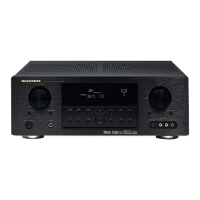
Marantz SR5500 - User Manual

Marantz SR5500
42 pages
Print Icon
To Next Page IconTo Next Page
Loading...
Model SR5500 User Guide
AV Surround Receiver
SR5500NDFU00cover 04.6.25, 0:01 PMPage 9 AdobePageMaker6.5J/PPC

Table of Contents

Other manuals for Marantz SR5500

Questions and Answers

  • B
    Blake CarrAug 16, 2025
    What to do if there is no output to Sub Woofer Out on Marantz Stereo Receiver?
    • B
      bgrantAug 17, 2025
      If there's no output to the subwoofer on your Marantz Stereo Receiver, it might be because 'Sub-woofer = NONE' is selected in the SETUP mode. To resolve this, select 'Sub-woofer = YES' in the settings.
  • D
    davidwhiteAug 22, 2025
    What to do if the Marantz SR5500 remote control is not working?
    • D
      Daniel WrightAug 22, 2025
      If the remote control for your Marantz Stereo Receiver isn't working, try these steps: 1. Replace all the batteries with new ones. 2. Select a different position from which equipment will be controlled. 3. Move closer to the receiver. 4. Remove any objects blocking the path between the remote and the receiver.
  • K
    Karen MeyerAug 25, 2025
    Why Marantz SR5500 cannot get programmed station when the PRESET button is pressed?
    • A
      Andrea BarrAug 25, 2025
      If your Marantz Stereo Receiver can't recall programmed stations when you press the PRESET button, it's likely that the preset data has been erased. This can happen if the power plug is disconnected for a long time. To fix this, input the preset data again.
  • L
    Leslie FloresAug 28, 2025
    What causes noise during AM reception on Marantz SR5500?
    • J
      James LewisAug 28, 2025
      Noise during AM reception on your Marantz Stereo Receiver can be caused by interference from other electrical fields. Try changing the location where the AM indoor antenna is set up.
  • P
    pberryAug 30, 2025
    How to stop noise during FM reception on Marantz SR5500 Stereo Receiver?
    • B
      Brenda LongAug 30, 2025
      To reduce noise during FM reception on your Marantz Stereo Receiver, install an FM outdoor antenna if the radio waves from the broadcasting station are weak.
  • R
    Robert RobinsonSep 1, 2025
    Why is noise produced during DTS-encoded CD or laser disc play on Marantz Stereo Receiver?
    • M
      Michael WalkerSep 2, 2025
      If you hear noise when playing a DTS-encoded CD or laser disc on your Marantz Stereo Receiver, and 'Analog' has been selected for input, ensure you perform a digital connection, select digital input, and then play the disc.
  • B
    barretttanyaSep 4, 2025
    What to do if I can not select EX/ES mode on Marantz SR5500 Stereo Receiver?
    • C
      Cheryl AdamsSep 5, 2025
      If you can't select EX/ES mode on your Marantz Stereo Receiver, it could be due to one of the following reasons: * 'Surround center= NONE' has been selected in SPEAKERS SIZE SETUP. Make the correct setting. * The input signal is incompatible. Use a 5.1 channel source.
  • S
    Sarah MathewsSep 7, 2025
    Why can't I select Pro Logic IIx mode on my Marantz Stereo Receiver?
    • J
      Joseph DavisSep 8, 2025
      If you're unable to select Pro Logic IIx mode on your Marantz Stereo Receiver, it's likely because the input signal is incompatible. Use a 2 channel Dolby Digital input signal, PCM input signal or analog input signal.
  • A
    Andrew CruzSep 10, 2025
    What input signal do I need to select Neo:6 mode on Marantz SR5500?
    • S
      Shannon GlennSep 12, 2025
      To select Neo:6 mode on your Marantz Stereo Receiver, use a 2 channel Dolby Digital input signal, PCM input signal or analog input signal.
  • C
    christymaloneSep 10, 2025
    What to do if a specific channel does not produce output on Marantz SR5500 Stereo Receiver?
    • M
      Marilyn VazquezSep 12, 2025
      If a specific channel on your Marantz Stereo Receiver isn't producing output, check the encoded channel on the source side to ensure there is recording on that channel.

Summary

Warranty and Proof of Purchase

Warranty Terms and Importance of Receipt

Details warranty coverage and the necessity of retaining the purchase receipt.

Safety Precautions

General Electrical and Operational Safety Warnings

Crucial safety instructions for preventing hazards like electric shock and fire.

Audio Technologies Explained

Front Panel Controls

Rear Panel Connections

Video and Component Connections

Guide to connecting video sources like component, S-Video, and composite signals.

Audio, Speaker, and Digital Connections

Details connections for audio inputs/outputs, speaker terminals, and digital interfaces.

Remote Control Operation

Remote Control Programming

Programming with 4-Digit Codes

Step-by-step instructions for programming the remote using 4-digit codes.

Speaker Connection Guide

Speaker Placement and Wire Connection

Instructions for optimal speaker placement and connecting speaker wires correctly.

Audio Component Connection Guide

Video Connection Guide

Remote Control System Connections

Multi Room System Overview

System Setup Menu Navigation

Input and Speaker Setup Options

Configuring input sources, speaker sizes, distances, and levels in the setup menu.

Preference and Surround Settings

Adjusting system preferences and selecting surround sound modes.

Detailed Speaker Configuration

Speaker Size and Crossover Frequency Configuration

Setting speaker sizes and crossover frequencies for optimal sound output.

Bass Mix and Speaker Level Adjustments

Configuring bass mix and fine-tuning individual speaker volume levels.

Speaker Level and System Preferences

Speaker Level Calibration and Test Modes

Setting speaker volume levels and using test modes for audio calibration.

System Preference Settings Configuration

Customizing standby, OSD, TV auto, and video convert functions.

Sound Mode Parameter Adjustments

7.1 Channel Input Configuration

Setting 7.1 Channel Input Levels

Adjusting speaker levels for 7.1 channel inputs and selecting video sources.

Operating Modes and Audio Adjustments

Surround Sound Mode Operations

Advanced Surround Sound Playback

Recording and Sound Enhancement Features

Troubleshooting Common Issues

Symptom-Cause-Remedy Table

A guide to diagnosing and resolving common operational problems with the SR5500.

Multi Room Playback Options

Technical Specifications and Dimensions

FM;AM Tuner and Audio Section Specifications

Detailed technical specifications for tuner and audio performance.

Video Specifications and Unit Dimensions

Technical details for video signals and the physical dimensions of the SR5500.

Marantz SR5500 Specifications

General IconGeneral
BrandMarantz
ModelSR5500
CategoryStereo Receiver
LanguageEnglish

Related product manuals