ENGLISH
21
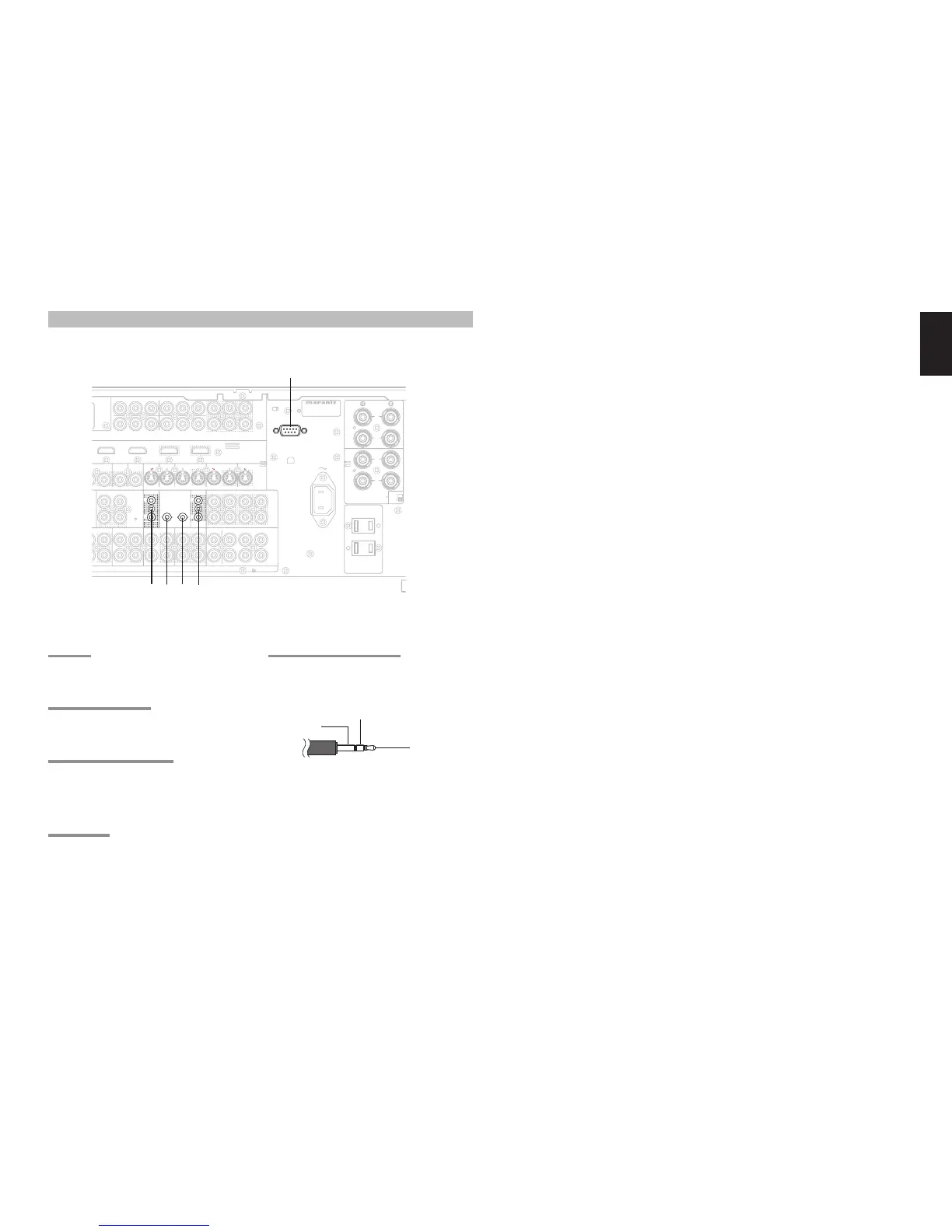
a RS232C
Connect an external control device or other device for
servicing. (Use a straight cable for the connection.)
s DC OUT (DC TRIGGER)
External devices can be controlled from the SR7001
by connecting them to the DC OUT terminal (12 V).
d EMITTER OUT (SR8001 Only)
Outputs the remote control signal input to the IR
RECEIVER IN terminals. External components can
be controlled by connecting them to the EMITTER
OUT terminal.
f FLASHER IN
This receiver can be controlled by connecting a
control box or other control device to this receiver.
f d
CONNECTING OTHER EQUIPMENT
g IR RECEIVER IN (SR8001 Only)
This receiver can be operated by remote control
without using the internal IR receiver, by connecting
an external IR receiver.
+12V
GND
Signal
An IR receiver is connected as shown above.
Caution:
• Wrongly connecting an IR receiver or connecting
an IR receiver of the wrong voltage can damage the
SR7001, therefore do not do this.
• 50 mA of current are supplied to the device connected
to the IR RECEIVER IN terminal.
• Connecting a device that requires more than 50 mA
of current to this receiver will damage this receiver.
Before using other devices, carefully check the
specifi cations of those devices.



 To Next Page