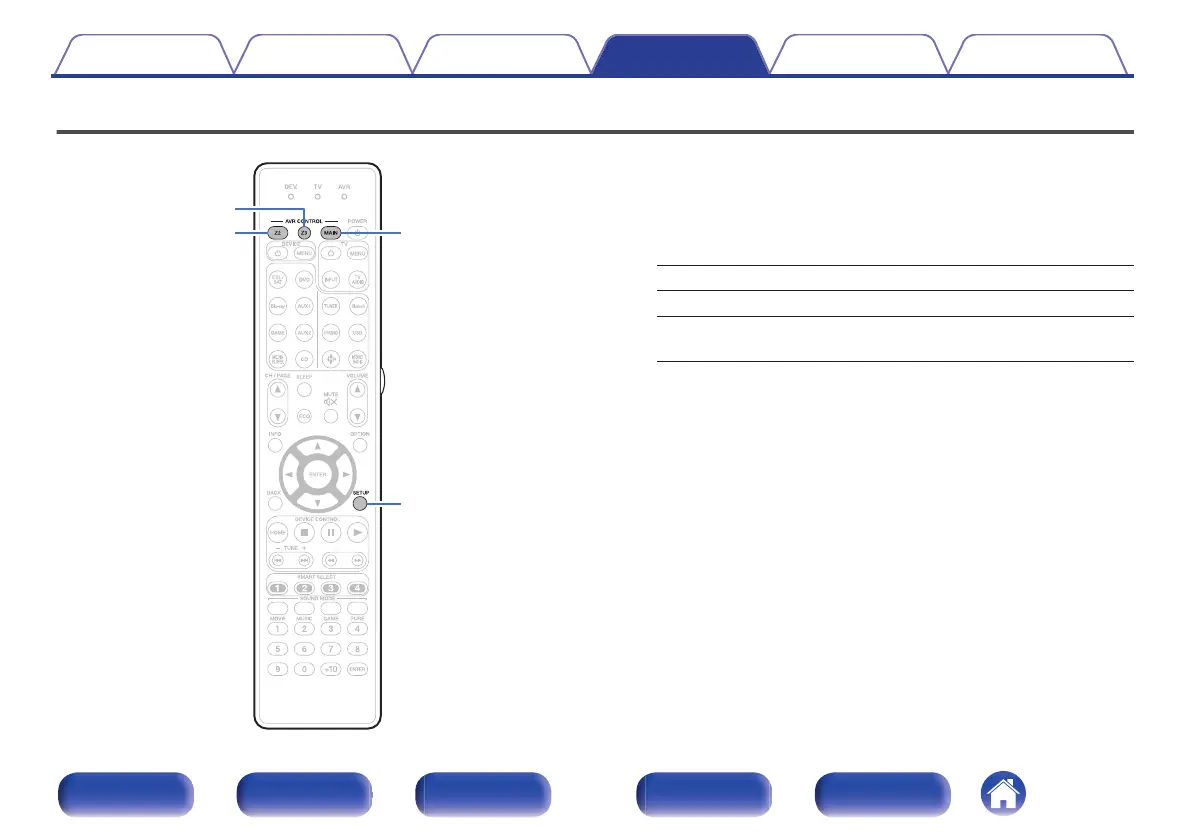
Specifying the zone used with the remote control unit
.
To prevent accidental misuse, you can set the zone for which the remote
control unit is used.
1
Press and hold down either MAIN, Z2 or Z3 and SETUP
at the same time until the DEV., TV and AVR indicators
flash green.
MAIN: When only using MAIN ZONE
Z2: When using MAIN ZONE and ZONE2
Z3
(Default):
When using MAIN ZONE, ZONE2 and
ZONE3
Contents Connections Playback Settings Tips Appendix
281
Front panel Display Rear panel Remote Index



 To Next Page