Connecting a TV
Connect a TV to this unit so that the input video is output to the TV. You can also enjoy audio from the TV on this unit.
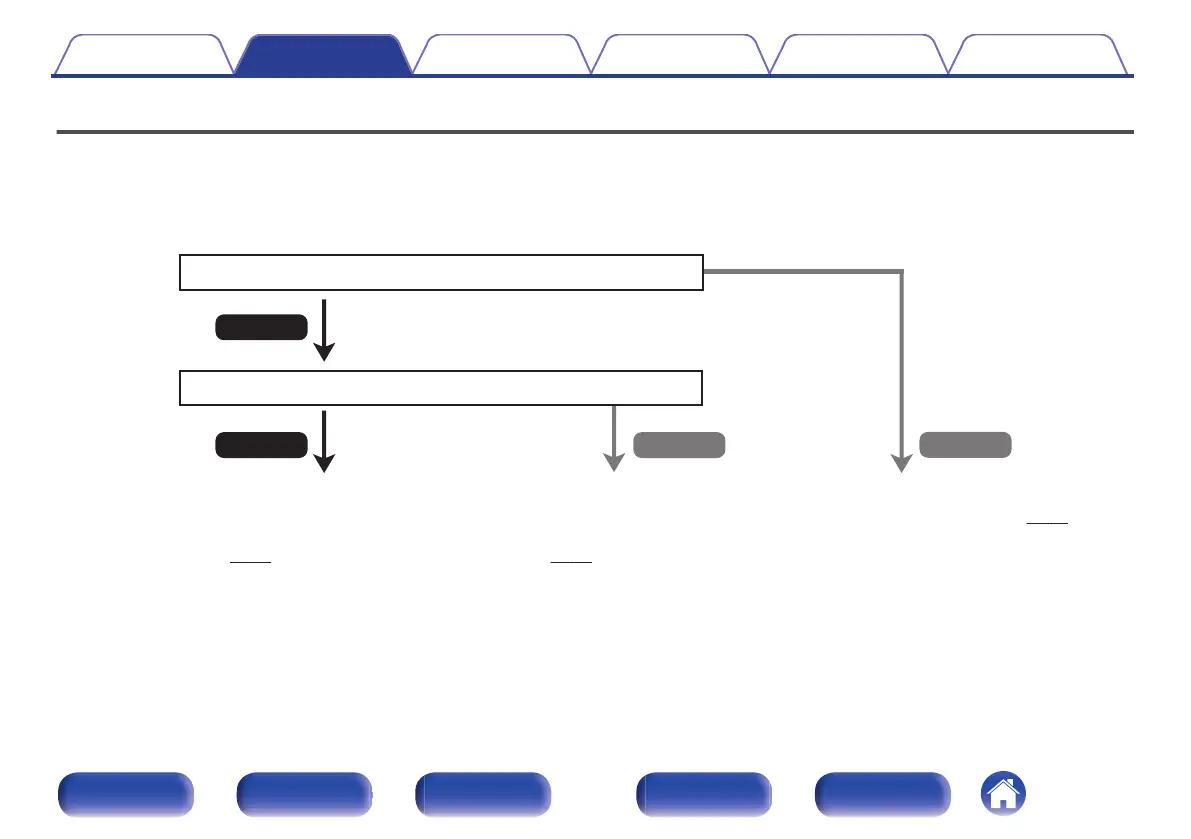
How to connect a TV depends on the connectors and functions equipped on the TV.
ARC (Audio Return Channel) / eARC (Enhanced Audio Return Channel) function plays TV audio on this unit by sending the TV audio signal to this unit via
HDMI cable.
.
No
Yes
Is the TV equipped with an HDMI connector?
Yes No
Is the TV compatible with the ARC / eARC?
“Connection 1 : TV equipped with an HDMI
connector and compatible with the ARC (Audio
Return Channel) / eARC (Enhanced Audio
Return Channel)” (v
p. 76)
“Connection 2 : TV equipped with an HDMI
connector and incompatible with the ARC (Audio
Return Channel) / eARC (Enhanced Audio Return
Channel)” (v p. 78)
“Connection 3 : TV equipped without
an HDMI connector” (v
p. 79)
Contents Connections Playback Settings Tips Appendix
75
Front panel Display Rear panel Remote Index



 To Next Page