45
DIVE COMPUTER NEMO WIDE
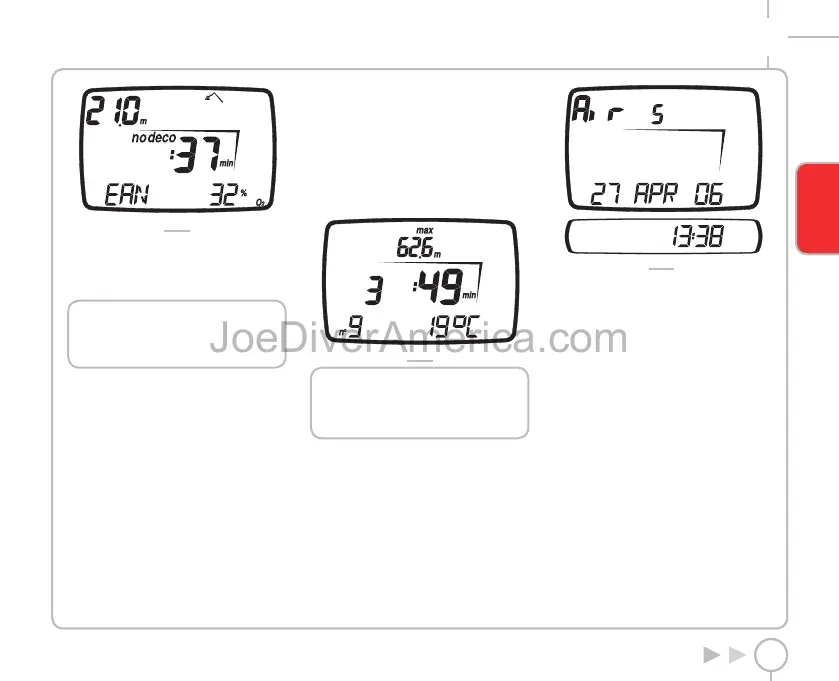
FIG. 28
The maximum depth allowed in this case varies as a
function of the % O
2
and maximum PPO
2
that have
been entered.
The <ESC> button returns you to the main menu.
NOTE
The Plan function will only be active after
having selected AIR or EAN mode in Set
Dive.
LOG BOOK
Log Book mode is used for viewing the details of
past dives on the display.
The dives are organized as in the pages of a “log
book”, with the number “1” assigned to the most
recent dive, “2” to the preceding dive and so forth,
until the memory is full.
If the memory is full, when the user dives again
the oldest record is deleted to free up memory for
the new dive.
Maximum capacity is approximately 40 hours of
diving with profile points at twenty second intervals.
To enter Log Book mode, scroll through the Main
Menu until the “LOGBOOK” message appears on the
display bar, and then press the <ENTER> button.
Log Book
The first page of the log book contains a summary
history of dives with the following information (Fig. 29):
• maximum depth reached;
• total diving time (hours and minutes);
• total number of dives done;
• coldest logged temperature.
Pressing the <ENTER> button will display the
individual dives.
FIG. 29
NOTE
For more extensive data storage,
management and viewing functionality,
use a PC with a USB interface (optional).
LOG BOOK DIVE #
When viewing the details of the individual dives,
these are numbered sequentially in reverse
chronological order.
The following data are displayed (Fig. 30):
• type of dive (AIR, EAN, BOTTOM TIME).
• sequential dive number;
• alternating dive start date and time.
FIG. 30
Press the <+> or <-> buttons to advance from one
dive to the next.
Press the <ESC> button to return to the preceding
menu.
Press the <ENTER> button to view the details of the
selected dive.
LOG BOOK TECH DATA
This mode displays the summary details of each
individual dive (Fig. 31):
• Type of dive: AIR, EAN, BOTTOM TIME.
• Maximum depth reached.
• Maximum ascent rate reached.
• “Uncontrolled ascent” icon.
• Omitted deco stop (AIR, EAN only).
• “Deco” icon for decompression-stop dives
(AIR, EAN only).
• Deco stop violation (AIR, EAN only).
• Selected personal correction factor
(AIR, EAN only).
• “No deco” icon for no-decompression dives
(AIR, EAN only).
• Selected altitude program (AIR, EAN only).
ENGLISH
2334-Nemo Wide-ing-rev.indd 452334-Nemo Wide-ing-rev.indd 45 19/09/2006 11.09.5319/09/2006 11.09.53



 To Next Page