46
FIG. 31
Press the <-> button to choose to view one of the
following on the display bar:
• % O
2
in the breathing mix (EAN only);
• % CNS maximum (EAN only).
Or
• lowest logged temperature,
• duration of the dive.
Or
• type of water (Salt, Fresh);
Press the <ENTER> button to review the profile
of the dive.
NOTE
For dives in BOTTOM TIME mode, the
uncontrolled ascent and omitted deco stop
icons refer to errors committed during the
preceding dive.
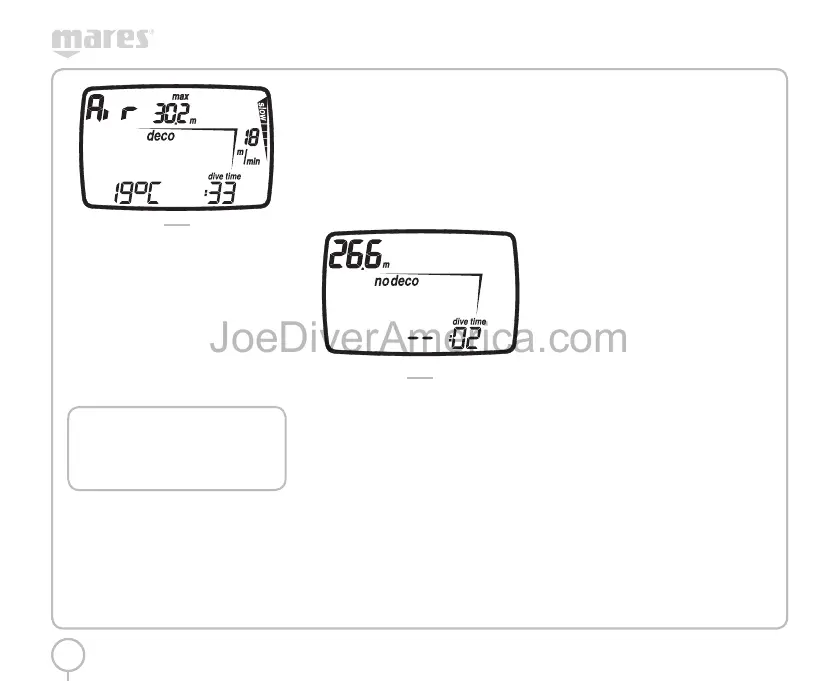
LOG BOOK PROFILE
In Profile mode you can review the profile points of
a dive, spaced at 20 second intervals. Press the <+>
button once to advance to the next profile point, or
hold it down to scroll automatically.
The details displayed in Profile mode are the following
(recorded at the end of the time interval) (Fig. 32):
• current depth;
• fastest ascent rate;
• duration of the dive.
As well as any icons such as:
• “deco” icon for decompression-stop dives
(AIR, EAN only);
• omitted deco stop icon (AIR, EAN only);
• personal correction factor (AIR, EAN only);
• “no deco” icon for no-decompression dives
(AIR, EAN only);
• selected altitude program (AIR, EAN only).
FIG. 32
Press the <ESC> button to return to the preceding
menu at any time.
The <ENTER> button is disabled.
PC MODE
Using a special interface unit and a dedicated
Windows software application, you can transfer all
the data from the Nemo Wide log book to a personal
computer. Nemo Wide and the PC communicate
through a special USB interface module (optional).
To transfer data to the computer, set Nemo Wide
to PC mode:
• Use the <+> or <-> buttons to select “PC” in the
display bar.
• press the <ENTER> button.
Position Nemo Wide with the display facing upward
and plug the interface into the special port.
More detailed information is available in the special
software required to communicate with Nemo
Wide.
For more information about options for interaction
between Nemo Wide and the PC we invite you to
consult the special section of the www.mares.com
web site. You can download the dedicated software
and any updates from the web site.
OFF MODE
You can access OFF mode from the main menu by
pressing <ESC>.
In this menu, using the <+> and <-> buttons you can
view the following information (Fig. 33):
• the serial number
• the charge level of the battery
• the software version
• the number of times the battery has been
replaced
press <ENTER> to turn off the computer.
press <ESC> to return to the Main Menu.
2334-Nemo Wide-ing-rev.indd 462334-Nemo Wide-ing-rev.indd 46 19/09/2006 11.09.5319/09/2006 11.09.53



 To Next Page