EN
Adj time
As already described briefly in the quick guide, the Adj
Time menu is used for setting the date and time of the
first time zone. It is also possible to choose the format
for the primary time display(12h - 24h).
In Set Time, press the <+> or <-> buttons until "Adj
Time" appears on the display bar and press the <enter>
button to accept the item.
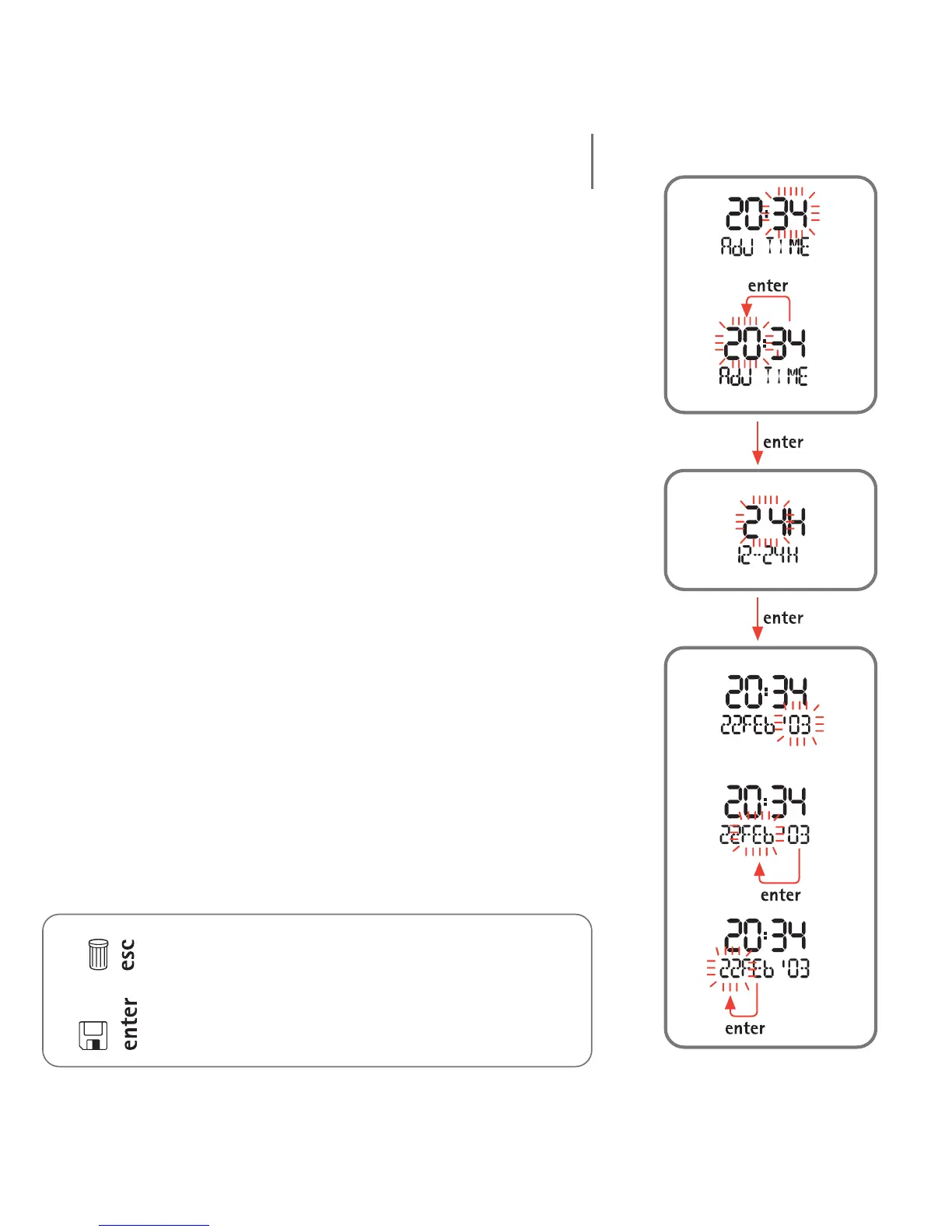
Use the <+> or <-> buttons to adjust the values. Press
and release the button to change the value by one unit
at a time, or hold down the button for rapid increment
or decrement. Press the <enter> button to save the
changes made.
As illustrated in the figures, you must first set the time,
followed by the format, and finally the date.
The chosen time format will be used in all the Nemo
operating modes: alarm, second time zone, log book,
dive, stopwatch.
Note:
pressing <esc> during the settings cancels any changes
made and reverts to the preceding value;
pressing <enter> during the settings accepts the
changes made and advances to the next parameter, or
returns to the higher menu level.
Setting the TimeTime formatSetting the Date
10



 To Next Page