7
MENU Description
SEt dIVE
- LGHt
Allows you to set the duration
after which the backlight
turns off automatically. You
can set this between 1 and
10 seconds or you can set it
to on. If you set it to on the
backlight will remain on until
you press and hold the button
again to turn it off.
- P FCt
Allows you to choose between
the standard algorithm (P0)
and an increasingly more
conservative one (P1, P2).
- ALt
Allows you to set the
algorithm into altitude mode
when diving in mountain
lakes.
- WAtR
Allows you to choose
between salt and fresh water.
- UN:tS
Allows you to choose
between metric (m, °C) and
imperial (ft, °F) units
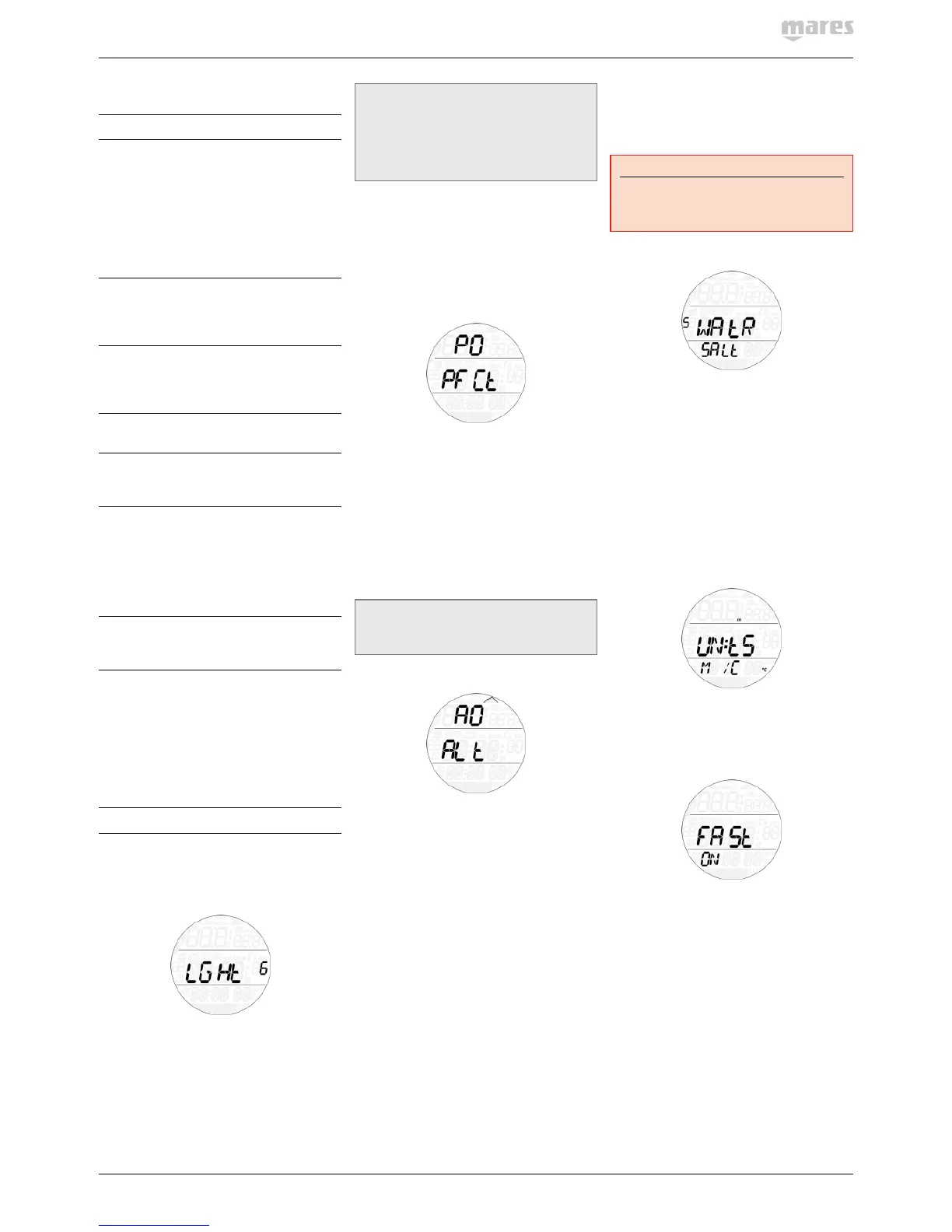
- FASt
Allows you to turn off the dive
violation due to uncontrolled
ascent. This is for dive
instructors only, who may
find themselves in such a
situation because of their
teaching requirements.
- ALRM
Allows you to turn on or off
all audible alarms of Puck
Pro.
- ErASE
Allows you to reset the
nitrogen saturation to zero,
thereby erasing the effects
of a previous dive. This is
only for people who plan
to lend their computer to
another diver who has not
performed a dive within the
last 24hours.
SEt tIME
Allows you to set the time.
2.2.1 SEt dIVE
2.2.1.1 LGHt BACKLIGHT
Puck Pro has a backlight which can be
activated in case of low ambient light. The
backlight is activated by pressing and holding
the button. During a dive, the backlight will
stay on for the duration defined in this menu.
You can choose between 1 and 10 seconds,
or you can set it to on. If you set it to on, the
backlight will remain on until you press and
hold the button again.
NOTE
- The backlight consumes battery energy:
the longer the backlight stays on, the
less your battery will last.
- If the low battery warning is activated,
the backlight will be disabled.
In surface mode, the backlight can be activated
by pressing and holding the button, only from
the pre-dive display. The backlight will stay on
for 6 seconds, unless you go into any menu, in
which case it will stay on until you return to the
pre-dive display or after one minute of no button
operation (at which point Puck Pro turns off).
2.2.1.2 P P FCt P FACTOR
Puck Pro allows you to set an additional
personal safety factor for those circumstances
in which you want to be especially cautious,
such as after a long period of inactivity or
when planning a strenuous dive. In this
menu you can choose between the standard
algorithm (P0), a more conservative version
(P2) or an intermediate one (P1). On the pre-
dive, post-dive, logbook and planner displays,
P1 is displayed with p+, P2 with p++ and P0 is
indicated by the absence of symbols.
NOTE
The choice of p factor will be reflected in
the dive planner.
2.2.1.3 ALt ALTITUDE
Atmospheric pressure is a function of altitude
and of weather conditions. This is an important
aspect to consider for diving, because the
atmospheric pressure surrounding you has an
influence on uptake and subsequent release
of nitrogen. Above a certain altitude, the
decompression algorithm has to change in
order to account for the effect of the change
in atmospheric pressure. When diving in a
mountain lake, find out what the altitude is and
choose the altitude range in Puck Pro within
the four available options:
- A0: from sea level to approximately
700m/2300ft;
- A1: from approximately 700m/2300ft to
approximately 1500m/4900ft ;
- A2: from approximately 1500m/4900ft to
approximately 2400m/7900ft;
- A3: from approximately 2400m/7900ft to
approximately 3700m/12100ft;
- We do not recommend diving at altitudes
above 3700m / 12100ft. If you do, set Puck
Pro to bottom timer and find appropriate
altitude dive tables.
On the pre-dive, post-dive, logbook and
planner displays, A1 through A3 are indicated
with the mountain symbol filled with 1, 2 or 3
segments while A0 is indicated by the absence
of symbols.
WARNING
Diving in mountain lakes without first
setting Puck Pro to the proper altitude
setting can cause severe injury or death.
2.2.1.4 WAtR WATER
You can set the computer for FRESH water or
SALt water calibration, depending on where
you intend to dive. Setting the wrong water
type entails an error in depth measurement
of approx 3% (i.e. at a depth of 30m/100ft, a
computer set to salt water will show 29m/97ft
in fresh water whereas a computer set to fresh
water will show 31m/103ft in salt water). Note
that this does not affect the proper functioning
of the computer, since the computer performs
all of the calculations based purely on
pressure measurements.
2.2.1.5 UN:tS UNITS
You can choose between metric (depth in
meters, temperature in °C) and imperial units.
(depth in feet, temperature in °F).
2.2.1.6 FASt FAST ASCENT
A fast (uncontrolled) ascent is defined as one in
which a speed of 12 m/min / 40ft/min or higher
was maintained over more than two thirds
of the way up. This applies to dives deeper
than 12m/40ft only. In such an event, due to
the potential of harmful bubble formation,
Puck Pro locks the computer for 24hours in
order to discourage you from diving again. In
this menu, you have the option to disable the
locking up of the computer in the event of an
uncontrolled ascent.


 To Next Page
 Loading...