33
PUCK DIVE COMPUTER
ENGLISH
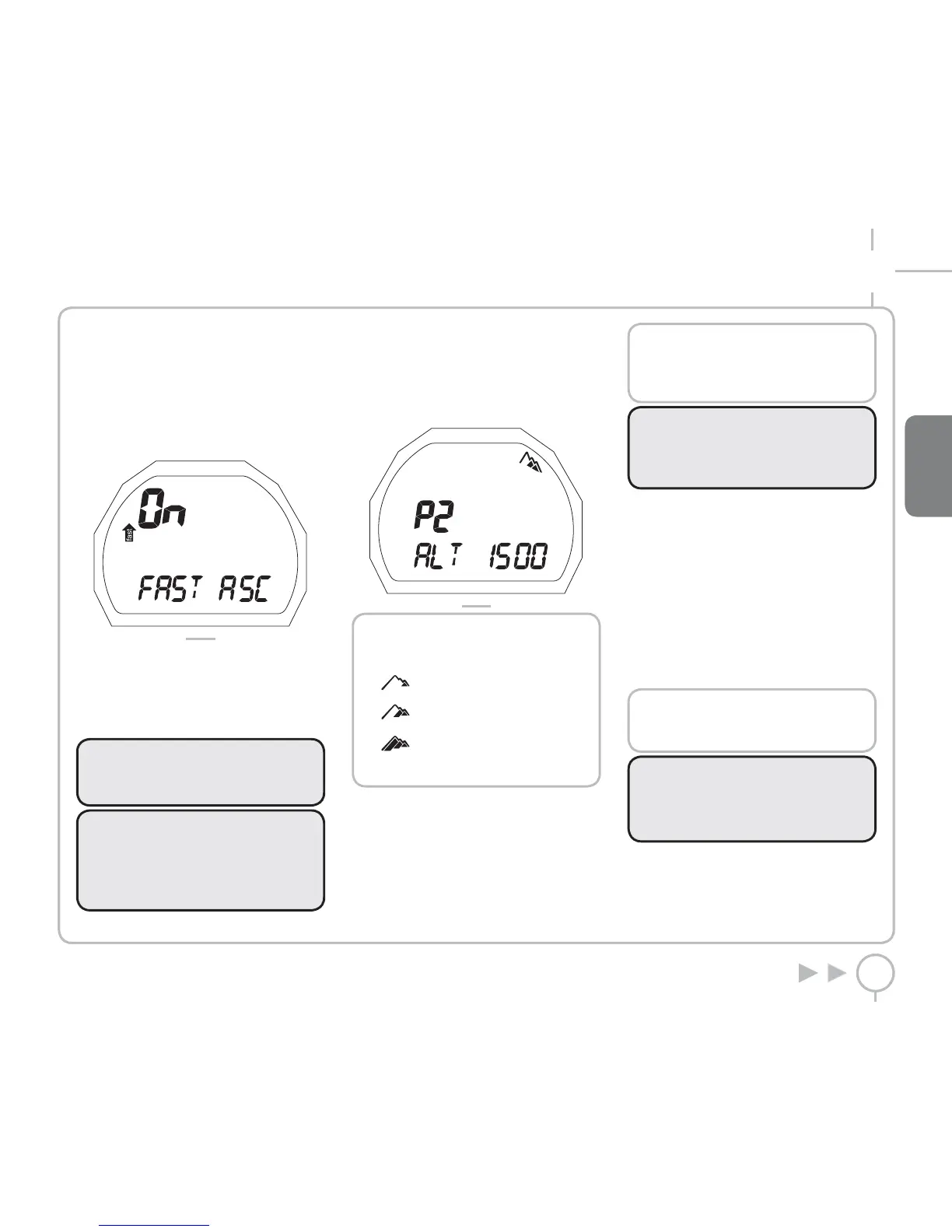
SET AIR FAST ASC
This function enables or disables the “Stop”
function in case of uncontrolled ascent, to prevent
the dive computer from locking out after a rapid
ascent. The feature can be useful for instructors
who need to practice emergency ascents.
Press and hold the button if you wish to change
this setting (Figure 10).
FIG. 10
The current selection (“ON” or “OFF”) will flash:
• ON indicates that the function is enabled
• OFF indicates that the function is disabled
Press the button to select the chosen function.
Press and hold the button to save your selection.
WARNING
A rapid ascent increases the risk of
decompression sickness (DCS).
WARNING
This function is intended only for highly
experienced divers, who take full
responsibility for the consequences of
disabling the “Stop” on uncontrolled ascent.
SET AIR ALTITUDE
When this item is accessed, it displays an
indication of the current altitude program (P0,
P1, P2, P3). To set the desired selection, when the
word ALT appears, press and hold the button
(Figure 11).
FIG. 11
Altitude programs:
P0
(0-700 m) (0-2296 ft)
P1
(700-1500 m) (2296-4921 ft)
P2
(1500-2400 m) (4921-7874 ft)
P3
(2400-3700 m) (7874-12139 ft)
The word ALT and the number corresponding to
the maximum altitude will flash.
Press the button to change the desired altitude.
Press and hold the button to confirm your
selection.
Press the button to move to the next selection.
NOTE
This setting cannot be changed during
the dive. Therefore, carefully check all
settings before going underwater.
WARNING
Do not dive in mountain lakes without
having first checked that the appropriate
altitude program is selected.
SET AIR AL BEEP
This function enables or disables the audible
alarms. To set the desired selection, press and
hold the button when the words AL-BEEP appear.
The word ON or OFF will flash.
Press the button to change the setting.
Press and hold the button to confirm your
selection.
Press the button to move to the ESC position.
Press and hold the button to exit this menu and
return to the main menu.
NOTE
The alarm for any DEEPSTOPS is always
enabled.
WARNING
The audible alarms should only be
disabled by experienced divers, who take
full responsibility for this operation.



 To Next Page