34
EAN
In this mode you can set:
• Personal correction factor
• Fast Asc (Uncontrolled ascent)
• Altitude
• Audible alarms
• Oxygen percentage (%O
2
) in the mix
• Maximum O
2
partial pressure (PPO
2
)
The general parameters for EAN dives are the
same as those for compressed air dives (AIR), with
the addition of settings for the percentage of
oxygen and its maximum partial pressure.
We recommend that you carefully read the “Set
Mode - AIR” section before proceeding further.
WARNING
The use of oxygen rich mixes exposes
the diver to different hazards from those
associated with compressed air. The
diver should be aware of these risks and
understand how to avoid them.
WARNING
Do not use breathing mixes with an
oxygen percentage greater than 50%.
WARNING
It is essential to correctly set the oxygen
percentage in the mix to ensure correct
readouts of:
• No decompression time remaining
• Decompression stop times
• Alarm on exceeding the maximum
permitted PPO
2
.
SET EAN %O
2
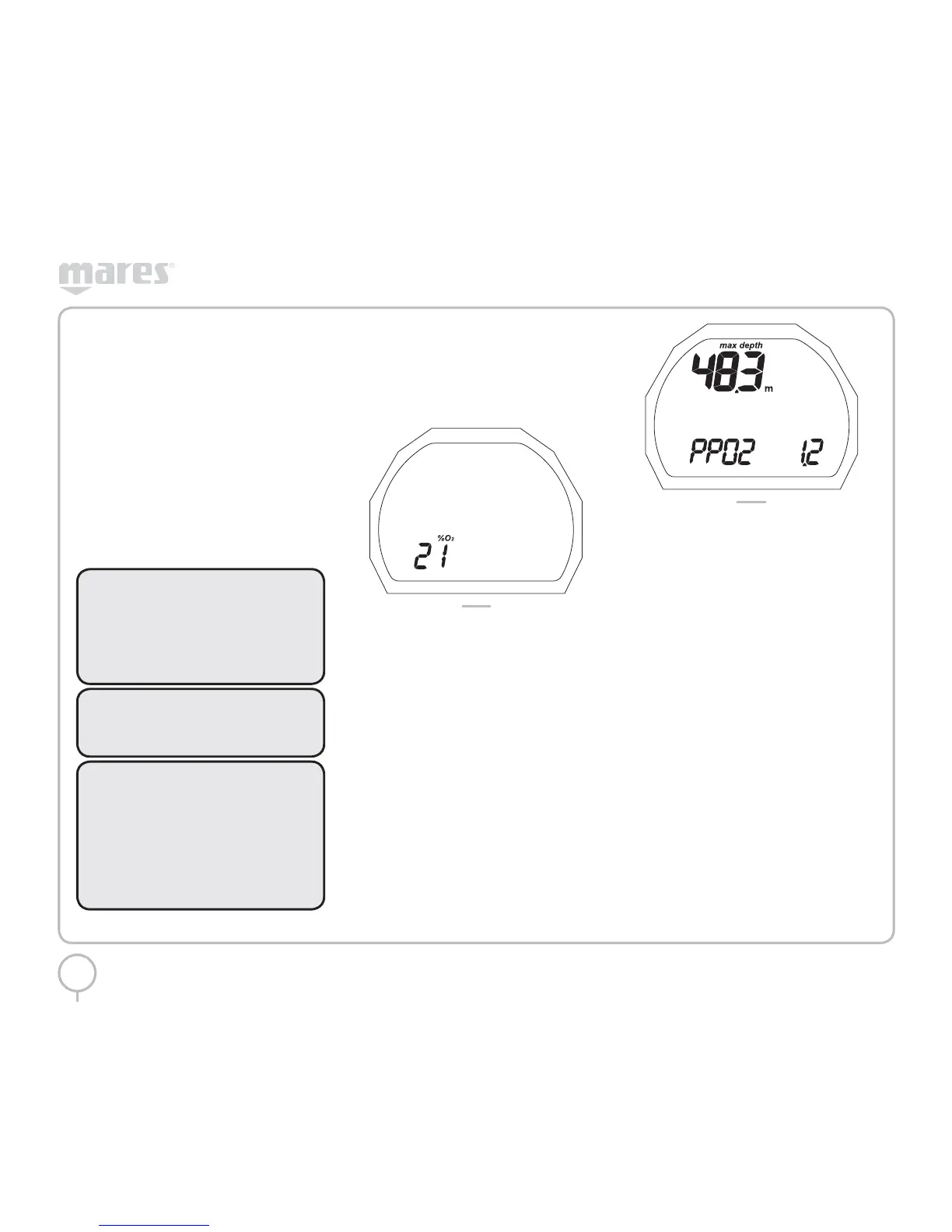
The percentage of oxygen in the mix can
be adjusted within the interval 21% - 50%, in
increments of 1%. To set the desired value, press
and hold the button when the oxygen percentage
appears (Figure 12).
FIG. 12
The oxygen percentage will flash.
Press the button to increase the value.
Press and hold the button to set the selected
value.
Press the button to move to the next setting.
SET EAN PPO
2
PUCK sounds an alarm when the partial pressure
of oxygen reaches a pre-established limit. This
limit can be varied from a minimum 1.2 bar to a
maximum of 1.6 bar, in increments of 0.1 bar.
As this value changes, PUCK will show the
maximum dive depth compatible with the oxygen
percentage and maximum partial pressure that
have been programmed.
To set the desired value, press and hold the button
when the display reads PPO
2
(Figure 13).
FIG. 13
The word PPO
2
and the number alongside will
flash.
Press the button to select the desired value.
Press and hold the button to confirm the selected
value.
Press the button to move to the ESC position.
Press and hold the button to exit this menu and
return to the main menu.
BOTTOM TIME
In this mode you can set:
• AUDIBLE ALARMS
SET BOTTOM TIME AL BEEP
This function enables or disables the audible
alarms.
To save the desired setting, press and hold the
button when AL-BEEP appears. The current
setting, ON or OFF, will flash.
Press the button to change your setting.
Press and hold to confirm your selection.
Press the button to move to the ESC position.
Press and hold the button to exit this menu and
return to the main menu.


 To Next Page
 Loading...