32
Press the button to move to the ESC position.
Press and hold the button to exit this menu and
return to the main menu.
ADJUSTING THE DIVE
PARAMETERS: SET MODE
In SET MODE you can define the specific
parameters for the type of dive you intend to take.
When “SET MODE” appears, press and hold to
enter that menu.
The current setting will be displayed:
• AIR
• EAN
• BOTTOM TIME
At this point you can choose to keep the current
dive mode or select another.
Press and hold to change the desired dive type.
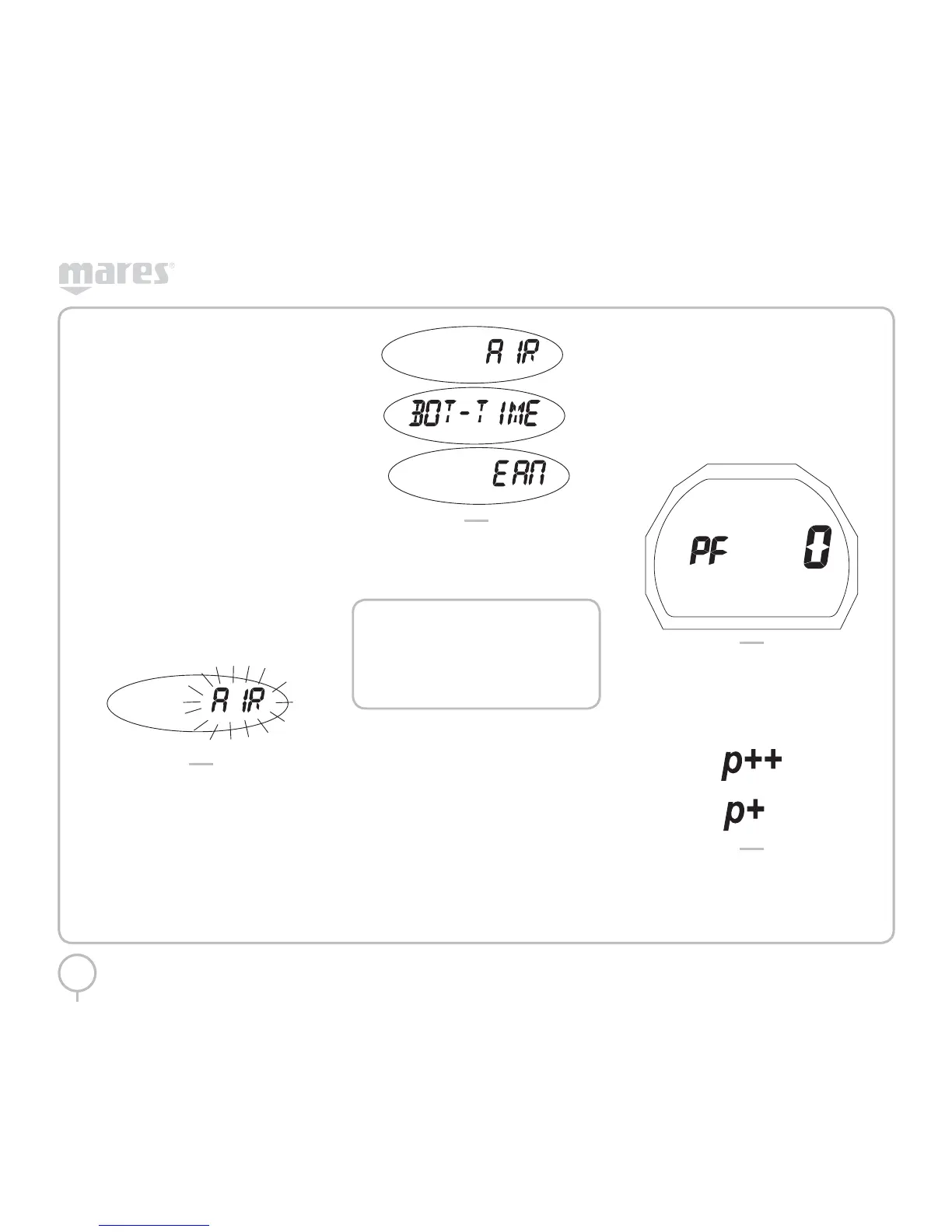
The last operating mode will begin to flash
(Figure 6).
FIG. 6
Press the button to scroll through the 3 dive mode
options (Figure 7).
FIG. 7
When the dive type you want is displayed, press
and hold the button. This will save the selected
mode. Press the button to move to subsequent
settings.
NOTE
If you have completed an EAN dive and
wish to do a repetitive dive with air,
set the computer for “EAN” with O
2
at
21%. By so doing, the calculation of the
%CNS will remain active.
AIR
In this mode you can set:
• Personal Correction Factor
• Fast Asc (Uncontrolled ascent)
• Altitude
• Audible alarms
SET AIR PERSONAL CORRECTION
FACTOR
PUCK allows you to set an additional personal
safety factor to make the computer more
conservative. The correction factor should be
used by inexperienced divers, for strenuous
dives or when diving after a prolonged period
of inactivity. The PF 0 program introduces no
additional margin of safety. When activated,
the current personal correction factor will be
displayed. This can be PF0, PF1, or PF2.
To change the desired value, press and hold when
the letters PF appear (Figure 8).
FIG. 8
The number next to PF will flash.
If the value selected is PF1 or PF2, an icon will
appear that will remain visible during the dive
to indicate that the personal correction factor is
enabled and at what level (Figure 9).
FIG. 9
Press the button to select the desired safety
factor.
Press and hold the button to record your selection
and move to the next setting.



 To Next Page