36
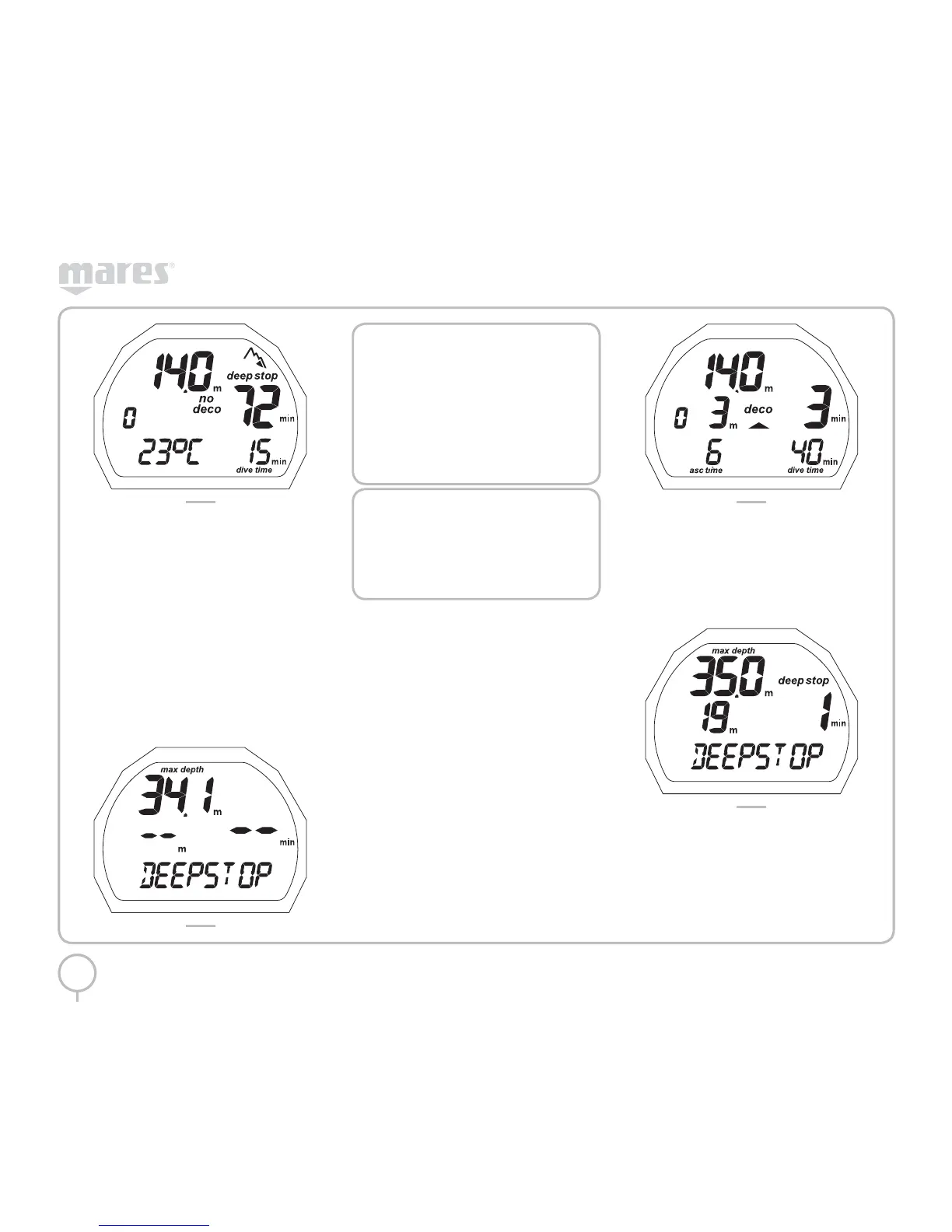
FIG. 15
Pressing the button will display additional
information (Figure 16):
• The maximum depth reached
• The DEEPSTOP if applicable
• Altitude program and level (if enabled)
• Personal correction factor and level
(if enabled)
Pressing the button again will display:
• Type of dive (AIR)
• Units of measurement (m-°C or ft-°F)
• Type of water (Salt, Fresh)
• Altitude program and level (if enabled)
• Personal correction factor and level
(if enabled)
FIG. 16
NOTE
When the DEEP STOP icon appears,
pressing the button will display the
estimated stop required. The data
displayed during the ascent may vary
as a result of the diver’s behavior. Divers
should check this data during the
ascent for more precise information on
the estimated stop.
NOTE
When the no decompression time
remaining is one minute, an audible
alarm is sounded to indicate that
the diver is about to exceed the no-
decompression limits.
DIVE – AIR: “DECOMPRESSION
STOP” DIVE
If the diver does not ascend when the residual time
has expired, PUCK switches to “decompression
stop” mode, indicated by the appearance of the
“deco” message and by an audible alarm.
The following data are displayed in this mode
(Figure 17):
• “Deco” icon
• Current depth (in “m” or “ft”)
• Depth of deepest decompression stop
(in “m” or “ft”)
• Duration of the deepest decompression stop
• The DEEPSTOP icon (if the stop is required)
• The Ascent time
• Altitude program and level (if enabled)
• Personal correction factor and level
(if enabled)
FIG. 17
Pressing the button will display additional
information (Figure 18):
• The maximum depth reached
• The DEEPSTOP if applicable
• Altitude program and level (if enabled)
• Personal correction factor and level
(if enabled)
FIG. 18
Pressing the button again will display (Figure 19):
• “Deco” icon
• Current depth (in “m” or “ft”)
• Depth of deepest decompression stop
(in “m” or “ft”)
• Duration of the deepest decompression stop
• The current temperature



 To Next Page