44
More detailed information is available in the
software needed to communicate with PUCK.
For more information about options for
interaction between PUCK and the PC, check the
special section of the www.mares.com web site.
You can download the dedicated software and
any updates from the web site.
Press the button to move to the ESC position.
Press and hold the button to exit this menu and
return to the main menu.
LOGBOOK
LOGBOOK mode is used for viewing the details of
past dives on the display. The dives are organized
as in the pages of a “log book”, with the number
“1” assigned to the most recent dive, “2” to the
preceding dive and so forth, until the memory
is full. If the memory is full, when the user dives
again the oldest record is deleted to free up
memory for the new dive.
Maximum capacity of approximately 40 hours
of diving with profile points at twenty second
intervals.
Scroll through the main menu to LOGBOOK.
Press and hold the button to enter the LOGBOOK.
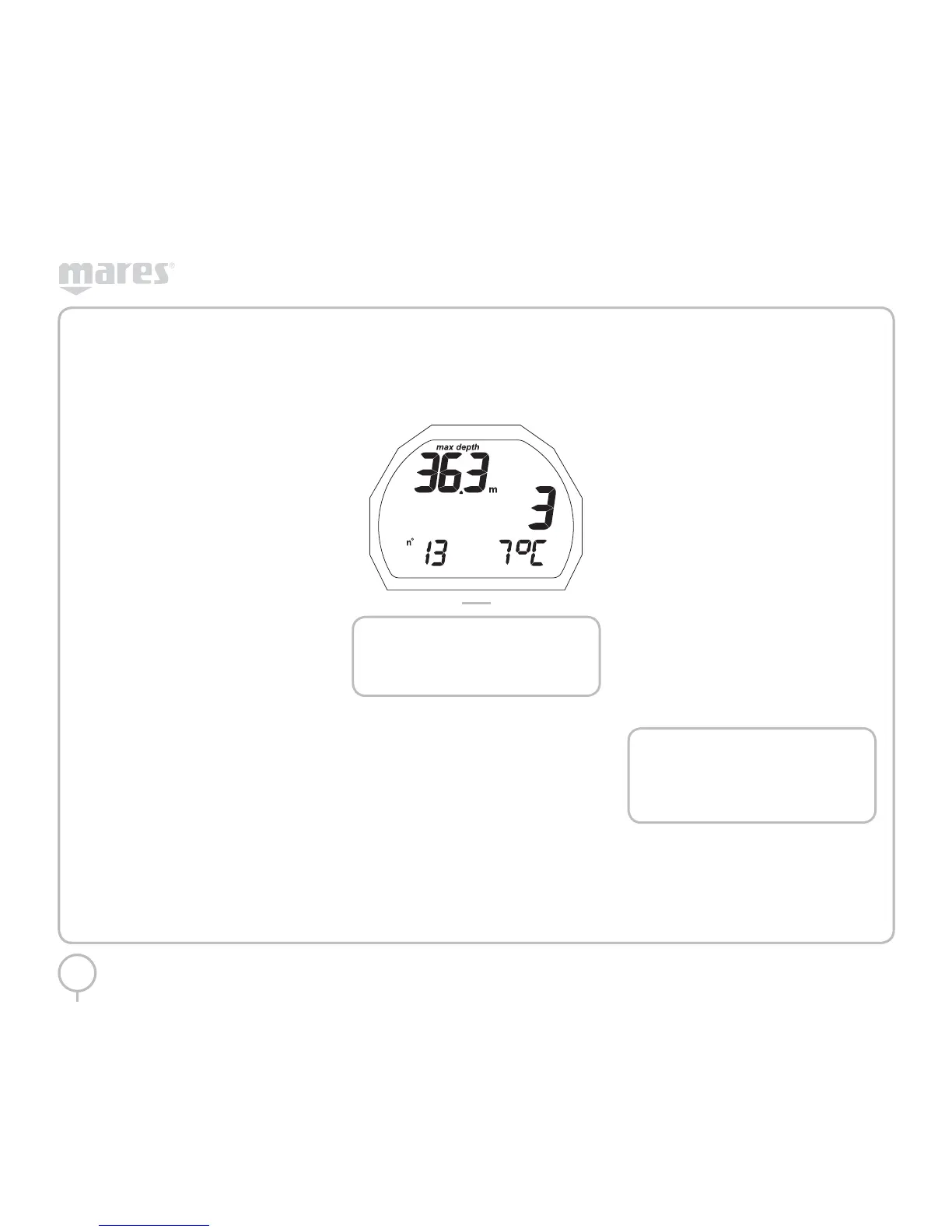
The first page of the LOGBOOK contains the
history of the dives saved (Figure 33):
• maximum depth reached;
• total dive time (hours)
• total number of dives done;
• coldest logged temperature
Pressing the button will display the information
for the dives stored (the first dive displayed is the
most recent one).
Press and hold the button to select the ESC
position. In this position, press and hold the
button to return to the main menu.
From the first LOGBOOK screen, pressing the
button takes you to the information about the
most recent dive stored.
FIG. 33
NOTE
For more extensive data storage,
management and viewing functionality,
use a PC with a USB interface (optional).
LOGBOOK DIVE #
The dives are numbered in order, from the most
recent to the oldest.
The following details are displayed:
• type of dive (AIR, EAN, BOTTOM TIME)
• sequential dive number
• alternating dive start date and time
Press and hold the button to view additional
information.
LOGBOOK TECH DATA
This mode displays the summary details of each
individual dive:
• Maximum depth reached
• Maximum ascent rate reached
• “Uncontrolled ascent” icon
• Omitted deco stop (only Air, EAN)
• “deco” icon for decompression-stop dives
(only Air, EAN)
• Omitted deco stop (only Air, EAN)
• Selected personal correction factor (only Air,
EAN)
• “No deco” icon for no-decompression dives
(only Air, EAN)
• Selected altitude program (only Air, EAN)
• Duration of the dive
• Coldest logged temperature
Pressing the button will display:
• %O
2
in the breathing mix (EAN only)
• %CNS maximum (EAN only)
Press and hold the button to return to the first
screen of information about the current dive.
Press the button to scroll through the dives to
the end. Press the button again to move to the
ESC position.
Press and hold the button to exit this menu and
return to the main menu.
NOTE
For dives in BOTTOM TIME mode, the
uncontrolled ascent and omitted deco
stop icons refer to errors committed
during the preceding dive.



 To Next Page
 Loading...