2015, Marilyn Systems, llc.
23
[ButtonRelease] Section
Defines the button released action for the test button
.
ButtonRelease section parameters:
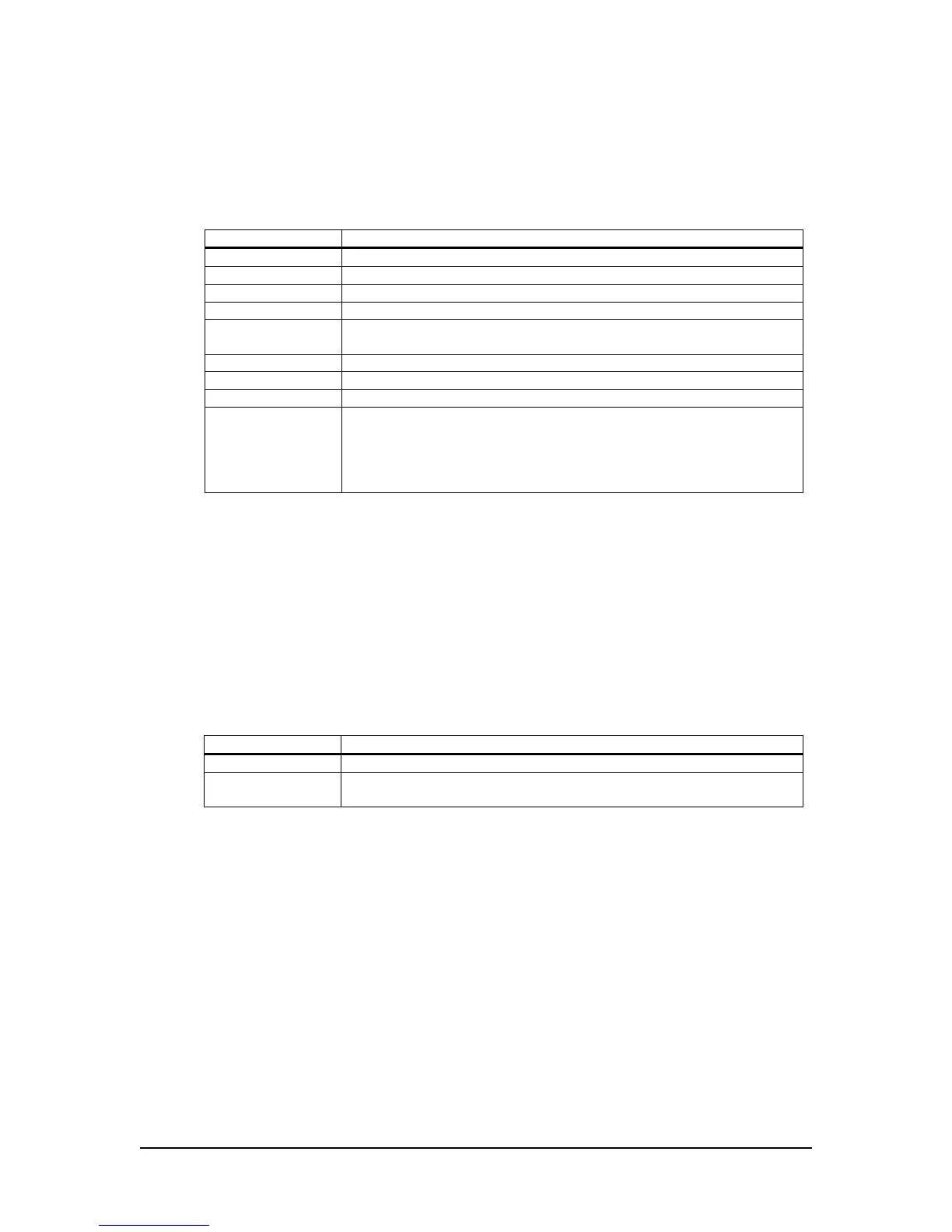
Action - Describes what the player should do when the button is released.
Value Function
DoNothing Take no action (Default)
Play Play the specified track(s)
PlayToEnd Play the specified track(s) uninterrupted
Loop Loop the specified track(s)
Pause Pause the currently playing track. Play, Loop, or PlayToEnd will resume
playback
Next Advance to the next track
Prev Jump to the previous track
Stop Stop the currently playing track
BGM BGM mode. In BGM mode, the selected tracks are played in a
sequential loop. Whenever another event is triggered, the current BGM
track is paused until the end of the interrupting track at which time the
BGM track resumes. Using the FadeRate allows for the BGM track to
fade back in slowly. Stop is the only event that can stop BGM mode
Table 19
FirstTrack – Specifies the first track to be played when the button is released. Must be an integer in
the range of 1-500. This number corresponds to the three-digit number in the file name of an audio
track. If not defined, FirstTrack will default to 1.
LastTrack – Specifies the last track to be played when the button is released. Must be an integer in
the range of 1-500. This enables multiple “lists” to be played in order regardless of other triggered
actions. LastTrack must be greater than or equal to FirstTrack.
Retentive – Track count is retained for the button break action when enabled. This enables multiple
“lists” to be played in order regardless of other triggered actions.
Value Function
Yes Retain track count
No Track count will be reset to FirstTrack each time this action is
interrupted by a different action
Table 20
Volume – Volume level for this action. 0-100%. If not defined, the volume will not be affected when
the button is released. Note that volume control is still active regardless of the defined action. This
allows for a button release to perform a duck or mute function without affecting the currently playing
track.
FadeRate – Defines how long the volume should take to ramp from the current level to the new level
defined by the button release. 10mS increments (10= 1second). If zero (default value), then no fade
will occur. Fading is disabled by default if volume is undefined. Fading is still active regardless of the
defined action. Maximum value is 255 (25.5 seconds).


 To Next Page