15
FX20 INSTALL GUIDE
VERSION 1.6 | APRIL 26, 2024
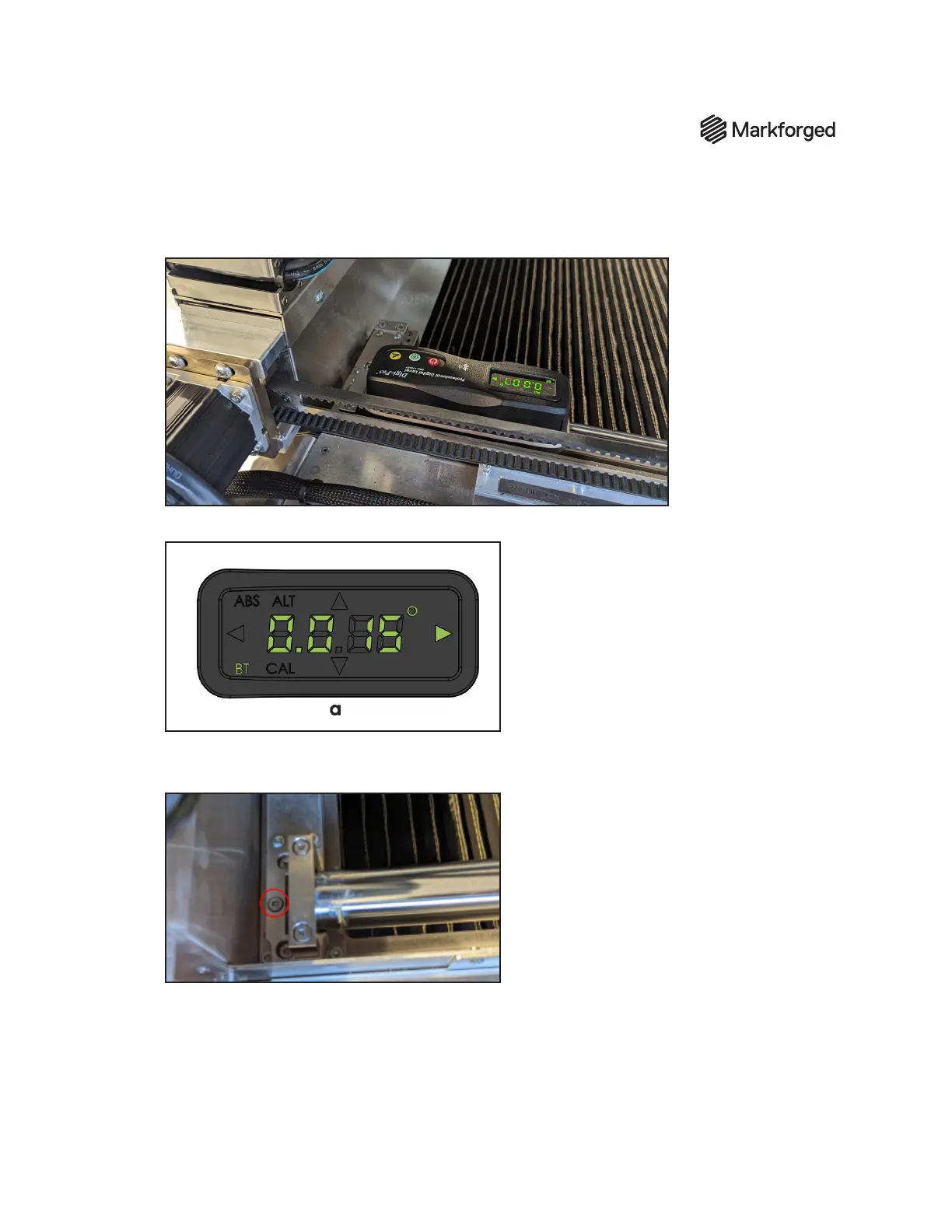
3. Place the digital level on the right y-rail (Y0), at its frontmost position next to the exure plates, with
the v-groove sitting at the top dead center of the rail. (See photo below.)
4. Ensure the leveling mode is reading on its long axis while on the rail.
5. Use the 3mm hex driver to adjust the right rail exure until the alternate zero reading on the level
shows 0.000º +- .05º
6. Record the exact reading from the digital level on the Y0 rail line of the Installer Sign-o
sheet.



 To Next Page