25
FX20 INSTALL GUIDE
VERSION 1.6 | APRIL 26, 2024
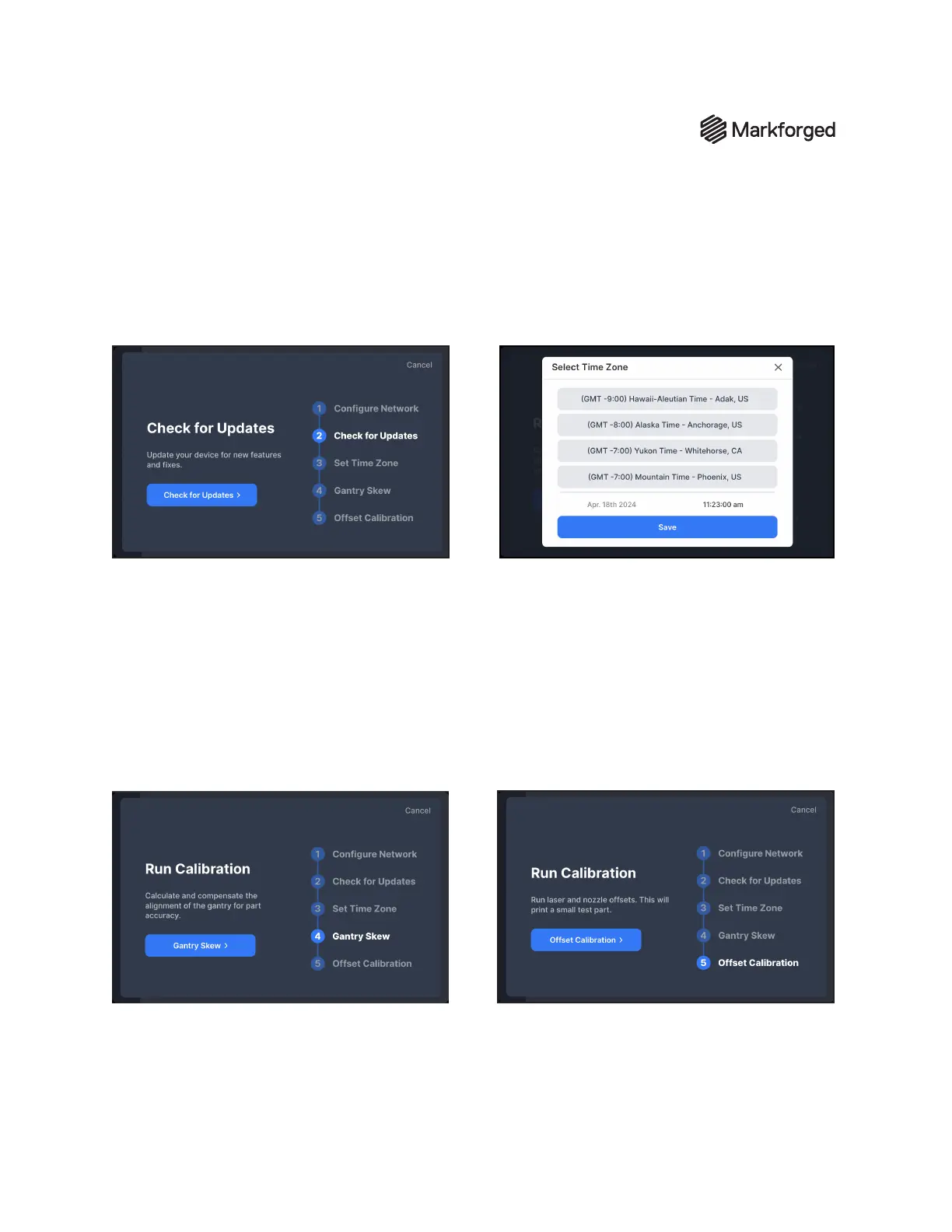
CHECK FOR UPDATES
Tap Check for Updates to conrm your printer is
running the most recent software version.
SET TIME ZONE
Tap Set Time Zone and scroll through the list to
nd and select a time zone for your printer. Then,
tap Save.
GANTRY SKEW
Tap Gantry Skew to begin the gantry alignment
calibration process. This process ensures part
quality by improving the dimensional accuracy
of your prints. Reference the "Gantry Skew
Adjustment" on page 27section for detailed
process steps.
OFFSET CALIBRATION
Tap Oset Calibration to begin the nozzle
oset calibration stage. This process calibrates
the positions of the plastic and ber nozzles.
Reference the "Nozzle Oset Utility" section for
detailed process steps. Note: This process will
print a small test part.



 To Next Page