9
FX20 INSTALL GUIDE
VERSION 1.6 | APRIL 26, 2024
USING THE DIGITAL LEVEL
Before arriving at the customer's site it is recommended you have calibrated your digital level. Do so by
following the steps here: https://www.digipas.com/documents/dwl-1300-1500xy-manual.pdf
Be sure to familiarize yourself with the features of this digital level before proceeding; this guide will refer to
them throughout the leveling procedure.
AXIS READING
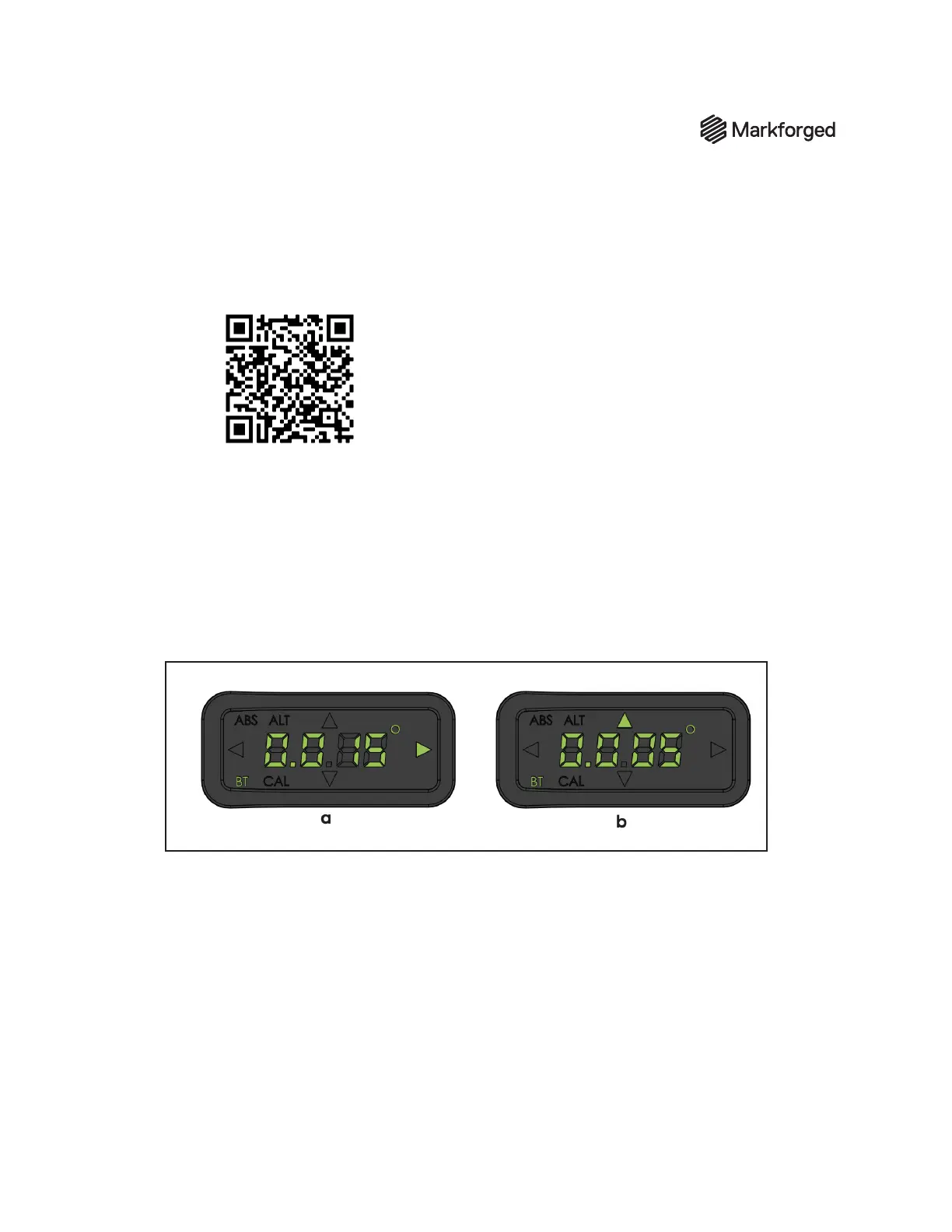
The level measures in both the x axis and the y axis. Figure (a) on the left shows the level measuring along
its x-axis (left and right arrows); Figure (b) on the right shows the level measuring along its y-axis (top and
bottom arrows). You can switch between these by pressing the middle (MODE) button, indicated by a green
cog.
Note: The arrow indicates which direction is higher. For example, Figure (a) shows the right side of the
level is higher than the left by 0.015º.
This guide will instruct you to set the level to read its x-axis or y-axis. Ensure that you can identify what axis
the level is reading and how to switch between modes before continuing.
LEVELING MODE
You can switch between leveling modes by pressing the yellow angle button on the level. This will switch
between normal, absolute (ABS), and alternate zero (ALT) modes. We will be using normal and alternate
zero (ALT) mode in this guide. The latter can be activated by pressing the yellow angle button until the ALT
indicator lights up on the top left of the screen. To return to normal leveling mode, press the yellow angle
button until neither the ABS nor ALT indicators are lit up.



 To Next Page