CREATE AND PRINT YOUR OWN LABEL
12
Follow these steps to print out the labels you want:
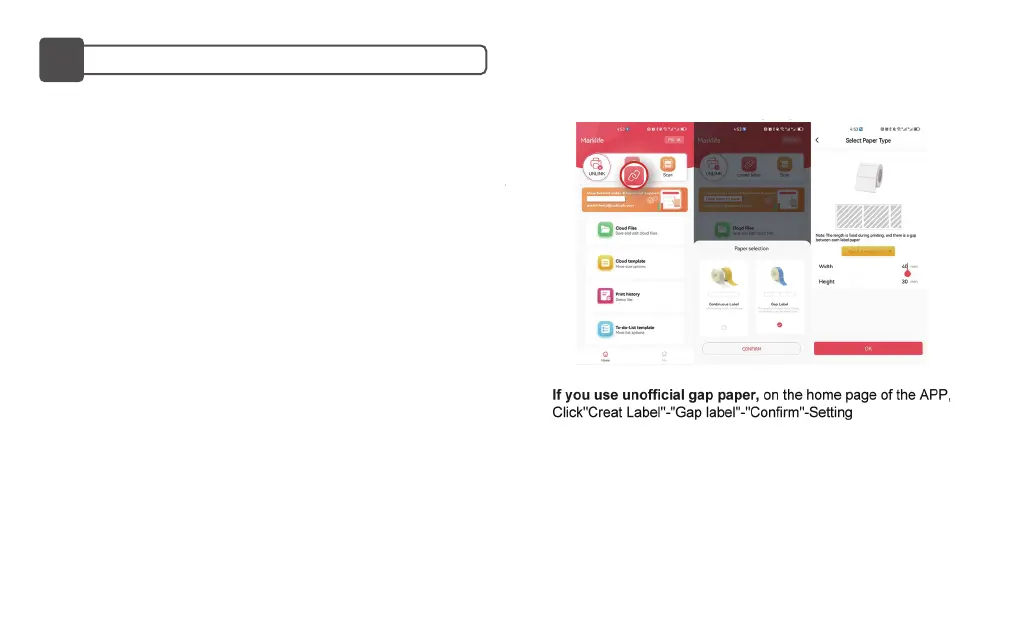
Go to Create label>Select Label Type>Gap Label>Quick size
selection>Text, and edit your label content following the guidelines
below.
After you finish the content design, click Print>Check the preview
page>Print.
NOTE:
-Label calibration needs to be done each time the bin is opened
before printing, otherwise the label content will be printed off-set.
-Make sure to select the corresponding label paper type and size
before printing. Selecting an inappropriate paper type and size may
result in printing errors or wasted paper.
P50 Label Maker comes with a roll of Gap Label, size 40*30mm.
13


 To Next Page