7
Finding a Locomotive
!The locomotive to be found must be the only locomotive standing on the track layout.
Locomotives with mfx decoders do not have to be standing on the track layout by them-
selves.
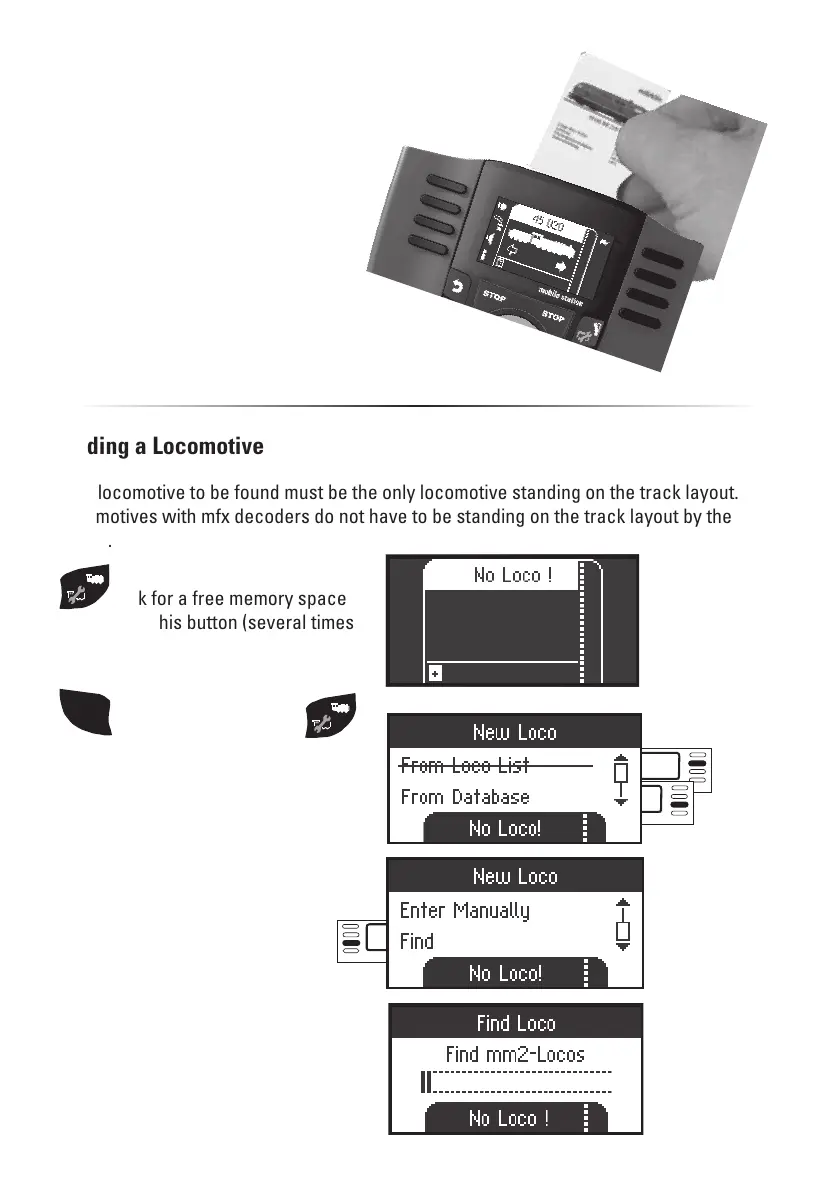
Select:
Find
Look for a free memory space
by pressing this button (several times
if necessary).
Entering a Locomotive with a Locomotive Card
Insert the locomotive card; the loco-
motive is immediately ready for use.
(In Master/Slave operation not possi-
ble at the MS2 Slave unit.)
Note: If the internal memory placest
is full, a memory space must be de-
leted before a new locomotive can
be taken into the list (see page 19).
SHIFT
then additionally press
The Mobile Station is looking for the
locomotive. A search is made in the
protocols mfx, DCC, and MM2 one after
the other.
Select: Scroll
If you see a menu item with a line
through it, this means it is not available
in this window.


 To Next Page