14
Select: Scroll
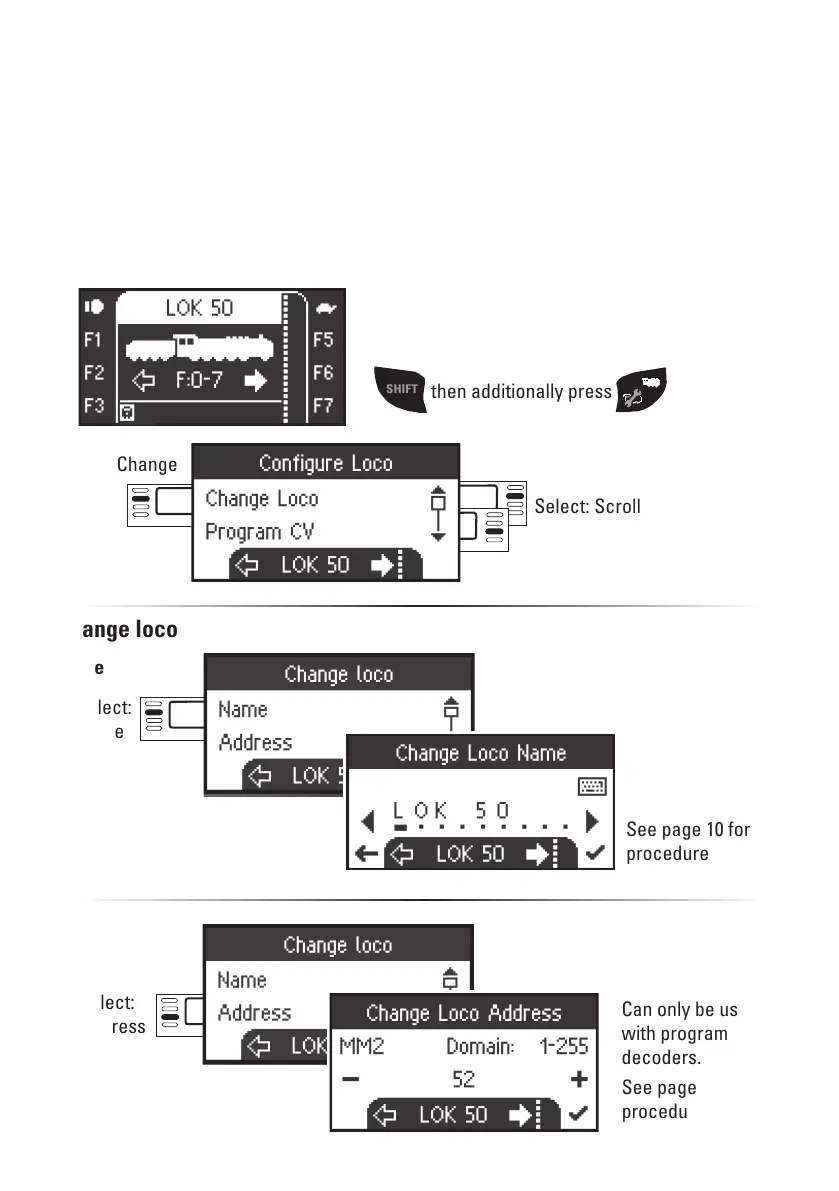
This menu is used to make custom adjustments to the locomotive or its decoder. The loco-
motive address, the locomotive name, and all CV parameters can be edited. Please see the
instructions for your locomotive or decoder to determine how much your locomotive can
be edited in this menu. Only the locomotive to be edited may be standing on the track.
In this menu the locomotive selected remains called up and can be controlled from the
control knob, thus allowing you to check the altered programming immediately and correct
it if necessary.
Select: Change
Loco
Change loco
Select:
Name
Configuring a Locomotive
See page 10 for
procedure
SHIFT
then additionally press
Can only be used
with programmable
decoders.
See page 10 for
procedure.
Select:
Address
Name
Adress


 To Next Page