18
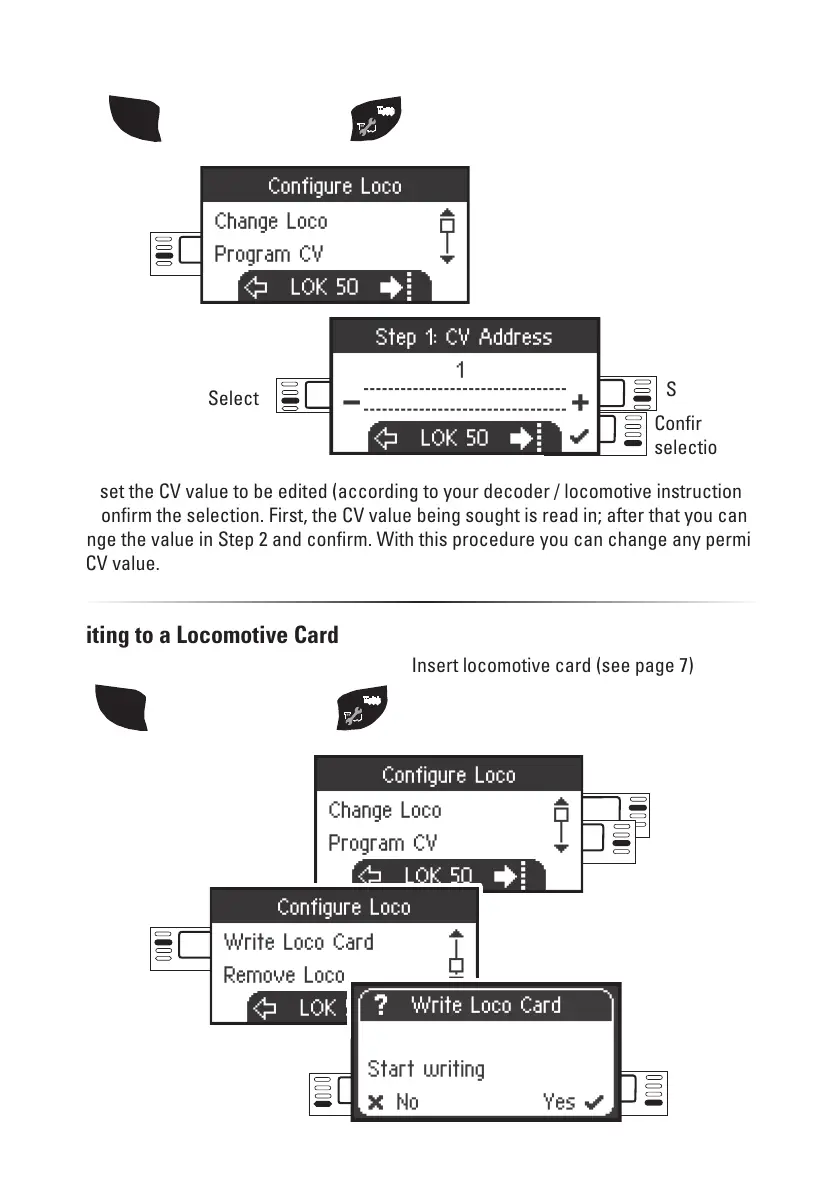
Select: Write
Loco Card
Select
Writing to a Locomotive Card
Insert locomotive card (see page 7)
Programming a Locomotive (CV)
Confirm
selection
Select
Select
First, set the CV value to be edited (according to your decoder / locomotive instructions)
and confirm the selection. First, the CV value being sought is read in; after that you can
change the value in Step 2 and confirm. With this procedure you can change any permissi-
ble CV value.
Select:
Program
CV
SHIFT
then additionally press
Select: Scroll
SHIFT
then additionally press
Confirm
selection


 To Next Page