10
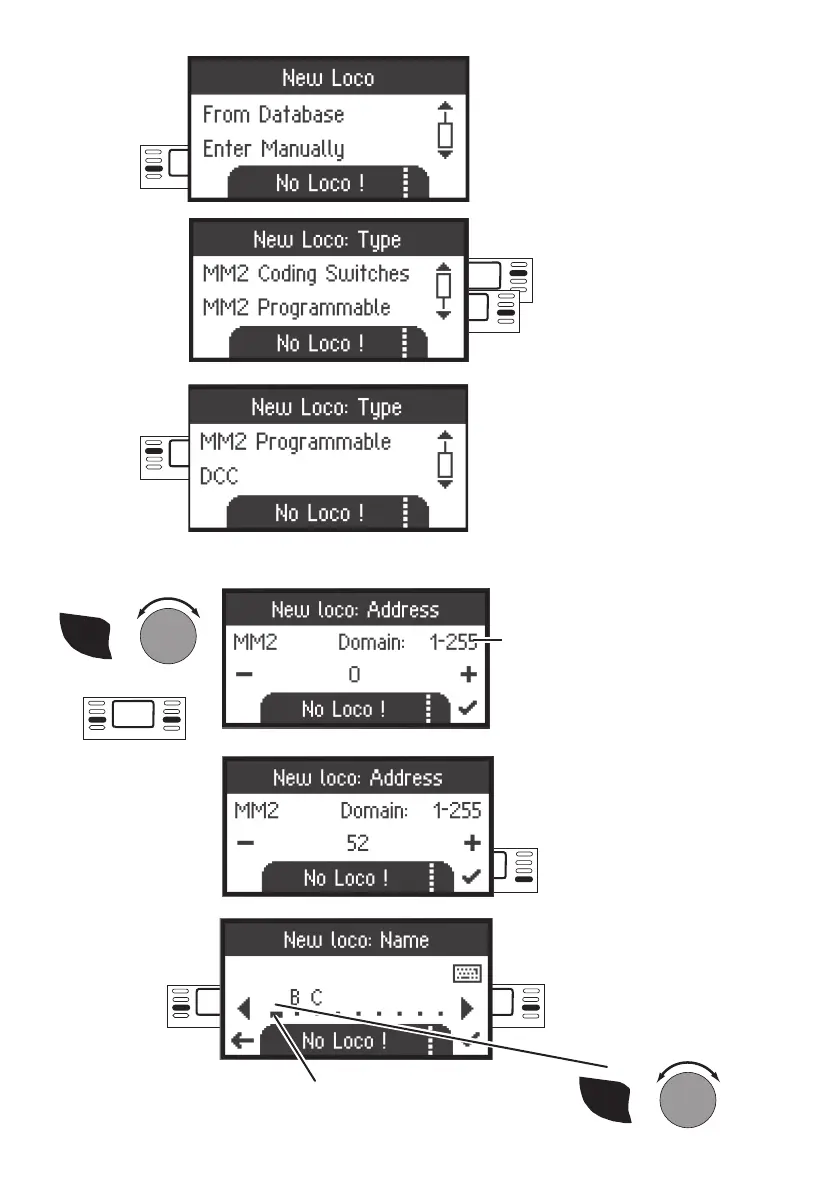
Address selected
Confirm selection
SHIFT
+
Select letter
The letters or digits can be se-
lected at this spot.
Cursor
back
Cursor
forward
Select: Scroll
The following steps are the same
for all types of decoders. The
selection of the decoder controls
editing of the locomotive later on.
For example, with programmable
decoders changing the address
must also be sent to the locomotive
to be stored in memory, but not for
locomotives with coding switches.
Select:
Enter manually
Select: Ex.
MM2 program-
mable
Address range:
MM2 with coding switches 1- 80
MM2 programmable 1 - 255
DCC 1 - 10239
SHIFT
+
Select Address
or


 To Next Page