27
The calibration process can be stopped with the “Stop”
button, by turning the speed control knob, by changing the
direction of travel. The process must be repeated after such a
termination.
If the results of the calibration process are not satisfactory,
calibration can be repeated with another type of motor. The
process can be repeated more than once. If the test run does
not give the desired result, you can adjust individual param-
eters manually in the motor parameters. (MM/DCC see CV
tables, mfx in Locomotive Configuration in the Central Station
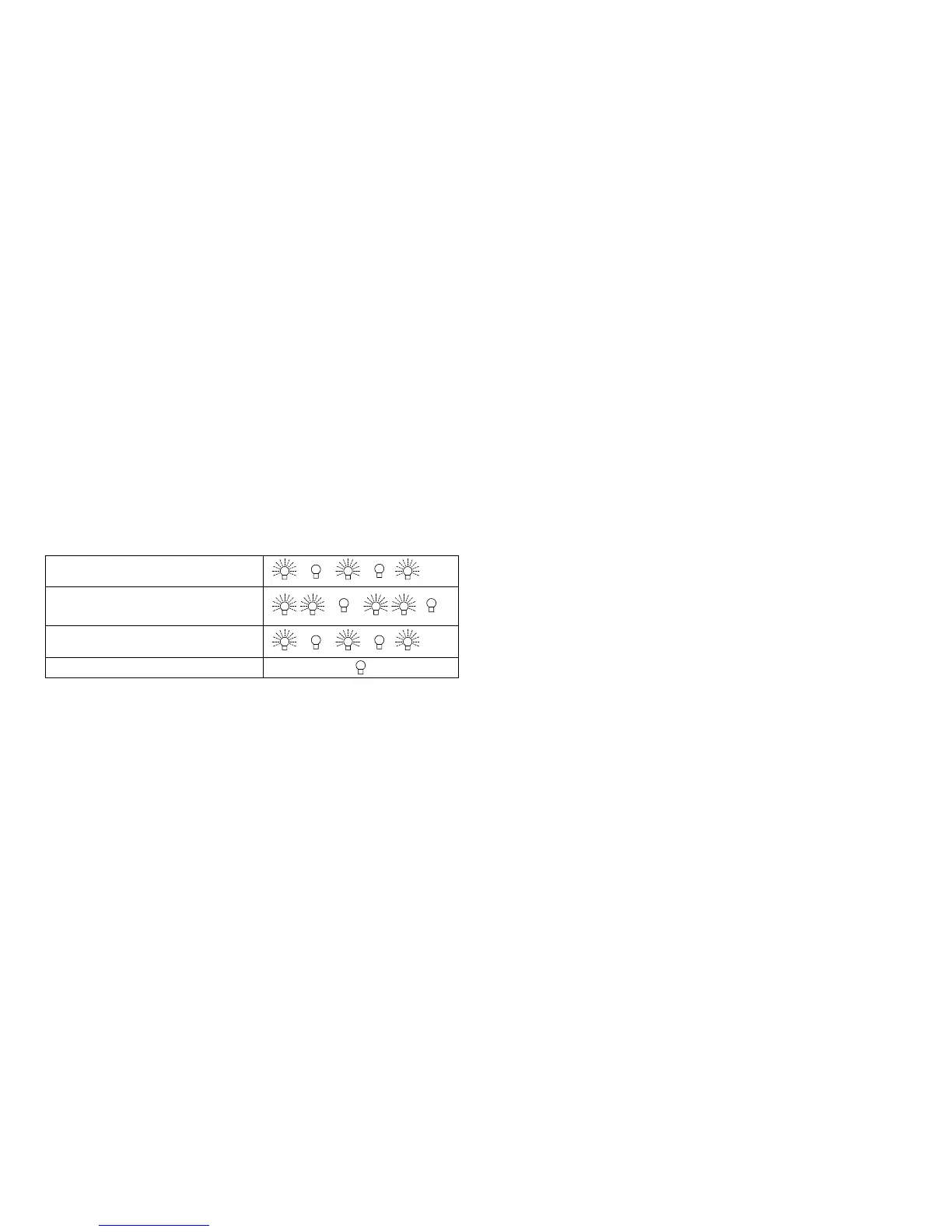
-> CV -> Motor). The beginning and the end of the test run is
indicated by the following light symbols.
Activated (Enter the value 77)
Start of the test run
(Speed Level > 1)
End of the test run
Termination or Interruption
Extensive information about this can be found on the Internet:
http://www.maerklin.de/de/service/technische-informationen
mfx Protocol
Addresses
• No address is required; each decoder is given a one-time,
unique identier (UID).
• The decoder automatically registers itself on a Central Station
or a Mobile Station with its UID.
Programming
• The characteristics can be programmed using the graphic
screen on the Central Station or also partially with the Mobile
Station.
• All of the Conguration Variables (CV) can be read and
programmed repeatedly.
• The programming can be done either on the main track or the
programming track.
• The default settings (factory settings) can be produced
repeatedly.
• Function mapping: Functions can be assigned to any of the
function buttons with the help of the 60212 Central Station
(with limitations) and with the 60213/60214/60215 Central Stati-
on (See help section in the Central Station).
Extensive information about this can be found on the Internet:
http://www.maerklin.de/de/service/technische-informationen
fx (MM) Protocol
Addresses
•
4 addresses (a main address and 3 consecutive addresses)
• Address range:
1 - 255 depending on the controller / central controller
• The main address can be programmed manually.
• The consecutive addresses can be turned on, turned off, set
and can be programmed manually or automatically.
• All 16 functions can be controlled by means of the four ad-
dresses.
Programming
• The characteristics can be programmed for the decoder can
be programmed repeatedly using the programming for the


 To Next Page