44
POW/VOL:
– 1. Used to turn on the car stereo. Keep pressed to turn the main unit o.
– 2. When the car stereo is on, this button is used to select function. Press once to change
volume. Press twice for DSP where bass (BAS) and treble (TRE) can be changed. Press
again for SOUND, where speaker balance (BAL) can be adjusted. Press three times to
enter DISPLAY mode, where you can adjust screen brightness and colour. This only works
in playback mode, not in radio mode. Once you have selected a mode, turn the knob or
touch the screen to conrm the settings.
– 3. Volume button, used to control volume.
RES
Reset button. If the car stereo starts operating abnormally, this can be used to return the unit to its
factory settings.
SD
SD card slot. The USB port is located below the SD card symbol.
OPERATION
TOUCH SCREEN FUNCTIONS
Main menu
When the unit starts, the radio interface is shown. Press the MENU button on the panel to open the
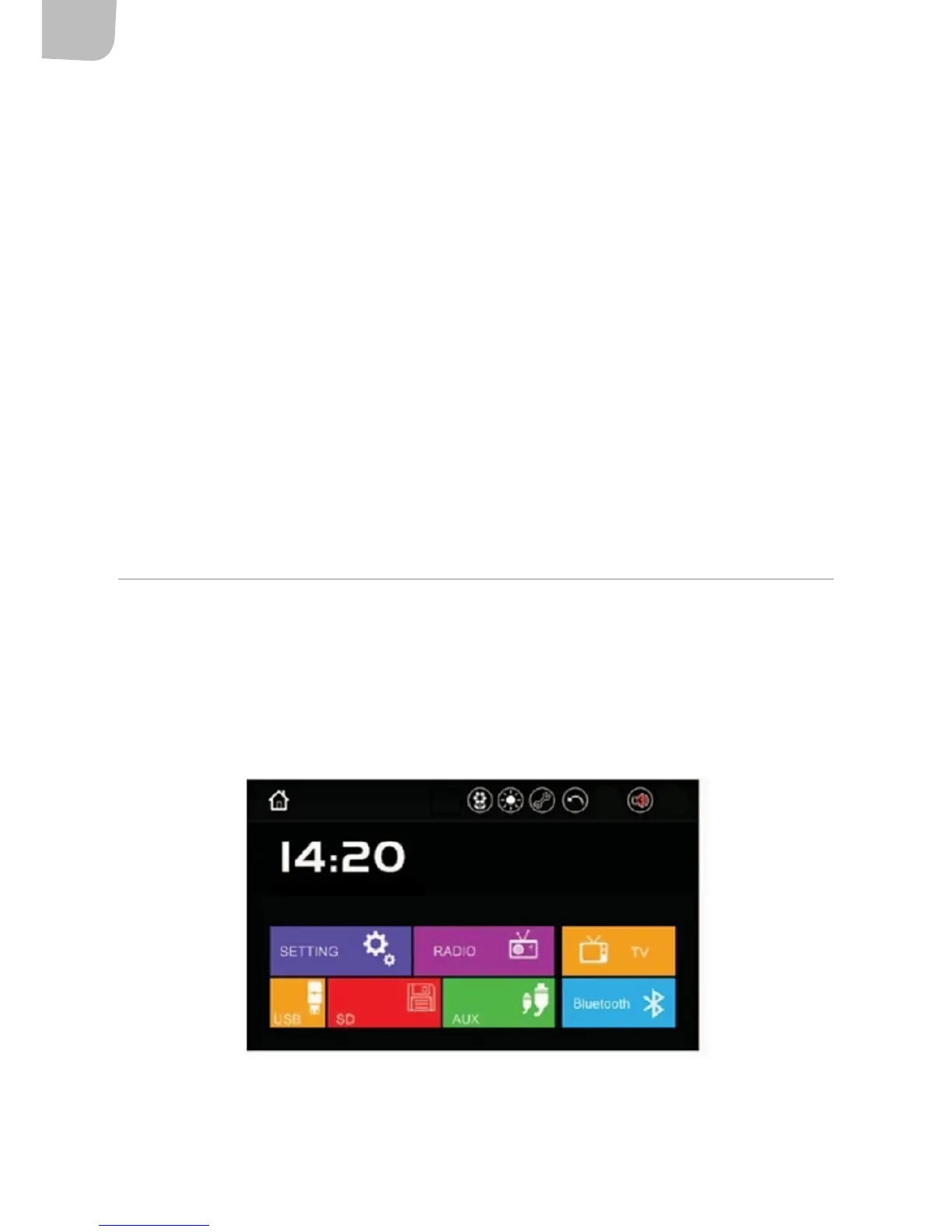
main menu. The options RADIO, USB, SD, AUX, Bluetooth, TV and SETTING will appear:


 To Next Page